

Alternatives to Unifyca
Unifyca gives you total control and clarity by unifying your agency's WordPress site management, audits, and backups into one seamless platform.
Explore 13 alternatives to Unifyca. Compare features, pricing, and find the best fit for your needs.

Built2WinWeb AI Strength Scanner
AI‑ready websites, WebAgentScan SaaS, and Indexing Pack. MCP, A2A, llms.txt — hand‑coded PHP, complete ownership, flat‑fee, free quote.
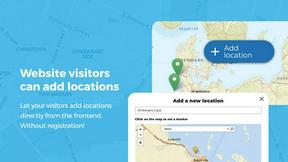
Open User Map
Empower your visitors to add and manage locations on an interactive map with no coding or API keys required.

Shadcn Examples
Unlock your web app potential with stunning React and Tailwind UI kits featuring reusable examples and blocks for every project need!.
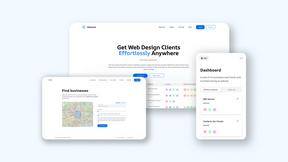
Webleadr
Webleadr lets you effortlessly find and contact businesses without websites, turning leads into clients in just a few clicks!.
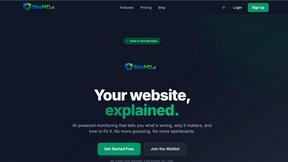
SiteMd
SiteMd rapidly scans your website for issues, providing clear reports and actionable fixes to boost performance and enhance SEO!.

Idearium
Idearium crafts unforgettable websites that boost your online presence and drive measurable business growth!.
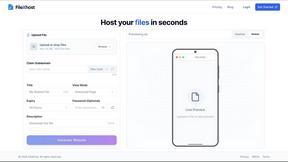
FilexHost
Effortlessly host and share any file in seconds with FilexHost's simple drag-and-drop interface and instant links!.

Crawlkit
Crawlkit instantly transforms any website into structured data and screenshots with just one powerful API call!.

Best Boilerplates
Launch your SaaS faster by comparing top boilerplates and starter kits in one place.
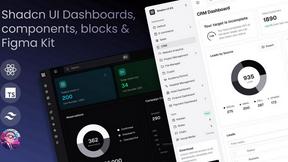
Shadcn UI Kit
Accelerate your web development with the Shadcn UI Kit's pre-built templates, dashboards, and components!.

Clio Websites
Clio Websites creates stunning, high-converting custom websites that attract customers and elevate your business.
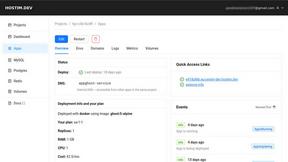
Hostim.dev
Deploy Docker apps effortlessly with built-in databases on fast EU-hosted infrastructure starting at just €2.50/month!.

About Unifyca Alternatives
Are you tired of juggling a dozen different WordPress admin logins just to keep your client sites running smoothly? If so, you’ve likely encountered Unifyca, a powerful centralized platform built specifically for agencies, freelancers, and IT pros who manage multiple WordPress websites. It lives in the website management and maintenance category, offering a single dashboard for audits, backups, uptime monitoring, and even storing all that critical client documentation like hosting details and SSL certs. But while Unifyca packs a serious punch, it’s not a one-size-fits-all solution. Maybe the pricing doesn’t quite fit your budget, or you’re hunting for a tool with a different feature set, a more streamlined interface, or better integration with your existing tech stack. Whatever your reason, looking for an alternative is a smart move to find the perfect fit for your agency’s unique workflow. When you’re on the hunt for the right alternative, don’t just grab the first shiny tool you see. Start by zeroing in on what matters most to your team: do you need rock-solid automated backups, or is a deep-dive security audit your top priority? Consider the platform’s scalability, because you don’t want to outgrow your solution in six months. Look for clean white-label reporting if you’re presenting to clients, and check how intuitive the centralized dashboard is for managing dozens of sites at once. Pricing models vary wildly, from per-site fees to flat monthly rates, so calculate what makes sense for your volume. Finally, think about onboarding and support, because a steep learning curve can kill your momentum. The right alternative will supercharge your agency’s efficiency without the headaches.
FAQs about Unifyca Alternatives
What is Unifyca?
Unifyca is a WordPress website management platform designed to give agencies, freelancers, and IT professionals a single centralized workspace for handling multiple client websites. Instead of logging into each separate WordPress dashboard, you can run audits, detect outdated plugins and themes, apply maintenance fixes, schedule backups, and monitor uptime all from one place. It also centralizes essential documentation like hosting accounts, domains, FTP access, and client credentials, making it a complete operational hub for managing websites at scale.
Who is Unifyca for?
Unifyca is built specifically for agencies, freelancers, and IT professionals who maintain and manage multiple client WordPress websites. It’s ideal for teams that need to reduce manual work, improve consistency across client projects, and deliver professional maintenance services. If you’re tired of bouncing between dozens of admin panels and want a unified view of your entire client portfolio, Unifyca is designed with your workflow in mind.
What are the main features of Unifyca?
Unifyca offers a robust suite of features including centralized WordPress audits to detect outdated plugins, themes, and core versions, along with the ability to apply maintenance fixes directly. You can create manual or scheduled backups, monitor site uptime, and generate white-label maintenance reports for your clients. Beyond technical maintenance, it also serves as a documentation hub for storing hosting accounts, domains, FTP and SSH access, email settings, SSL certificates, credentials, brand assets, and project notes.
Is Unifyca secure?
Yes, Unifyca is built with security in mind as it handles sensitive client data like login credentials, hosting details, and SSL certificates. By centralizing this information in a single, controlled platform, it reduces the risk of scattered, unsecured documentation. The platform is designed to help agencies maintain strict oversight of their client assets, though specific security protocols like encryption standards should be verified directly with the provider for your compliance needs.