

Alternatives to Tagada
Tagada lets you parse, highlight, and tag Gmail sentences locally for super fast, private email replies.
Explore 20 alternatives to Tagada. Compare features, pricing, and find the best fit for your needs.

Uniclip
Clip pages, take full-page screenshots and batch-capture list data to Notion, Feishu, Obsidian, Markdown, CSV or JSON.

TroveKey
Search tabs, Chrome bookmarks and history, run browser commands, and save webpages and social posts locally—no account.
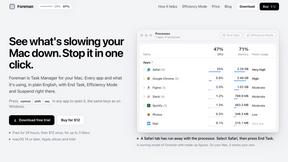
Foreman
See every app and what it's using in plain English, and end or slow down the one that's hogging your Mac.
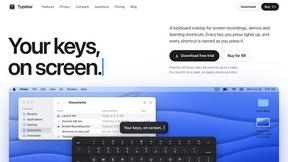
Typebar
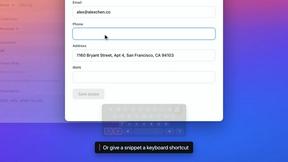
Every key you press lights up on an on-screen keyboard, and each shortcut is named as you press it.

LightScreen
Free light screen tool online. Turn any display into a flashlight, ambient light, or solid-color screen. No download or sign-up.

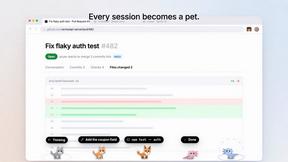
Agent Pets
Your Claude Code & Codex sessions as pets in Chrome. Approve, deny and reply to your coding agents from any tab.
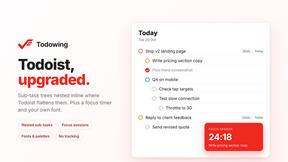
Todowing
Chrome extension that nests sub-tasks inside Todoist's Today, Upcoming and Filter views. Free tier, plus a $19.99 one-time unlock.

Everywhere
Fast file search for the Mac. Results as you type, files inside Mail and Photos, works with Wi-Fi off. $19 once.

Basalt
Eighteen PDF tools in one native Mac window: merge, split, compress, OCR, Bates numbering, forms, signing and redaction. Offline. $29 once.

Voice Keyboard Pro
Hold a key, say what you mean, let go. Clean, punctuated text lands at the cursor in any app on your Mac or iPhone.

Mainspring
Mainspring turns the settings macOS hides into 90+ one-click, fully reversible power-ups for Finder, Dock, screenshots and more. $29 once.

Inkling
Catch a thought without leaving what you are doing. Notes, checklists and a little companion in your Mac's notch. $12 once.

Context Board
Context Board brings your numbers, docs, clients, content and day into one workspace that Claude and Codex can read and update.

HookAds
Free ad creative hub: 1,750+ prompts behind viral AI ads, 118 hook frameworks, teardowns, swipe files and 27 free AI tools.

@fuck.it - email with attitude
Private email. Pure. Secure. Exclusive. No ads, no tracking, no data selling. GDPR compliant, EU-hosted.

About Tagada Alternatives
Are you tired of the email chaos that eats up your precious time and leaves you feeling scattered? Tagada is a game-changing productivity tool that lives right inside your Gmail, instantly parsing incoming messages into clickable sentences you can highlight and tag by category without ever sending your data to the cloud. As a powerhouse in the Productivity & Management space, Tagada helps professionals, freelancers, and support teams cut through long email threads and generate clean reply templates in seconds. But maybe you're exploring alternatives because you need a different pricing model, a specific platform integration, or a feature set that better matches your unique workflow. That's totally normal! When hunting for the perfect alternative, look for tools that offer lightning-fast email parsing, robust categorization options, and the absolute must-have of local processing to keep your sensitive data private and secure. You want something that integrates seamlessly into your existing routine without a steep learning curve, so you can stop wrestling with email and start crushing your response time!
FAQs about Tagada Alternatives
What is Tagada?
Tagada is a browser extension that transforms how you read and reply to emails in Gmail by parsing incoming messages into clickable sentences you can highlight, tag, and organize by category in a single click. It then generates a clean reply template built around the points that matter, helping you respond faster and more clearly. All processing happens 100% locally on your device, meaning no AI, no cloud, and no third-party servers ever touch your data.
Who is Tagada for?
Tagada is ideal for professionals, support teams, freelancers, consultants, and anyone managing long email threads on a daily basis. If you spend hours crafting replies or struggle to keep track of key points in complex conversations, Tagada is designed to cut your response time, structure your replies, and keep your data fully private. It works directly inside Gmail, so there is no new tool to learn or separate interface to juggle.
Is Tagada free?
Based on the product information provided, Tagada is a premium tool that focuses on delivering powerful email parsing and reply generation features while keeping your data 100% local. For the most accurate and up-to-date pricing details, including any free trial or tier options, you should check the official Tagada website or extension store listing. The value lies in the time saved and the privacy guaranteed by local processing.
What are the main features of Tagada?
Tagada's main features include instant parsing of emails into selectable sentences, one-click highlighting and tagging by category, and auto-generated reply templates built from your selections. The entire process runs 100% locally on your machine with no AI, no cloud, and no third-party servers involved. It works directly inside Gmail, so you can start using it immediately without learning any new software or disrupting your existing workflow.