

Tagada
Tagada lets you parse, highlight, and tag Gmail sentences locally for super fast, private email replies.
tool Details
Explore More
Alternatives

About Tagada
Tired of writing your email replies in colored text inside the original message? Say hello to Tagada, the revolutionary browser extension that transforms how you read and reply to emails in Gmail! Tagada parses your incoming emails into clickable sentences you can instantly highlight, tag, and organize by category with a single click. No more scrolling through endless threads or losing track of key points. Instead, Tagada generates a clean reply template built around the points that matter most, helping you respond faster and with crystal clarity. The best part? Everything happens 100% locally on your device. That means no AI, no cloud, and no third-party servers ever see your data. Your emails never leave Gmail, and your privacy is always protected. Tagada is ideal for busy professionals, support teams handling high volumes of tickets, freelancers juggling multiple clients, consultants managing complex projects, and anyone tired of long, messy email threads. It cuts your response time dramatically, structures your replies like a pro, and keeps your sensitive data fully under your control. Stop writing inside the original message and start working smarter with Tagada today!
Features
Instant Email Parsing into Clickable Sentences
Tagada instantly breaks down complex, lengthy emails into clean, manageable, clickable sentences. Instead of staring at a wall of text, you see each idea and question clearly separated. This parsing happens automatically the moment you open an email in Gmail, giving you an organized view of the conversation without any manual effort. It is the first step to email clarity and speed!
One-Click Highlighting and Tagging by Category
Once your email is parsed, you can highlight key sentences and tag them with a single click! Organize important details by categories like action items, questions, deadlines, or any custom tags you need. This feature turns a messy inbox into a structured dashboard of priorities. You will never lose track of what needs your attention again.
Auto-Generated Reply Templates from Your Selections
After you highlight and tag the sentences that matter, Tagada automatically generates a clean, structured reply template based on your selections. No more starting from a blank screen or copying and pasting text from the original email. Your reply is built around the points you chose, making your response faster, clearer, and more professional every single time.
100% Local and Private Processing
Your privacy is non-negotiable. Tagada processes everything directly on your computer. Your emails are never sent to any cloud server, AI service, or third-party platform. All data stays inside your Gmail and your browser. You get all the benefits of smart email organization without any of the privacy risks. This is email efficiency you can trust.
Use Cases
For Busy Professionals Managing High-Volume Inboxes
Professionals receiving dozens of complex emails daily can use Tagada to instantly parse each message, highlight action items, and generate structured replies in seconds. Instead of spending 10 minutes crafting a response from scratch, you can reply in under 2 minutes. Tagada helps you maintain clarity and professionalism even when your inbox is overflowing.
For Support Teams Handling Customer Tickets
Customer support agents can leverage Tagada to quickly identify the core issue in a customer email, tag it by category (billing, technical, feature request), and generate a precise reply template. This streamlines the entire support workflow, reduces response times dramatically, and ensures that no customer concern gets overlooked. It is a game-changer for support efficiency.
For Freelancers and Consultants Managing Client Projects
Freelancers and consultants often juggle multiple clients with different needs. Tagada helps you parse client emails, tag important requests by project or client name, and generate replies that address every point clearly. You stay organized across all your engagements, impress clients with your structured communication, and save valuable time for actual work.
For Anyone Tired of Writing Inside the Original Email
If you are exhausted from the old habit of writing your replies in blue or red text inside the original email message, Tagada is your perfect solution. It eliminates that messy workflow entirely by providing a clean, separate reply template built from your highlights. You can finally respond clearly without cluttering the original message. It is a simple fix for a universal frustration.
Pricing
Tagada offers a free version with limited functionality to get you started. For the best experience and to unlock the full power of instant parsing, unlimited tagging, and auto-generated reply templates, we recommend purchasing a paid license. Please visit our Pricing page on our website for detailed information on the available plans and costs.
Frequently Asked Questions
Is Tagada free to use?
Yes, Tagada can be used without a paid license! However, the free version comes with some limitations in functionality. For the best experience and access to all features, we suggest you purchase a license. This allows you to unlock the full power of instant parsing, tagging, and template generation without any restrictions.
What data does Tagada collect from me?
We take your privacy extremely seriously. Tagada only collects essential data to enhance your experience: your first name, email address, and language preference. That is it. We do not collect any unnecessary information, and we never access the content of your emails. Your data stays private and under your control at all times.
Do you send my emails to your servers?
Absolutely not! Your emails are never sent to our servers. Everything remains 100% local on your device. At Tagada, we make sure that your data stays private and under your control. The extension processes everything directly in your browser, so your sensitive information never leaves Gmail.
What should I do if some emails appear broken or disorganized?
If an email appears to be corrupted or disorganized after parsing, the best solution is to disable the Tagada extension temporarily, reply to that specific email normally, and then re-enable the extension. Some emails have a specific structure that the extension may not be able to parse perfectly. We are continuously improving to minimize this issue.
Similar to Tagada
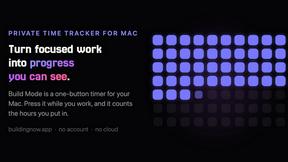
Build Mode for Mac
Build Mode is a Mac app that turns focused sessions into visible progress, so you can see the work adding up before the results arrive.
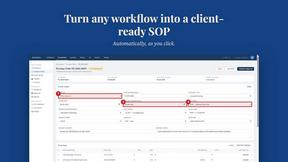
MySOP.guru
Capture any workflow in your browser and export a branded, step-by-step SOP with screenshots. €5 per document, no subscription.

PerPageFax
PerPageFax lets you send a fax online from any browser for a flat $0.50 per page — no account, no subscription, no fax machine.

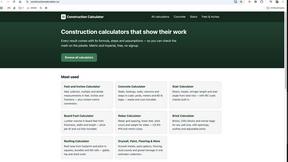
Construction Calculator
Free construction calculators with transparent formulas, steps, assumptions, and metric or imperial units.


Glanced
Follow news, blogs, newsletters, and podcasts in a free RSS reader, with AI summaries, top stories, full-text search, saved searches, and a catalog.
