

Nijia
Nijia maps Mac storage and developer workspaces, helping users review rebuildable artifacts and other cleanup candidates before acting.
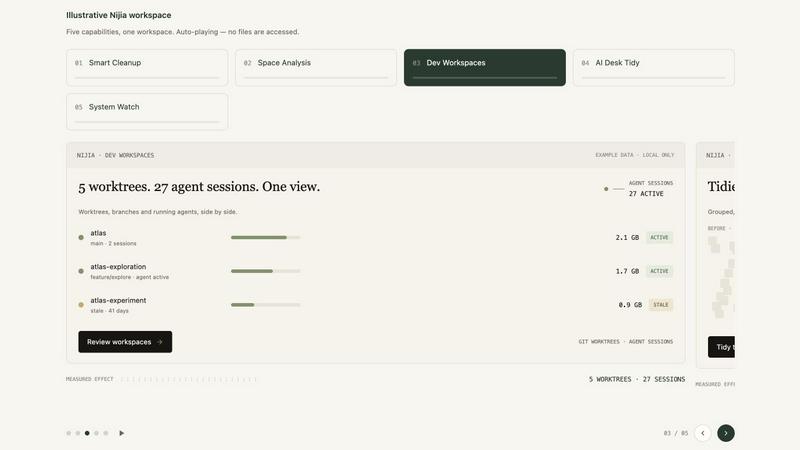
About Nijia
Developers often accumulate build output, worktrees, and other files that consume space but serve different purposes. Nijia helps Mac users inspect that storage by mapping disks and folders and showing worktrees, agent sessions, and related artifacts. Its cleanup flow presents candidates for review before a confirmed move to Trash. Users can also request desktop organization proposals and view disk, memory, and system load.
The app is designed for deliberate cleanup rather than unattended removal. A storage scan does not delete anything, workspace checks begin with folders the user authorizes, and file size alone is not treated as a recommendation. Nijia supports macOS 13 and later on both Intel and Apple silicon. That makes it relevant to Mac developers who want workspace detail, as well as users who need a broader disk view.
Features
- Space maps for disk and folder usage
- Workspace inspection for worktrees and agent sessions
- Artifact context for identifying potentially rebuildable files
- User-confirmed cleanup and file organization
Use Cases
- Investigate build artifacts taking up project storage.
- Compare usage across linked worktrees.
- Review desktop organization before applying a proposal.
- Monitor disk, memory, and load while working on a Mac.
Pricing
Nijia offers subscriptions billed monthly or yearly and a one-time license. The site states a 7-day trial; a paid license is required afterward.
Frequently Asked Questions
Does Nijia remove files based only on file size?
No. The product states that file size alone is not a cleanup recommendation and requires users to review and confirm actions.
Can I limit which folders are inspected?
Workspace inspection starts with folders that the user authorizes.
Which Mac versions are supported?
The listed support is macOS 13 or later, on Intel and Apple silicon Macs.
Similar to Nijia

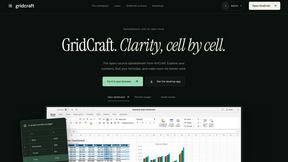
GridCraft
GridCraft is an open-source spreadsheet for editing XLSX files with familiar formulas, charts, and PivotTables in a browser or desktop app.
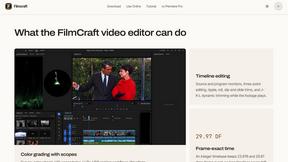

DeckCraft
Create and edit presentations in a free browser editor or desktop app, with PowerPoint file support and open-source code.

MyToolsBench Image Converter
Convert images in-browser to common formats, with per-file settings and options to resize or create PDFs.
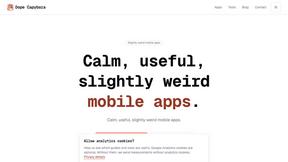
Dope Capybara
Dope Capybara brings together focused Android apps for learning, useful tasks, and low-pressure games, plus free tools on the web.


RenderPixels
RenderPixels lets AI assistants render platform-sized image files, checks common render issues, and returns previews and lasting file links.