

Alternatives to PainMap
PainMap validates your product idea by analyzing real user complaints across five platforms so you can ship what the market actually wants.
Explore 20 alternatives to PainMap. Compare features, pricing, and find the best fit for your needs.
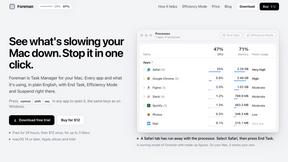
Foreman
See every app and what it's using in plain English, and end or slow down the one that's hogging your Mac.
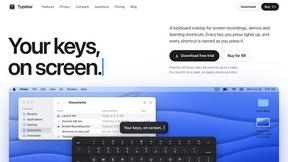
Typebar
Every key you press lights up on an on-screen keyboard, and each shortcut is named as you press it.

LightScreen
Free light screen tool online. Turn any display into a flashlight, ambient light, or solid-color screen. No download or sign-up.
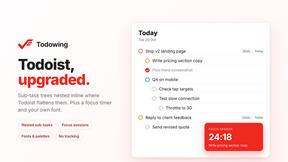
Todowing
Chrome extension that nests sub-tasks inside Todoist's Today, Upcoming and Filter views. Free tier, plus a $19.99 one-time unlock.
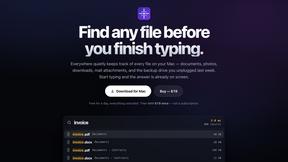
Everywhere
Fast file search for the Mac. Results as you type, files inside Mail and Photos, works with Wi-Fi off. $19 once.
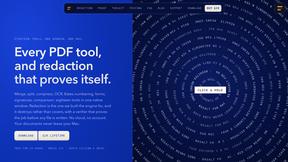
Basalt
Eighteen PDF tools in one native Mac window: merge, split, compress, OCR, Bates numbering, forms, signing and redaction. Offline. $29 once.
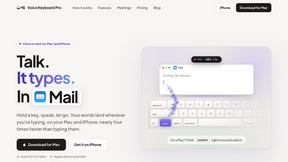
Voice Keyboard Pro
Hold a key, say what you mean, let go. Clean, punctuated text lands at the cursor in any app on your Mac or iPhone.
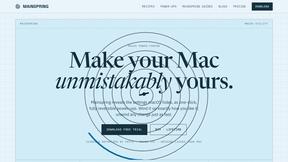
Mainspring
Mainspring turns the settings macOS hides into 90+ one-click, fully reversible power-ups for Finder, Dock, screenshots and more. $29 once.
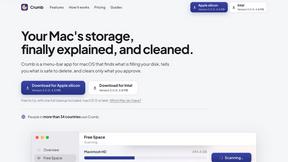
Crumb
A Mac menu bar app for a full disk. See what is using your space, read whether it comes back on its own, and remove only what you tick.
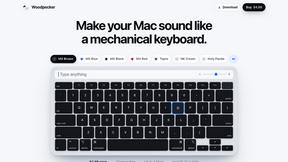
Woodpecker
Make your Mac sound like a real mechanical keyboard. Every key plays its own recording, 22 switches, quiet on calls. $4.99 once.

Inkling
Catch a thought without leaving what you are doing. Notes, checklists and a little companion in your Mac's notch. $12 once.
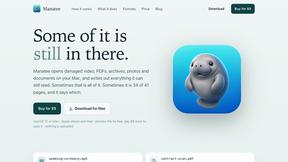
Manatee
A Mac app that opens damaged video, PDFs, archives and documents and writes out everything it can still read. $9 once, no uploads.
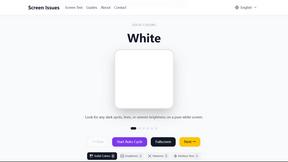
Screen Issues
Free Online Screen Test Tool - Instantly diagnose dead pixels, lines, color issues, and flickering. Multiple test modes, no download needed.
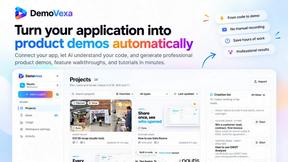
DemoVexa
Turn your code into professional product demo videos with AI-generated scripts, animated UI, and natural voiceovers.
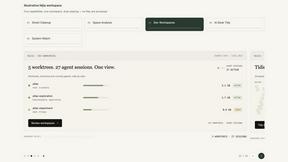
Nijia
Understand your Mac's storage, review cleanup candidates, and organize files with control.
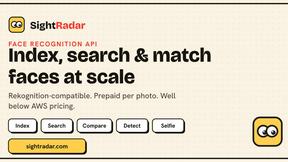
SightRadar
Face recognition API, a drop-in replacement for AWS Rekognition. Index, search, compare and detect faces, billed per photo with no subscription.
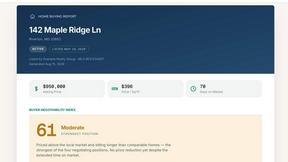
Egmatic
No-code 2D game editor: visual node logic, drag-and-drop scenes, live preview. Exports to Windows, macOS, Linux, Android, iOS, Web.
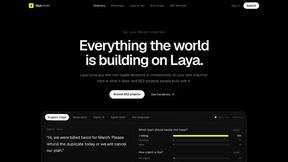
laya.tools
Free directory of 950+ projects built on Laya, the open-source model that turns text into typed decisions in milliseconds.
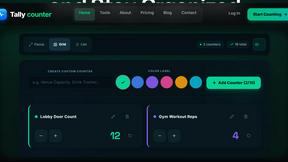
tallycounterweb.com
Online tally counter for tracking attendance, workouts, inventory, sports scores, visitors, habits, and everyday counting tasks.
About PainMap Alternatives
PainMap is your secret weapon for building products that actually sell—it’s a market validation and pain point discovery tool that fires parallel AI research across Reddit, X, G2, Capterra, and Trustpilot the moment you hit Analyse. In just two minutes, it delivers 10 validated pain points backed by real evidence quotes, willingness to pay signals, and a full MVP brief, making it essential for solo founders and indie hackers who are tired of shipping features into silence. Users commonly look for alternatives when they need different pricing models, specific platform integrations, or a more hands-on approach to research, but the core need remains the same: stop guessing and start building around problems people are already paying to solve badly. When you’re hunting for an alternative to PainMap, focus on tools that can surface genuine, validated pain points with real user quotes—not just surface-level complaints. Look for solutions that combine competitive research, review mining, and pricing data into one streamlined workflow, because your time is too valuable to juggle five different platforms. The best alternatives will help you anchor your pricing to real data, define features based on competitor weaknesses, and give you landing page copy that’s ready to publish. Above all, choose a tool that puts evidence over gut feel, so your next launch actually gets traction and brings that MRR goal closer than ever.
FAQs about PainMap Alternatives
What is PainMap?
PainMap is a market validation tool that uses parallel AI research to uncover validated pain points, broken tools, manual processes, and money drains across platforms like Reddit, X, G2, Capterra, and Trustpilot. In just two minutes after you hit Analyse, it delivers 10 validated pain points with real evidence quotes, willingness to pay signals, and a full MVP brief. It’s built specifically for solo founders and indie hackers who want to stop shipping into silence and start building around problems people are already paying to solve badly.
Who is PainMap for?
PainMap is designed for solo founders and indie hackers who are tired of building products that don’t get traction. If you’re someone who wants to move from gut-feel decisions to evidence-based product development, PainMap is your ideal partner. It helps you define features based on competitor weaknesses, anchor pricing to real data, and generate landing page copy ready to publish—all so you can build around problems people are already paying to solve.
Is PainMap free?
Yes, PainMap offers a free plan that requires no credit card to get started. This allows you to test the tool and see how quickly it can surface validated pain points and willingness to pay signals. The free plan is designed to give solo founders a real taste of building from evidence instead of gut feel, making it easy to jump in without any upfront commitment.
What are the main features of PainMap?
PainMap’s core feature is its parallel AI research engine that simultaneously scans Reddit, X, G2, Capterra, and Trustpilot to find broken tools, manual processes, money drains, and competitor review mining. It delivers 10 validated pain points with real evidence quotes, willingness to pay signals, and a full MVP brief in just two minutes. Additional features include defining features by competitor weaknesses, anchoring pricing to real data, and generating landing page copy that’s ready to publish.