

Alternatives to EditTextImage
Edit text in your images online in 30 seconds with perfect font, color, and perspective, no Photoshop needed.
Explore 20 alternatives to EditTextImage. Compare features, pricing, and find the best fit for your needs.
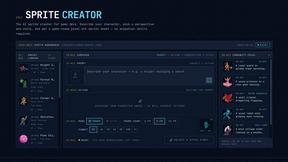
Sprite Sheet Maker
Create pixel-art sprite sheets from text with AI, preview animations, and export PNG assets for game prototypes.

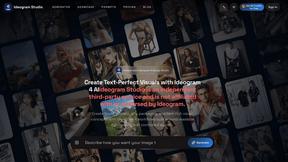
Ideogram Studio
Ideogram 4 AI workflows for text-perfect logos, posters, ads, packaging, and ecommerce visuals with prompts and image references.
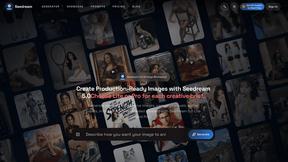
Seedream 5.0
Seedream 5.0 Pro and Lite generate and edit production-ready images for ecommerce, marketing, social, and branded content.
Vynzo
AI image and video studio. Generate from a prompt, animate stills, swap faces, restyle clips and edit — one credit pool, no subscription.

ProfileLoom
ProfileLoom turns one photo into platform-ready AI portraits for professional, social, and creator profiles, with presets and built-in editing.
Free AI Image
Free AI Image is a free text-to-image AI generator for creating clean visual drafts from prompts with no sign-up required.

Lockimate - AI Live Wallpapers
Turn any photo into a Live Photo wallpaper that animates on wake. Choose the motion, restyle the look. First one free.
Vismuse
Create polished AI images and videos from prompts or references for social posts, ads, flyers, album covers, and campaigns.

Tikdek
AI video and image generation in the browser with stable APIs for scalable visual content.
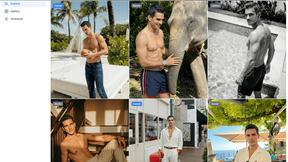
Trushot AI
TruShot creates ultra-realistic AI dating photos from just 4 selfies. Generate natural-looking, verification-friendly profile pictures for Tinder, Hin

FLUX 3 AI Image Generator
Create and edit images with multimodal FLUX 3 direction and live FLUX.2 generation.
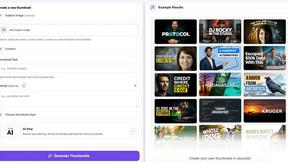
StopScroll
StopScroll is an AI thumbnail maker that generates, compares, and helps creators pick stronger cover images before publishing.

HubVanta
HubVanta is a free AI creative toolkit for generating images, videos, voices, and visual edits from one browser workspace.
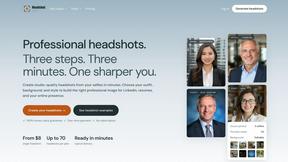
Headshot.ltd AI Headshot Generator
Turn a few phone selfies into professional headshots in ~5 minutes. 200+ backgrounds, one-time payment starting from $8.

IsThisAIImage
Ask is this AI image? Free online checker: upload a photo for AI-generated and deepfake scores plus a clear verdict band.
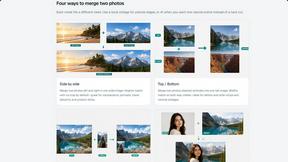
Merge Two Photos
Merge two photos free in browser: side by side, stacked, overlay, or AI fusion. Private local modes; download clean PNG, no watermark.
About EditTextImage Alternatives
EditTextImage is a powerful AI-driven tool in the image generation category that lets you edit text within any image in seconds, without needing expensive design software or font files. It works by sampling the typeface directly from the pixels of your image, so the original font, color, drop shadow, and perspective all stay perfectly intact. Users often look for alternatives because they want different pricing models, more editing features, or a specific platform integration that fits their unique workflow. When choosing an alternative, you should prioritize tools that offer true pixel-perfect text replacement, support for complex backgrounds and perspectives, and a fast, no-subscription pricing structure that matches your editing volume. The key to finding the right solution is understanding your own needs. If you frequently need to fix typos, swap dates, or A/B test headlines on finished images without the source file, look for a tool that uses advanced AI to preserve typography and layout. Avoid platforms that require you to install fonts or manually recreate the design, as that defeats the purpose of a quick edit. The best alternatives will give you the same seamless, one-click experience for changing text in posters, screenshots, and product photos, all while keeping your workflow fast and frustration-free.
FAQs about EditTextImage Alternatives
What is EditTextImage?
EditTextImage is an online AI-powered tool that lets you edit text in any image seamlessly, without needing Photoshop or any font files. It samples the typeface directly from the pixels of your image, so the original font, color, drop shadow, and perspective all remain intact. You can fix a typo, swap a date, or A/B test a headline on a finished image in about 10 seconds, even if you don't have the original design file.
Who is EditTextImage for?
EditTextImage is perfect for anyone who needs to quickly change text in a finished image without the original source file. This includes marketers A/B testing headlines on product photos, designers fixing typos on posters, social media managers updating screenshots, and anyone who has lost the editable file for a graphic. It is especially useful for people who do not want to pay for expensive subscriptions like Photoshop or Canva.
Is EditTextImage free?
Yes, EditTextImage offers a free trial where your first edit is completely free with no credit card required. After that, it is a one-time payment of $9.90 for 30 edits, with no recurring subscription fees. This pay-per-use model makes it very affordable for occasional users.
What are the main features of EditTextImage?
The main features include AI-powered text replacement that samples fonts and styles directly from the image pixels, preserving the original font, color, drop shadow, and perspective. It works with paid fonts and hand-lettering without needing you to install anything. The tool outputs at 2K resolution, and the entire process takes about 10 seconds per edit.