

EditTextImage
Edit text in your images online in 30 seconds with perfect font, color, and perspective, no Photoshop needed.
tool Details
Explore More
Alternatives
About EditTextImage
EditTextImage is the fastest, most intuitive AI tool for editing text inside any image without needing Photoshop, design skills, or the original source file. Imagine you have a finished poster, a product screenshot, a contract scan, or a social media ad, and you need to change just one word, fix a typo, swap a date, or update a headline. With EditTextImage, you simply upload your image, type the existing text and your replacement, and the AI works its magic. It samples the typography, color, drop shadow, and even perspective straight from the pixels, so the final result looks pixel-perfect every time. This tool is designed for everyone: marketers, designers, small business owners, content creators, and anyone who has ever lost the original design file and felt stuck. It delivers a 2K-resolution output in about 10 seconds, and the best part is that you get your first edit completely free with no credit card required. No subscriptions, no font files to hunt down, and no complex software. EditTextImage makes text replacement seamless, fast, and incredibly accurate, empowering you to make professional edits in under a minute. Whether you are localizing an app screenshot, updating a product label, or reusing event materials, this tool saves you time, money, and frustration. It is the ultimate solution for anyone who needs to change text in an image without compromising on quality or speed. Get ready to edit text in image like a pro, instantly!
Features
AI-Powered Font and Style Preservation
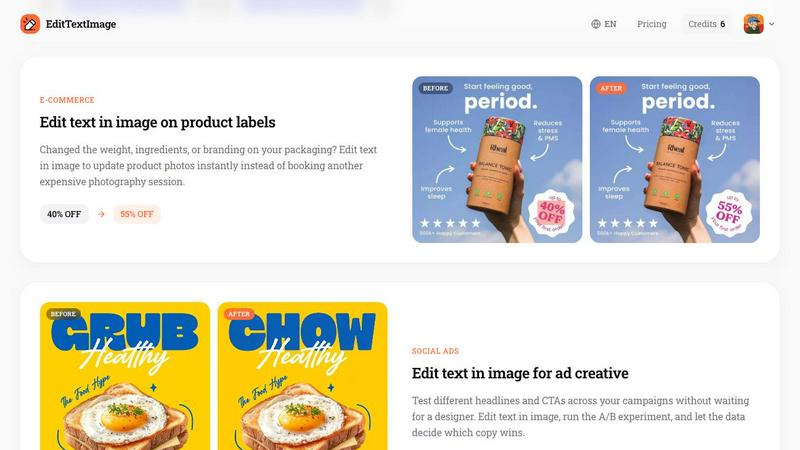
This feature is the heart of EditTextImage. The AI doesn't just paste new text over the old one. Instead, it analyzes the pixels around your target text to sample the exact typeface, font weight, color, size, drop shadow, and perspective. Even if you are using a paid font that you don't have installed on your computer, the AI replicates it perfectly from the image itself. This means your edited text blends seamlessly into the original design, maintaining the same visual integrity and layout. You get a pixel-perfect result that looks like it was never altered, saving you from the headache of matching fonts manually.
Blazing Fast Processing in Seconds
Time is money, and EditTextImage respects that. The entire process from upload to download takes approximately 10 to 12 seconds on average. You simply drop your image, type the original and replacement text, and hit generate. The AI works its magic in the background, and within moments, you have a high-resolution 2K output ready to use. This speed is a game-changer for professionals who need quick turnarounds on social media ads, last-minute poster updates, or urgent document fixes. No waiting for a designer or struggling with complicated software. Just fast, reliable text replacement at your fingertips.
No Subscription, Pay Per Edit Model
Forget about expensive monthly subscriptions that lock you into a contract. EditTextImage offers a refreshingly simple and fair pricing model. You get your first edit completely free with no credit card required, allowing you to test the tool risk-free. After that, you purchase a one-time pack of 30 credits for just $9.90. These credits never expire, so you can use them whenever you need them, whether that is all at once or spread out over months. This pay-per-edit approach is perfect for occasional users, freelancers, and small businesses who want professional results without the recurring cost.
Supports Multiple Image Formats and Use Cases
EditTextImage is built to handle a wide variety of image types, including PNG, JPEG, and WebP files up to 10 MB. This flexibility means you can edit text in everything from high-resolution product photos and app screenshots to scanned documents and social media graphics. The tool is also designed with responsible use in mind, clearly stating that it should not be used for deceptive purposes like falsifying official documents or IDs. This commitment to ethical use ensures that the tool remains a legitimate solution for creative and professional editing tasks, not for fraud.
Use Cases
Fixing Typos and Errors in Documents
Imagine you have a final contract, an invoice, or a report that was just sent to you as a PDF screenshot, and you spot a critical typo in the date or a client's name. With the original source file long gone, your only option used to be expensive graphic design software or a complete redo. Now, EditTextImage saves the day. You upload the screenshot, type the incorrect text and the correct replacement, and the AI seamlessly updates the document. The font, color, and layout remain perfectly intact, so the edited document looks completely authentic. This is a lifesaver for administrative professionals, legal teams, and anyone who handles official paperwork.
Updating Posters and Event Flyers Instantly
Event planning is dynamic, and details change constantly. The speaker drops out, the venue moves, or the date shifts, but your beautiful flyer is already printed or live online. Instead of contacting your designer and waiting for a new file, you can fix it yourself in seconds with EditTextImage. Upload the finished poster, swap out the old date for the new one, or change the headline. The AI preserves the original font, color, and even the drop shadow effects, so the update is undetectable. This saves you hundreds of dollars in redesign costs and hours of waiting, making it perfect for event coordinators and marketing teams.
Localizing App Screenshots for Global Markets
If you are a mobile app developer or marketer, you know the pain of creating screenshots for the App Store and Google Play in multiple languages. You used to have to rebuild every single UI mockup for each language, which is incredibly time-consuming. EditTextImage changes everything. You take your existing English screenshot, and simply replace the English text with the translated text for Spanish, French, or any other language. The AI preserves the button styles, font sizes, and backgrounds perfectly. You get pixel-perfect localized screenshots in minutes, not days, allowing you to launch your app in new markets faster and more efficiently.
A/B Testing Headlines in Social Media Ads
Digital marketers thrive on data, and A/B testing different headlines and call-to-action buttons is crucial for optimizing ad performance. But waiting for a designer to create multiple ad variations can slow down your experiments. EditTextImage empowers you to be your own designer. Take your best-performing ad creative, and quickly generate multiple versions with different headlines. Swap "GRUB" for "CHOW" or change a promotional offer from "40% OFF" to "55% OFF" in seconds. Run your A/B test immediately, let the data tell you which copy wins, and scale your winning ad without any design bottlenecks. This agility gives you a serious competitive edge.
Frequently Asked Questions
What is EditTextImage and how does it work?
EditTextImage is an online AI tool that lets you edit text in any image file without needing Photoshop or any design experience. You simply upload your image (PNG, JPEG, or WebP up to 10 MB), type the original text you want to replace, and then type the new replacement text. The AI then analyzes the pixels around the original text to sample the exact font, color, size, perspective, and any effects like drop shadows. It seamlessly replaces the text while keeping everything else perfectly intact. The whole process takes about 10 seconds and delivers a high-resolution 2K output that looks completely natural.
Is EditTextImage free to use?
Yes, you can absolutely try EditTextImage for free! You get one free credit to edit a single image, and no credit card is required to start. You just sign in with your Google account, and you can immediately test the tool on your own image. After you use your free credit, you can purchase a one-time pack of 30 edits for just $9.90. There are no subscriptions, no recurring fees, and your purchased credits never expire. This makes it extremely affordable for both one-off fixes and ongoing projects.
What kind of images can I edit with this tool?
EditTextImage is incredibly versatile and supports a wide range of image types and scenarios. You can edit text in posters, flyers, product labels, packaging photos, app screenshots, social media ad creatives, scanned documents, contracts, invoices, and more. The tool accepts PNG, JPEG, and WebP file formats up to 10 MB in size. However, it is important to note that the tool is designed for legitimate editing purposes only. You cannot use it to edit IDs, passports, visas, bank statements, official seals, or any documents intended to deceive a third party, such as falsified receipts or fake transaction proofs.
Do I need to have the original font file installed on my computer?
No, absolutely not! This is one of the most powerful features of EditTextImage. The AI samples the typeface directly from the pixels of your image. This means even if you are using a rare, paid, or custom hand-lettered font that you do not own or have installed, the AI will accurately replicate it. It analyzes the shape, weight, and style of the existing text and applies the same characteristics to your replacement text. This eliminates the biggest headache of traditional image editing and makes the tool incredibly accessible for everyone.
Similar to EditTextImage
Sprite Sheet Maker
Create pixel-art sprite sheets from text with AI, preview animations, and export PNG assets for game prototypes.

AIEnhancer
AI enhancer for photos, images, videos, and creative effects.
Ideogram Studio
Ideogram 4 AI workflows for text-perfect logos, posters, ads, packaging, and ecommerce visuals with prompts and image references.
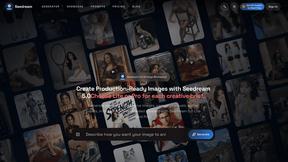
Seedream 5.0
Seedream 5.0 Pro and Lite generate and edit production-ready images for ecommerce, marketing, social, and branded content.
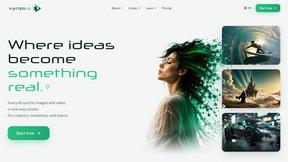
Vynzo
AI image and video studio. Generate from a prompt, animate stills, swap faces, restyle clips and edit — one credit pool, no subscription.

ProfileLoom
ProfileLoom turns one photo into platform-ready AI portraits for professional, social, and creator profiles, with presets and built-in editing.
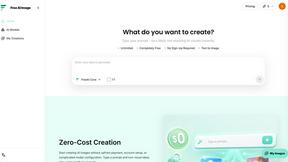
Free AI Image
Free AI Image is a free text-to-image AI generator for creating clean visual drafts from prompts with no sign-up required.