

QuickTextTools
Supercharge your writing with 76+ free online tools for text optimization and productivity—no sign-up needed, just paste and go!.
tool Details
Explore More
Alternatives

About QuickTextTools
QuickTextTools is your ultimate free online platform designed to amplify productivity for writers, marketers, developers, students, SEO professionals, and content creators alike! With over 76 powerful browser-based tools at your fingertips, you can streamline your workflow and save precious time! This comprehensive toolkit features an array of utilities including text formatting tools, SEO analysis utilities, writing assistants, keyword management tools, and developer utilities, all crafted to simplify your tasks. QuickTextTools shines with its user-friendly interface that operates directly in your browser, meaning no complicated setups or software downloads are needed! Whether you're cleaning up a messy keyword list, analyzing SEO meta tags, adjusting text case formatting, or enhancing your writing process, QuickTextTools provides practical, efficient solutions that empower you to work smarter, all while ensuring a secure, hassle-free experience!
Features
Word Counter
The Word Counter tool lets you effortlessly count words, characters, and sentences in your text! This feature is essential for writers needing to stay within specific limits or for anyone looking to analyze their content length. Simply paste your text and get instant feedback on your word count, character count, and sentence count, making it easier to manage your writing projects!
Keyword Density Checker
Optimize your content like a pro with the Keyword Density Checker! This tool analyzes your text to determine the frequency of specific keywords, helping you understand how well your content is optimized for search engines. By providing insights into keyword distribution, this feature enables you to adjust your writing for better SEO performance, ensuring your content reaches its maximum potential!
Text Formatter
Transform messy text into polished prose with the Text Formatter! This feature allows you to clean up your writing by removing unwanted formatting, extra spaces, and special characters. Just paste your text, and in seconds, it will be formatted to look professional and ready for publication, saving you valuable editing time!
Meta Tag Analyzer
Gain valuable insights for your website with the Meta Tag Analyzer! This tool helps you preview search snippets by analyzing and displaying your webpage's meta tags. By understanding how your content appears in search results, you can make necessary adjustments to improve visibility and click-through rates, enhancing your overall SEO strategy!
Use Cases
Streamlining SEO Content Creation
QuickTextTools is perfect for SEO professionals looking to enhance their content creation process! With tools like the Keyword Density Checker and Meta Tag Analyzer, you can easily optimize your articles and blog posts for search engines, ensuring your content stands out in search results!
Enhancing Academic Writing
Students can greatly benefit from QuickTextTools when working on essays, reports, or research papers! The Word Counter and Character Counter help students meet strict word counts, while the Text Formatter ensures their submissions are polished and professional, making academic writing a breeze!
Improving Social Media Engagement
Marketers can use QuickTextTools to craft catchy posts and engaging content for social media! The Character Counter helps ensure posts meet platform-specific limits, while the Meta Tag Generator assists in creating eye-catching titles and descriptions that drive engagement and clicks!
Simplifying Development Tasks
Developers can leverage QuickTextTools to streamline their coding and formatting tasks! With features like the JSON Formatter and URL Encoder, coding becomes more efficient, allowing developers to focus on creating high-quality applications without the hassle of messy formatting!
Frequently Asked Questions
Is QuickTextTools really free?
Absolutely! QuickTextTools is completely free to use, with no sign-up required. Enjoy access to all 76+ tools without any hidden fees!
Do I need to download any software to use QuickTextTools?
Nope! All tools are browser-based, meaning you can access them directly through your web browser without any downloads or complicated setups!
What types of tools are available on QuickTextTools?
QuickTextTools offers a diverse range of tools, including text formatting utilities, SEO analysis tools, writing assistants, keyword management tools, and developer utilities, all tailored to enhance productivity!
Can I access QuickTextTools on my mobile device?
Yes! QuickTextTools is designed to be accessible on any device with a browser, so you can enhance your productivity on the go, whether you're using a smartphone, tablet, or computer!
Similar to QuickTextTools
Novastart
Apps and files on an infinite canvas where people and AI agents work together.
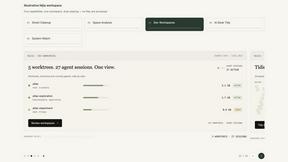
Nijia
Understand your Mac's storage, review cleanup candidates, and organize files with control.

Panzoe
Panzoe is an all-in-one AI platform for personal productivity, business automation, AI assistants, content creation, and custom AI solutions.
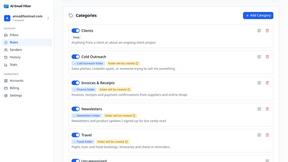
AI Email Filter
AI Email Filter sorts incoming mail into folders using plain-language prompts you write. Works with any IMAP mailbox; bring your own LLM if you want.

Egmatic
No-code 2D game editor: visual node logic, drag-and-drop scenes, live preview. Exports to Windows, macOS, Linux, Android, iOS, Web.

Kody Tools
Free collection of online developer utilities, code formatters, and digital converters designed to streamline your daily workflow.

tallycounterweb.com
Online tally counter for tracking attendance, workouts, inventory, sports scores, visitors, habits, and everyday counting tasks.
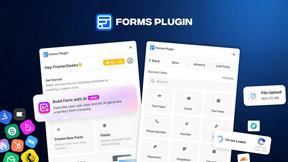
Forms Plugin
The #1 Native Form Builder Plugin for Framer - No Code, No Embeds, No External Platforms.