

Alternatives to QuickTextTools
Supercharge your writing with 76+ free online tools for text optimization and productivity—no sign-up needed, just paste and go!.
Explore 20 alternatives to QuickTextTools. Compare features, pricing, and find the best fit for your needs.

hearlog
AI transcription, translation and subtitles for Indian languages: Hindi, Tamil, Telugu, Bangla, Hinglish and 50+ more.

Safe Outreach
AI-powered platform that evaluates the safety of LinkedIn automation tools and helps reduce the risk of account restrictions.
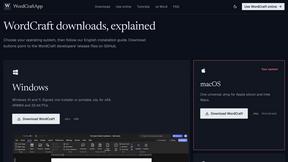
WordCraft
WordCraft is a free, open-source word processor for browser and desktop with .docx support, offline privacy, formatting, tables, references, reviews,


How Long How Many Tool
Timers and hourly checks to figure how out long until a certain time or how many days away.


Emailyy
Free email tools for signatures, subject lines, HTML previews, word counts, and email headers. Browser-based, simple to use, and no signup required.

Uniclip
Clip pages, take full-page screenshots and batch-capture list data to Notion, Feishu, Obsidian, Markdown, CSV or JSON.

TroveKey
Search tabs, Chrome bookmarks and history, run browser commands, and save webpages and social posts locally—no account.
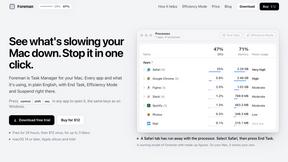
Foreman
See every app and what it's using in plain English, and end or slow down the one that's hogging your Mac.
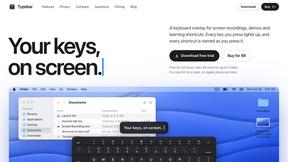
Typebar
Every key you press lights up on an on-screen keyboard, and each shortcut is named as you press it.

Notchpals
Little characters peek out of your Mac's notch to remind you to drink water, eat, sit up and get to bed. Quiet during calls. $4.99 once.

LightScreen
Free light screen tool online. Turn any display into a flashlight, ambient light, or solid-color screen. No download or sign-up.


Agent Pets
Your Claude Code & Codex sessions as pets in Chrome. Approve, deny and reply to your coding agents from any tab.
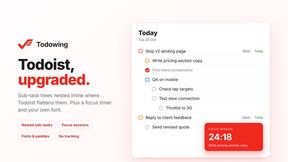
Todowing
Chrome extension that nests sub-tasks inside Todoist's Today, Upcoming and Filter views. Free tier, plus a $19.99 one-time unlock.
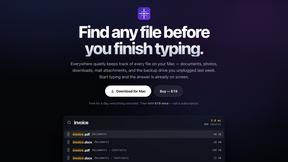
Everywhere
Fast file search for the Mac. Results as you type, files inside Mail and Photos, works with Wi-Fi off. $19 once.
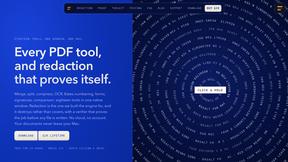
Basalt
Eighteen PDF tools in one native Mac window: merge, split, compress, OCR, Bates numbering, forms, signing and redaction. Offline. $29 once.
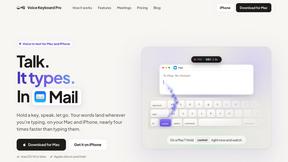
Voice Keyboard Pro
Hold a key, say what you mean, let go. Clean, punctuated text lands at the cursor in any app on your Mac or iPhone.
About QuickTextTools Alternatives
QuickTextTools is a dynamic and versatile online platform that belongs to the productivity and management category, designed specifically for writers, marketers, developers, students, SEO professionals, and content creators. With over 76 free browser-based utilities at your fingertips, it empowers users to enhance their productivity and optimize text effortlessly! However, as diverse needs arise, users often seek alternatives to QuickTextTools for various reasons, including pricing, specific feature sets, or compatibility with different platforms. This quest for alternatives can stem from a desire for specialized tools, advanced functionalities, or even a preference for a unique user interface that better suits their workflow. When searching for an alternative, it's essential to consider what features matter most to you! Look for tools that offer similar functionality, such as text formatting, SEO analysis, or writing assistance, while also evaluating ease of use and privacy considerations. Additionally, consider whether the platform operates in your preferred environment—like a browser or a standalone application. Ultimately, the right alternative will align with your specific needs and elevate your productivity to new heights!
FAQs about QuickTextTools Alternatives
What is QuickTextTools?
QuickTextTools is a free online platform that offers over 76 browser-based utilities designed to enhance productivity for writers, marketers, developers, students, SEO professionals, and content creators. It provides a comprehensive toolkit that simplifies tasks such as text formatting, SEO analysis, and writing assistance, all aimed at saving time and effort.
Who is QuickTextTools for?
QuickTextTools is tailored for a wide range of users, including writers, marketers, developers, students, and SEO professionals. It caters to anyone looking to improve their productivity and optimize their text, making it an invaluable resource for creative individuals and professionals alike.
Is QuickTextTools free?
Yes! QuickTextTools is entirely free to use, providing access to a plethora of utilities without any hidden fees or subscriptions. This makes it an accessible and budget-friendly option for anyone seeking to enhance their writing and productivity.
What are the main features of QuickTextTools?
QuickTextTools boasts a variety of features that include text formatting tools, SEO analysis utilities, writing assistants, keyword management tools, and developer utilities. Each tool is designed to streamline workflows and help users work smarter, ensuring a hassle-free and efficient user experience.