

ImageToSTL.online
Turn any PNG or JPG into a print-ready 3D STL in under a second with private, browser-based logo extrusions, photo reliefs, lithophanes, and.
tool Details
Explore More
Alternatives
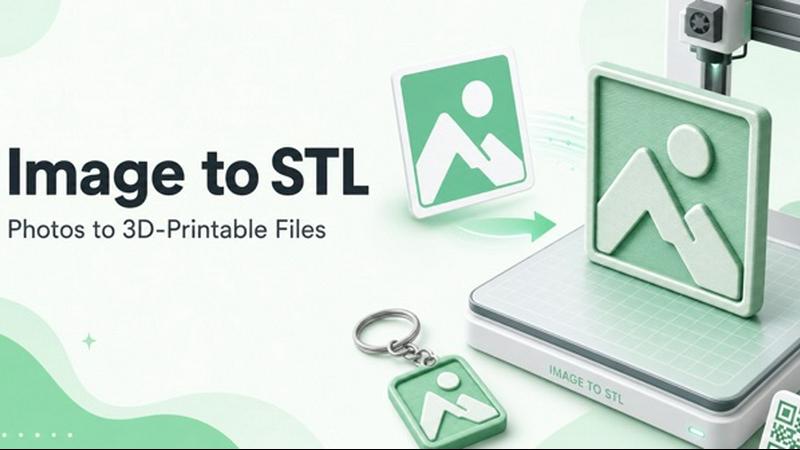
About ImageToSTL.online
ImageToSTL.online is a revolutionary free online tool that transforms your PNG and JPG images into watertight, 3D printable STL files in under a second! This is the ultimate image to STL converter built specifically for makers, hobbyists, and creators who want to turn their 2D pictures into tangible 3D objects without any hassle. Forget about expensive software, complicated uploads, or creating accounts -- everything runs 100% privately right inside your browser! No image ever leaves your device, giving you total peace of mind. The tool offers four powerful modes: logo extrude for creating stunning 3D badges, photo relief for turning pictures into embossed plaques, lithophane mode for making glow-in-the-dark night lights, and keychain mode for instant printable accessories. Each mode comes with a live preview that rebuilds in under a second as you drag sliders, so you can fine-tune every detail before downloading. The output is always a watertight binary STL mesh in real millimeters, ready to drop straight into Bambu Studio, Cura, or PrusaSlicer. Whether you are a 3D printing beginner or a seasoned pro, ImageToSTL.online delivers professional-grade results with zero learning curve and zero cost!
Features
Blazing Fast In-Browser Processing
Everything happens on your device with no uploads to any server! Just drag your PNG, JPG, WebP, SVG, GIF, or BMP file into the browser window or paste it from your clipboard with Ctrl+V. The conversion runs locally using your computer's processing power, which means your images stay completely private and secure. You get instant results with previews that rebuild in under a second as you adjust settings!
Four Powerful Conversion Modes
Choose from Photo Relief, Logo Extrude, Lithophane, and Keychain modes to match your exact project needs! Photo Relief turns brightness into height, perfect for photos and artwork. Logo Extrude creates clean 3D badges from logos and text. Lithophane mode generates thin translucent prints that reveal images when backlit. Keychain mode adds a 4mm hole automatically for instant printable accessories!
Live Interactive Preview with Full Control
Watch your image transform into 3D in real-time as you tweak every parameter! Adjust model width from tiny keychains to large plaques, control detail levels from smooth to highly intricate, set smoothing values for perfect surfaces, choose relief depth for dramatic or subtle effects, and add base thickness for structural integrity. The invert toggle lets you swap bright and dark areas instantly!
Watertight Binary STL Output Every Time
Every single export from ImageToSTL.online is a closed, watertight mesh with no holes, gaps, or errors! The STL files are in real millimeters, so your slicer reads them perfectly without scaling issues. No more fixing broken meshes or dealing with non-manifold geometry. Just download and print with confidence knowing your model will slice perfectly every single time!
Use Cases
Custom Logo Keychains for Branding and Giveaways
Turn your company logo or favorite design into professional-looking 3D keychains in minutes! Use Logo Extrude mode to create raised lettering and shapes, then add the automatic keychain hole for instant hardware compatibility. Print them flat on the bed in under an hour using any standard filament. Perfect for trade shows, brand merchandise, team events, or personalized gifts that make a lasting impression!
Stunning Lithophane Night Lights from Family Photos
Transform your most cherished family photos, pet pictures, or landscape shots into beautiful lithophane night lights that glow when backlit! Use Lithophane mode with white PLA at 100% infill and print standing vertically. The varying thickness of the print creates stunning light and shadow effects that reveal incredible detail. These make unforgettable personalized gifts for birthdays, holidays, or memorial keepsakes!
Embossed Photo Relief Wall Art and Plaques
Create gorgeous 3D wall art by converting photos into embossed relief sculptures! Photo Relief mode maps brightness directly to height, so bright areas rise up and dark areas stay low. Use the invert option to flip the effect for different artistic results. Print with 0.12mm layers and 15-20% infill for stunning detail. Perfect for memorial plaques, graduation gifts, wedding presents, or decorative home art!
AI Full 3D Model Generation from Product Photos
Take advantage of the cutting-edge AI Full 3D mode to generate complete 360-degree colored models from a single product photo! This advanced feature reconstructs objects like collectible toys, coffee mugs, vases, sneakers, and figures with full color texture baked in. Drag the preview to inspect every angle before downloading. Ideal for product designers, collectors, and creators who need real 3D models from flat images!
Frequently Asked Questions
Is ImageToSTL.online really free to use with no limits?
Yes, absolutely! ImageToSTL.online is completely free forever with no hidden costs, no file caps, no watermarks, and no account required. You can convert unlimited images to STL files without ever paying a cent. There are no subscription tiers, no credit systems, and no premium features locked behind paywalls. Everything you see in the converter is available to you right now at zero cost!
Does my image get uploaded to any server or stored anywhere?
No, never! This is one of the most important features of ImageToSTL.online. Every single conversion happens 100% on your own device using your browser's processing capabilities. Your images never leave your computer, phone, or tablet. There are no servers involved in the conversion process at all. This means your private photos, confidential logos, and sensitive designs remain completely secure and under your control!
What image formats are supported and what are the requirements?
ImageToSTL.online supports PNG, JPG, WebP, SVG, GIF, and BMP file formats. You can drag and drop files directly into the browser window or paste them from your clipboard using Ctrl+V. There are no strict size limits, but larger images with good contrast produce the best results. For photo relief and lithophane modes, images with clear brightness variations work wonderfully. Logos with solid colors and sharp edges are perfect for extrude mode!
Can I use the STL files with any 3D printer and slicer software?
Absolutely! The STL files generated by ImageToSTL.online are standard binary STL format with watertight mesh geometry and real millimeter units. They work flawlessly with all major 3D printing slicers including Bambu Studio, Cura, PrusaSlicer, Simplify3D, and any other software that accepts STL files. The watertight mesh means no repair or fixing is needed before printing. Just download and slice!
Similar to ImageToSTL.online
@fuck.it - email with attitude
Private email. Pure. Secure. Exclusive. No ads, no tracking, no data selling. GDPR compliant, EU-hosted.
Try OC Maker
Create OCs from text or images, customize their look, and turn them into animated videos with AI.

Ecommerce Data API
Amazon research data APIs for developers, sellers and AI agents. Integrate product, keyword and market research through REST APIs and MCP.
Novastart
Apps and files on an infinite canvas where people and AI agents work together.
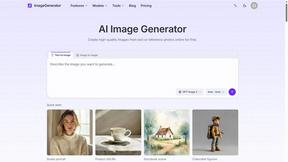
ImageGenerator
Create and edit AI images online with multiple models, text-to-image, image-to-image, background removal, and upscaling.
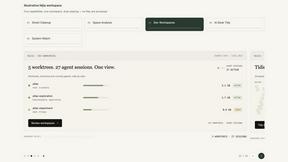
Nijia
Understand your Mac's storage, review cleanup candidates, and organize files with control.
SightRadar
Face recognition API, a drop-in replacement for AWS Rekognition. Index, search, compare and detect faces, billed per photo with no subscription.