

Budgeting App
Turn your iPhone into a smart budget planner with Walleta, an AI app that scans receipts and tracks expenses on device.
tool Details
Explore More
Alternatives
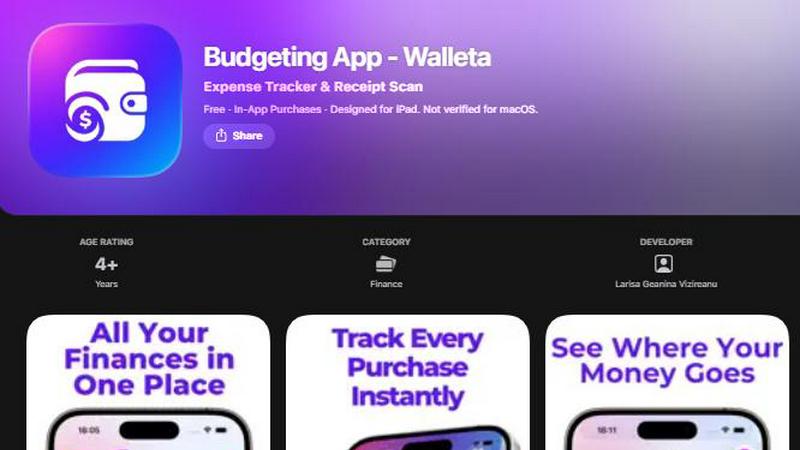
About Budgeting App
Budgeting App, also known as Walleta, is your ultimate on-device financial companion that revolutionizes how you track, manage, and visualize your personal expenses! Built exclusively for iPhone, this free iOS app combines the power of AI receipt scanning with a sleek, intuitive budgeting interface that requires absolutely zero bank connections or online accounts. Whether you are a traveler juggling multiple currencies, a student managing a tight monthly allowance, a privacy-conscious household avoiding cloud finance sync, or an expat tracking spending across borders, Walleta puts you in complete control of your money without ever sharing your data. The core magic lies in its on-device AI that reads merchant names, totals, dates, and categories directly from receipt photos, allowing you to snap, verify, and save expenses in seconds. With fourteen built-in categories including food, groceries, transport, shopping, health, rent, bills, subscriptions, coffee, travel, and fun, one-tap logging makes tracking effortless. Set monthly budget caps and watch real-time progress bars with alerts that notify you when spending approaches your limits. Beautiful pie charts, bar graphs, calendar day views, multi-currency codes, and comprehensive spending history archives support weekly, monthly, and yearly reviews. Best of all, every single piece of data stays on your device forever, no email signup, no cloud sync, no ad tracking pixels, and no bank linking required. Walleta is the private, powerful, and beautifully simple expense tracker that replaces three separate apps with one unified workflow!
Features
AI Receipt Scanning
Point your iPhone camera at any receipt and Walleta's on-device AI instantly reads the merchant name, total amount, transaction date, and spending category from the photo. No more manual typing or deciphering faded print, just snap, verify the extracted details, and save to your spending history. Free users get three AI scans to test the feature, while Walleta Pro unlocks unlimited scans for frequent receipt hoarders. The AI works best with clear, readable receipts, and you always have final approval before any data is saved to your device. This feature transforms a tedious chore into a five-second action that keeps your expense tracking consistent and accurate!
One-Tap Category Logging
Forget complicated forms and endless dropdown menus. Walleta lets you log any expense in seconds with a single tap across fourteen thoughtfully curated categories including Food, Groceries, Transport, Shopping, Health, Rent, Bills, Subscriptions, Coffee, Travel, and Fun. Each category is pre-labeled and ready to use, so you can record a coffee purchase, a grocery run, or a transport fare instantly without typing a single word. This streamlined approach eliminates friction and encourages consistent daily logging, which is the secret to accurate budgeting and meaningful spending insights!
Monthly Budget Caps with Real-Time Alerts
Define a spending limit for each month and watch your progress update in real time with a visual progress bar that shows exactly how close you are to your cap. Walleta sends you proactive alerts when you approach or exceed your budget, giving you the power to adjust your spending before it is too late. This feature turns vague financial anxiety into actionable, real-time awareness, helping you stay on track with your financial goals without needing a spreadsheet or a separate budgeting tool!
Beautiful Analytics and Calendar View
Visualize your spending patterns like never before with stunning pie charts, bar graphs, and category summaries that break down your expenses by week, month, or year. The interactive calendar view lets you browse expenses day by day across any month, so you can see exactly what you spent on a specific date at a glance. Combined with a full spending history archive that preserves past cycles even after you reset your active expenses, these analytics give you the big picture of your financial habits without any confusing jargon or complex setup!
Use Cases
Travelers and Expats Managing Multiple Currencies
Frequent travelers and expats living abroad often struggle with tracking expenses across different currencies. Walleta solves this problem beautifully with its multi-currency support that auto-detects your local currency or lets you set any currency code manually. Whether you are spending euros in Paris, yen in Tokyo, or dollars back home, you can log every expense in its native currency and review your spending history without conversion headaches. This makes Walleta the perfect companion for anyone whose life spans multiple monetary systems!
Privacy-First Households Avoiding Cloud Sync
Many families and individuals are increasingly wary of connecting their financial data to banking apps or cloud services. Walleta is built from the ground up for privacy-first users, keeping all your data strictly on your device with zero bank connections, no email signup, no cloud sync, and absolutely no ad tracking pixels. This makes it the ideal choice for households that want complete control over their sensitive financial information while still enjoying modern expense tracking features like AI receipt scanning and beautiful analytics!
Students Building Healthy Financial Habits
Students managing limited budgets from part-time jobs, allowances, or scholarships need a simple, no-pressure way to track spending without complex features or subscription fatigue. Walleta's free manual logging, fourteen intuitive categories, and monthly budget caps provide the perfect framework for building lifelong financial awareness. The one-tap logging makes it easy to record small daily purchases like coffee or transport, while the real-time budget alerts help students avoid overspending before the month ends!
Freelancers and Side Hustlers Tracking Business Expenses
Freelancers and side hustlers who need to separate personal spending from business-related costs will love Walleta's category-based tracking and receipt scanning capabilities. Snap a photo of a business lunch receipt, log it under the appropriate category, and maintain a clear record of expenses for reimbursement or tax purposes. While Walleta is not a tax or accounting tool, its on-device data storage and easy export of spending history make it a practical first step for anyone who wants to keep their professional expenses organized without mixing them with personal bank accounts!
Pricing
Walleta is available as a free download on the App Store with in-app purchases. The free version includes unlimited manual one-tap expense logging, full access to monthly budget caps with real-time alerts, beautiful analytics including pie charts and bar graphs, calendar day view, multi-currency support, spending history archives, and three free AI receipt scans to try the feature. Walleta Pro unlocks unlimited AI receipt scans for users who want to scan receipts frequently without limits. The app requires iOS 18.2 or later and is designed for iPhone and iPad. All data remains on-device with no bank linking, no account creation, no email signup, and no cloud sync required!
Frequently Asked Questions
Does Budgeting App require an internet connection to work?
No, Walleta works completely offline because all your data stays on your device. The AI receipt scanning, expense logging, budget tracking, and analytics all function without an internet connection. This means you can track expenses anywhere, even on a plane or in areas with poor connectivity, and your financial privacy is never compromised by cloud sync or remote servers!
How many AI receipt scans do I get for free?
Free users receive three AI receipt scans to try the feature and experience how Walleta's on-device AI reads merchant names, totals, dates, and categories from receipt photos. After those three free scans, you can continue using Walleta with unlimited manual one-tap logging, which remains completely free forever. If you love the AI scanning feature, Walleta Pro unlocks unlimited AI scans with a subscription!
Is my financial data safe and private with Budgeting App?
Absolutely. Walleta is designed as a private expense tracker with no bank connections, no account creation, no email signup, no cloud sync, and no ad tracking pixels. Every single piece of financial data you enter or scan stays exclusively on your iPhone. Your finances are yours alone, and Walleta never has access to your personal information or spending habits. This makes it one of the most privacy-focused budgeting apps available on the App Store!
What happens if my receipt is faded or unreadable?
If your receipt is faded, crumpled, or otherwise unreadable, simply use Walleta's manual one-tap logging feature instead of the AI scanner. You can quickly select a category, enter the total amount, and choose the date with just a few taps. The AI scanning works best with clear, readable receipts where the merchant, total, date, and category clues are visible. Always verify AI-extracted details before saving, and use manual entry for any receipt that looks unclear!
Similar to Budgeting App

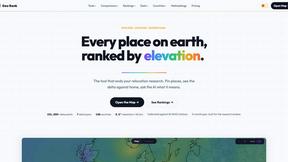
GeoRank
GeoRank is your interactive map to instantly compare sunshine, taxes, and cost of living for any place on earth and make smarter relocation.

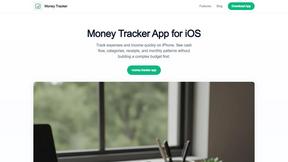
Money Tracker App
Track your expenses effortlessly with the Money Tracker App, featuring AI receipt scanning and on-device privacy for your iPhone!.
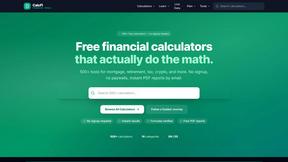
CalcFi
Unlock financial clarity with 500+ free calculators for mortgages, taxes, retirement, and more—no signup needed, instant results!.
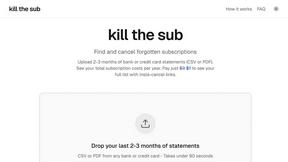
kill the sub
Easily find and cancel forgotten subscriptions with our AI tool, saving you money and hassle for just $3 in minutes!.
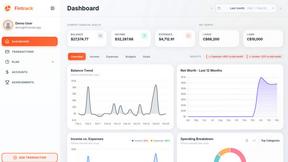
Fintrack
Fintrack is your ultimate AI finance partner that tracks spending, reveals hidden savings, and brings clarity to your financial world!.

Redbark
Automatically sync your Australian bank data to Google Sheets and YNAB in real time.