

Alternatives to Gemini Omni AI Video Generator
Turn your ideas into stunning 4K cinematic videos with Gemini Omni, the all-in-one AI that generates, edits, and remixes clips with built-in audio.
Explore 20 alternatives to Gemini Omni AI Video Generator. Compare features, pricing, and find the best fit for your needs.

Hotel Lobby AI
Hotel Lobby AI transforms two separate portraits into a stylish duet video inside an orange recording booth, generating a vertical MP4 with transferre
GenX
All-in-one AI workspace to generate images, videos, and audio with multiple leading AI models.
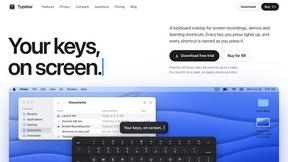
Typebar
Every key you press lights up on an on-screen keyboard, and each shortcut is named as you press it.
FreeCreate
Create AI images from text or reference photos and turn prompts or still images into short videos with FreeCreate. Start free—no account needed.

YIX
AI image and video generation, photo editing, restoration and free prompt tools in one browser studio.

Nano AI
Create and edit AI images, generate videos, and compare models in one creative workbench.

Tesla Roadster AI
Tesla Roadster AI makes a 15-second Roadster ramp-flip video from one photo of a car, toy, or object. No watermark.
RoadsterVideo
RoadsterVideo turns a photo of your car into a 15-second Tesla Roadster ramp-flip AI video. No app, no prompt.

Play Jean Phil
Play Jean Phil turns one photo into a Jean Phil AI video: bowl cut, moustache and suit, eight scenes. 9:16 MP4, no prompt.

Gas Station Dance AI Generator
Browser-based AI generator that recreates the viral gas station dance video from 1-3 photos. 15s MP4 for TikTok, Reels and Shorts.

Unforgettable Car AI
Unforgettable Car AI makes the 15-second 24 UNO car-reveal trend from one selfie. 9:16 or 16:9 MP4, no watermark.

Ozil Goal AI
Ozil Goal AI turns one photo into an AI remake of Mesut Özil's famous 2016 chip-and-dribble goal against Ludogorets.

Manatee
A Mac app that opens damaged video, PDFs, archives and documents and writes out everything it can still read. $9 once, no uploads.

DemoVexa
Turn your code into professional product demo videos with AI-generated scripts, animated UI, and natural voiceovers.

Tip Toe AI
Upload a Dancer photo and a Partner photo and get your own AI Tip Toe barn-dance video. Free 5s preview, 12s HD from $4.90. No subscription.

Ozil Goal AI
Turn one photo into the viral Özil goal meme video: you, your dog, a toy or a drawing scores. Free 5s preview, 10s 720p from $4.90. No subscription.

Raindance AI Video Generator
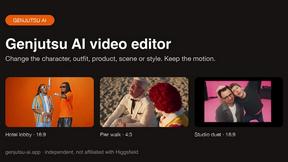
Turn two photos into the Raindance AI pier video with the soundtrack included
DanseAI - Alors on Danse AI Video Genera
Make the Alors on Danse AI meme video from two photos, soundtrack included
Opus 5.5 Video Generator
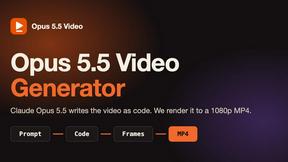
Turn a prompt into a 1080p motion-graphics MP4 planned and coded by Claude Opus 5.5
About Gemini Omni AI Video Generator Alternatives
You want to crank out cinematic AI videos without hopping between a dozen different tools. That is the exact promise of Gemini Omni AI Video Generator, Google’s groundbreaking unified omni-model that blends text, image, and native 4K video generation into one seamless chat experience. It’s a powerhouse in the AI video generator category, offering insane features like persistent character memory, in-chat editing with natural language, and integrated Foley audio. But even the best tools aren’t a perfect fit for everyone. You might be hunting for alternatives because of budget constraints, a need for a specific platform integration, or simply because you want to explore different creative workflows before committing to a single ecosystem. When you start your search for the right alternative, focus on what truly matters for your projects. Look for tools that match your desired resolution and frame rate output, especially if you need broadcast-quality 4K. Consider the editing workflow deeply—do you want a conversational interface or a more traditional timeline? Also, pay close attention to audio capabilities; not every generator offers built-in dialogue or sound effects. Finally, evaluate the model’s consistency features, like character and world-state memory, to ensure your story stays cohesive. The best alternative will feel like an extension of your creativity, not a roadblock.
FAQs about Gemini Omni AI Video Generator Alternatives
What is Gemini Omni AI Video Generator?
Gemini Omni AI Video Generator is Google's first unified omni-model designed for native video output, merging text, image, and video generation into a single conversational system. Unlike standalone AI video generators, it allows users to generate, remix, edit, and rewrite video scenes directly in a chat interface without switching between different tools. The platform delivers native 4K resolution at up to 120fps and includes advanced features like persistent world-state memory for character consistency and integrated Foley and dialogue synthesis.
Who is Gemini Omni AI Video Generator for?
This tool is built for content creators, filmmakers, video editors, and digital artists who want to streamline their production pipeline by eliminating tool-switching. It is ideal for professionals who need to rapidly prototype cinematic scenes, maintain character consistency across long projects, and edit video using natural language commands. The platform also caters to early adopters and tech-forward studios looking to harness cutting-edge AI alongside current models like Veo 3.1 and Seedance 2.0.
What are the main features of Gemini Omni AI Video Generator?
Key features include native 4K video generation at up to 120fps, a unified omni-model that handles text, image, and video in one conversation, and in-chat video editing via natural language. It also offers persistent world-state memory for maintaining character and scene consistency across multiple clips, and integrated Foley and dialogue synthesis that happens in a single diffusion pass. The studio provides early access tools, prompt guides, and a hands-on workspace for creators.
Is Gemini Omni AI Video Generator secure?
As a product developed by Google, Gemini Omni AI Video Generator is built with enterprise-grade security protocols and data privacy standards. The platform is designed to protect user-generated content and intellectual property during the generation and editing process. However, users should always review Google’s specific terms of service and data handling policies for the most current information on security and privacy practices.