

Explore 20 alternatives to Cozy. Compare features, pricing, and find the best fit for your needs.

VD6S
VD6S is a free online YouTube video downloader that supports HD, 4K and up to 8K downloads. Save videos in MP4 or audio in multiple formats.

WordCraft
WordCraft is a free, open-source word processor for browser and desktop with .docx support, offline privacy, formatting, tables, references, reviews,
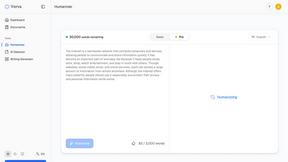
Verva
AI humanizer that transforms AI-generated text into natural, undetectable writing that bypasses AI detectors.

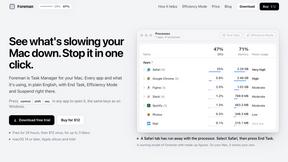
Foreman
See every app and what it's using in plain English, and end or slow down the one that's hogging your Mac.
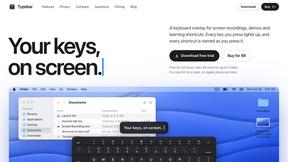
Typebar
Every key you press lights up on an on-screen keyboard, and each shortcut is named as you press it.
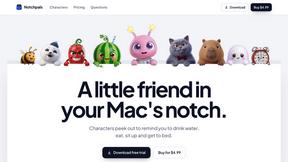
Notchpals
Little characters peek out of your Mac's notch to remind you to drink water, eat, sit up and get to bed. Quiet during calls. $4.99 once.

LightScreen
Free light screen tool online. Turn any display into a flashlight, ambient light, or solid-color screen. No download or sign-up.
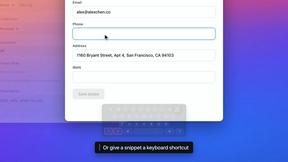

Todowing
Chrome extension that nests sub-tasks inside Todoist's Today, Upcoming and Filter views. Free tier, plus a $19.99 one-time unlock.

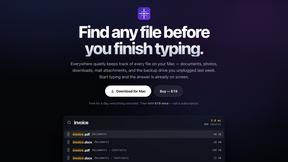
Everywhere
Fast file search for the Mac. Results as you type, files inside Mail and Photos, works with Wi-Fi off. $19 once.

Basalt
Eighteen PDF tools in one native Mac window: merge, split, compress, OCR, Bates numbering, forms, signing and redaction. Offline. $29 once.

Voice Keyboard Pro
Hold a key, say what you mean, let go. Clean, punctuated text lands at the cursor in any app on your Mac or iPhone.

Mainspring
Mainspring turns the settings macOS hides into 90+ one-click, fully reversible power-ups for Finder, Dock, screenshots and more. $29 once.
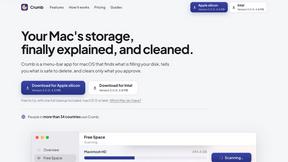
Crumb
A Mac menu bar app for a full disk. See what is using your space, read whether it comes back on its own, and remove only what you tick.
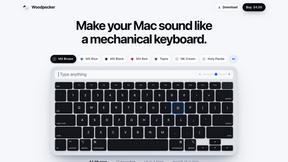
Woodpecker
Make your Mac sound like a real mechanical keyboard. Every key plays its own recording, 22 switches, quiet on calls. $4.99 once.

Inkling
Catch a thought without leaving what you are doing. Notes, checklists and a little companion in your Mac's notch. $12 once.

Manatee
A Mac app that opens damaged video, PDFs, archives and documents and writes out everything it can still read. $9 once, no uploads.
Screen Issues
Free Online Screen Test Tool - Instantly diagnose dead pixels, lines, color issues, and flickering. Multiple test modes, no download needed.
About Cozy Alternatives
Are you searching for a private space to pour out your thoughts without the world watching? Meet Cozy, a powerful mobile app and writing software that operates as a 100% local journal, meaning your words stay completely yours. No data ever syncs to a server, and nothing is fed to an AI—your innermost reflections remain right on your device, yours to keep or share exactly as you please. Users often explore alternatives when they need different pricing models, cross-platform syncing, or more robust formatting features, or if they want a journal that integrates with cloud backups or offers collaborative options. When choosing an alternative, look for the perfect balance between absolute privacy and the features you need, like password protection, rich text editing, or export capabilities, but always remember that Cozy’s core promise of total data sovereignty is incredibly rare and powerful! Before you jump ship, consider exactly what you want from your journaling experience. Are you willing to trade some privacy for convenience, or do you need a tool that works across multiple devices simultaneously? The best alternatives will clearly state their data policies upfront and give you control over your content, whether that means end-to-end encryption or local-only storage. Focus on finding a solution that feels as safe and intuitive as Cozy, but also check for features like tagging, search, or multimedia support if your journaling needs to evolve. Ultimately, the right choice empowers you to write freely and securely, so dig into the specifics of each option to see which one aligns with your digital life and peace of mind!
FAQs about Cozy Alternatives
What is Cozy?
Cozy is a 100% local journaling app designed for complete privacy. It is a mobile app and software tool that ensures your words stay on your device and are never synced to any server or fed into an AI. Your journal remains entirely yours to keep or share as you please.
Who is Cozy for?
Cozy is for anyone who values absolute privacy and data ownership when writing. It is perfect for private journaling, personal reflection, or capturing sensitive thoughts without any risk of external access. Users who are wary of cloud storage, AI training on their data, or third-party tracking will find Cozy an ideal fit.
Is Cozy free?
The provided information does not specify Cozy's pricing model, so you should check the official source for current details. However, its core value proposition is local-only storage, which often eliminates recurring server costs for users. For the most accurate information on pricing or any free tier, please visit the official Cozy website or app store listing.
What are the main features of Cozy?
Cozy's main feature is its absolute commitment to local-only storage, meaning your journal entries never leave your device. It also offers the freedom to share your writing manually if you choose, without any automatic syncing. As a private journal, it focuses on a secure, distraction-free writing experience that keeps your data completely out of reach from servers and AI systems.