

Alternatives to ButterKit
ButterKit empowers developers to effortlessly create stunning App Store screenshots and metadata, reaching users in all languages!.
Explore 20 alternatives to ButterKit. Compare features, pricing, and find the best fit for your needs.

layahost
Moderation, routing, intent and scoring for any text over one Jev-compatible API, hosted in the EU.
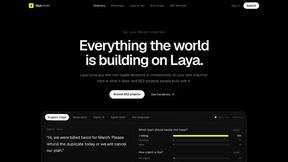
laya.tools
Free directory of 950+ projects built on Laya, the open-source model that turns text into typed decisions in milliseconds.
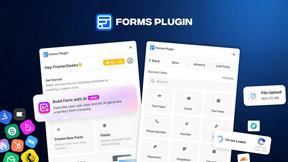
Forms Plugin
The #1 Native Form Builder Plugin for Framer - No Code, No Embeds, No External Platforms.



AkraLabs
Where modern software products get discovered, launched, and distributed. Explore verified AI tools, SaaS startups, and developer software.



Tikdek
AI video and image generation in the browser with stable APIs for scalable visual content.

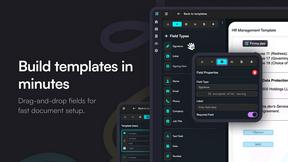
Firma.dev
Pay-as-you-go e-signature API and no-code sending. €0.049 per envelope, no monthly minimums, legally valid in 55+ countries.

Ornold
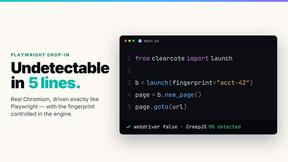
Ornold MCP lets AI agents control Chromium and antidetect browsers: click, type, read screens, record workflows, replay profiles without scripts.

ClipUtils
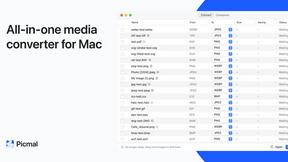
Free browser video & image tools: trim, compress, convert, resize & remove backgrounds. 100% on-device — your files never leave your browser.
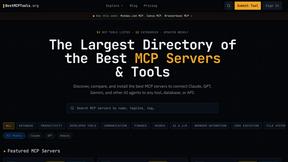

AIQualityHQ
AIQualityHQ instantly checks and scores your AI prompts for structure, safety, and privacy in under 10ms, completely free and browser-based!.

ImageToSTL.online
Turn any PNG or JPG into a print-ready 3D STL in under a second with private, browser-based logo extrusions, photo reliefs, lithophanes, and.
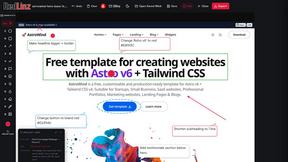
RedLinz
RedLinz turns screenshots into AI prompts by letting you circle and annotate exactly what you want an LLM to change.

Locai
Locai lets you run powerful AI models on your own hardware, keeping data private and cutting cloud costs.
About ButterKit Alternatives
ButterKit is an innovative native macOS application designed to streamline the app development process, specifically for Apple developers. By simplifying the creation of stunning App Store screenshots and automating metadata localization in over 50 languages, ButterKit fits seamlessly into the Dev Tools category. It provides an efficient solution for capturing app visuals directly from the Xcode Simulator and enhancing them with photorealistic 3D device frames, making it a favorite among developers looking to polish their app presentations. However, users often seek alternatives to ButterKit for a variety of reasons. This may include pricing considerations, the need for specific features, or compatibility with different platforms. When exploring alternatives, it's important to assess factors such as user interface, ease of integration with existing workflows, and the level of support offered. Identifying the unique needs of your app development process will help in selecting the perfect tool that aligns with your goals, ensuring a smooth and efficient publishing experience.
FAQs about ButterKit Alternatives
What is ButterKit?
ButterKit is a native macOS application that simplifies and automates the App Store publishing workflow for Apple developers. It allows users to capture stunning screenshots from the Xcode Simulator and enhances them with photorealistic 3D device frames. Additionally, it translates app metadata into all 50 App Store Connect languages using advanced AI models, making localization a breeze.
Who is ButterKit for?
ButterKit is designed for Apple developers who need an efficient solution for managing their app's presentation on the App Store. Whether you're a solo developer or part of a larger team, ButterKit streamlines the process of creating and localizing app screenshots and metadata, making it ideal for anyone looking to publish apps effectively.
Is ButterKit free?
ButterKit is not a free application; it operates under a paid model that reflects its robust features and capabilities. Users can take advantage of its powerful tools and seamless integration with the App Store Connect API, which enhances the value of their investment. For specific pricing details, it's best to visit the official ButterKit website.
What are the main features of ButterKit?
ButterKit offers a range of features tailored for app developers, including the ability to capture screenshots directly from the Xcode Simulator and place them in stunning 3D device frames. It supports localization in all 50 App Store Connect languages through advanced AI models and integrates smoothly with the App Store Connect API for easy uploading of screenshots and metadata. Users can also start from professional templates or create custom designs, enhancing their workflow efficiency.