

Alternatives to BoltShot
BoltShot is the blazing-fast screenshot API that delivers perfect captures from any URL with zero browser ops and no credit card required.
Explore 20 alternatives to BoltShot. Compare features, pricing, and find the best fit for your needs.
Egmatic
No-code 2D game editor: visual node logic, drag-and-drop scenes, live preview. Exports to Windows, macOS, Linux, Android, iOS, Web.
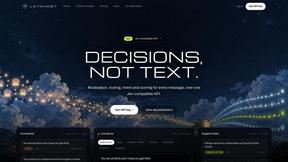
layahost
Moderation, routing, intent and scoring for any text over one Jev-compatible API, hosted in the EU.
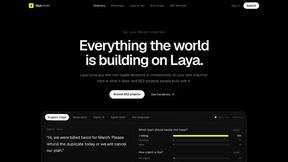
laya.tools
Free directory of 950+ projects built on Laya, the open-source model that turns text into typed decisions in milliseconds.
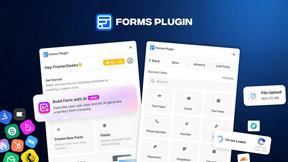
Forms Plugin
The #1 Native Form Builder Plugin for Framer - No Code, No Embeds, No External Platforms.

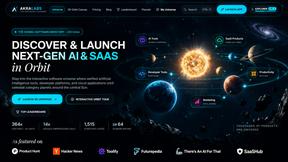
AkraLabs
Where modern software products get discovered, launched, and distributed. Explore verified AI tools, SaaS startups, and developer software.

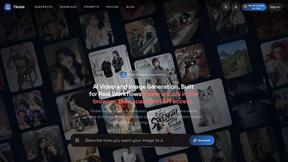
Tikdek
AI video and image generation in the browser with stable APIs for scalable visual content.
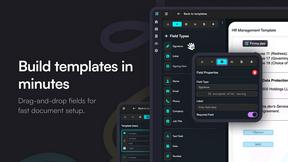
Firma.dev
Pay-as-you-go e-signature API and no-code sending. €0.049 per envelope, no monthly minimums, legally valid in 55+ countries.
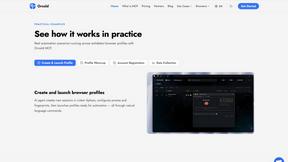
Ornold
Ornold MCP lets AI agents control Chromium and antidetect browsers: click, type, read screens, record workflows, replay profiles without scripts.
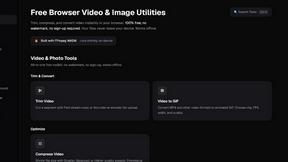
ClipUtils
Free browser video & image tools: trim, compress, convert, resize & remove backgrounds. 100% on-device — your files never leave your browser.
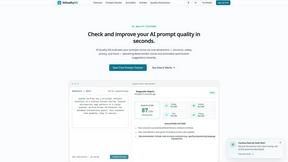
AIQualityHQ
AIQualityHQ instantly checks and scores your AI prompts for structure, safety, and privacy in under 10ms, completely free and browser-based!.
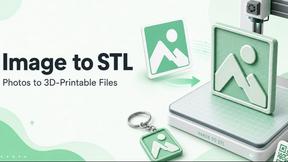
ImageToSTL.online
Turn any PNG or JPG into a print-ready 3D STL in under a second with private, browser-based logo extrusions, photo reliefs, lithophanes, and.
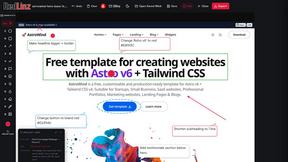
RedLinz
RedLinz turns screenshots into AI prompts by letting you circle and annotate exactly what you want an LLM to change.
About BoltShot Alternatives
Looking for a simple and reliable way to capture website screenshots without the headache of managing your own browser infrastructure? BoltShot is a powerful developer tool that sits squarely in the Dev Tools category, offering a straightforward API that turns any URL into high-quality screenshots in formats like PNG, JPEG, WebP, and PDF. It handles everything from full-page captures to device emulation for mobile and tablet, and even lets you grab specific page elements using CSS selectors. While BoltShot packs a punch with features like ad blocking, cookie banner removal, and smart caching, users often start searching for alternatives because of specific needs around pricing tiers, unique feature gaps, or platform integration requirements that don't quite fit their workflow. When you're on the hunt for an alternative to a tool like BoltShot, you need to focus on what really matters for your specific use case. Look for solutions that offer rock-solid reliability and fast response times, especially if you're automating e-commerce previews or generating reports at scale. Pay close attention to the supported output formats and rendering quality, as some tools excel at full-page captures while others shine with precise element targeting. Don't forget to evaluate the pricing model carefully, whether it's pay-as-you-go or subscription-based, and make sure the API documentation is crystal clear for your development team. The best alternative will seamlessly integrate into your existing workflow without forcing you to compromise on essential features like custom viewports, geolocation emulation, or secure S3 uploads with CDN delivery.
FAQs about BoltShot Alternatives
What is BoltShot?
BoltShot is a simple API for taking website screenshots that eliminates the need for managing browser clusters or infrastructure. It transforms URLs into high-quality screenshots in formats like PNG, JPEG, WebP, and PDF through a single API request. The tool supports full-page capture, device emulation for mobile, tablet, and desktop, and custom viewport settings for flexible rendering.
Who is BoltShot for?
BoltShot is designed for developers and businesses who need to integrate website screenshot capabilities into their workflows. It is ideal for use cases like e-commerce product previews, automated reporting, web archiving, visual testing, compliance monitoring, and more. Anyone looking to capture clean, high-quality screenshots without managing browser infrastructure will find BoltShot valuable.
Is BoltShot free?
Based on the provided content, BoltShot is a commercial API service and does not appear to be free. It is designed for developers and businesses, suggesting it operates on a paid pricing model typically based on usage or subscription tiers. For specific pricing details, users would need to visit the official BoltShot website.
What are the main features of BoltShot?
BoltShot offers a robust set of features including full-page capture, device emulation for mobile, tablet, and desktop, and custom viewport settings. It also provides element-specific capture using CSS selectors, ad blocking, cookie banner removal, and smart caching for cleaner results. Advanced capabilities include S3 uploads with CDN delivery, custom user agents, geolocation emulation, stealth mode, and custom headers for flexible integration.