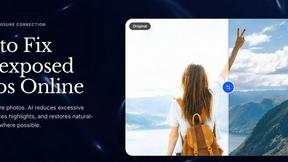
SparkPix
Edit any photo instantly with AI by simply typing what you want to change, from removing backgrounds to creating stunning art styles!.
tool Details
Explore More
Alternatives
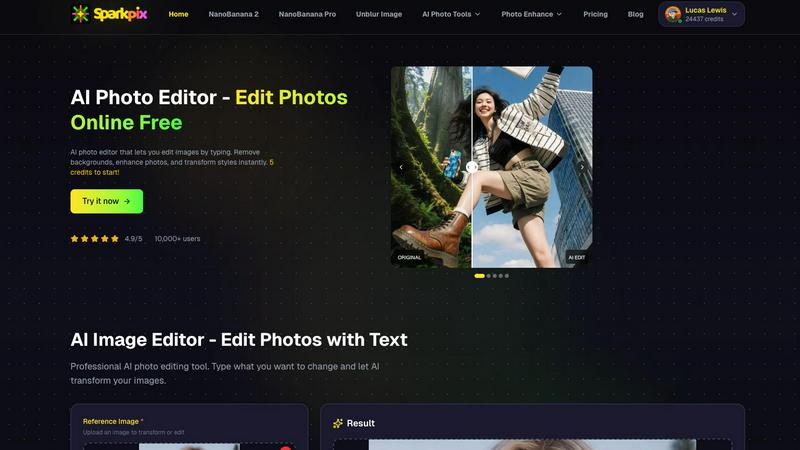
About SparkPix
Welcome to the future of photo editing, where your words are the most powerful tool in the box! SparkPix is a revolutionary, web-based AI photo editor that transforms your creative vision into reality with just a simple text prompt. Forget about complex software like Photoshop and tedious manual tools. With SparkPix, you simply type what you want to change—like "remove the background" or "restore this old photo"—and our advanced artificial intelligence works its magic in under 30 seconds! It's designed for absolutely everyone: from social media enthusiasts and small business owners looking to create stunning product shots, to genealogists restoring precious family archives and digital artists exploring new styles. The core value proposition is breathtakingly simple: professional-grade photo editing made instantly accessible, incredibly fast, and fun to use. Best of all, you can start transforming your images for free right now, with no download required. Unleash your creativity without limits!
Features
AI Photo Editor (Edit by Text)
This is the heart of SparkPix's magic! Instead of searching for the right slider or brush, you describe your edit in plain English. Just upload your photo, type a command like "make the sky more dramatic at sunset" or "add a cozy sweater to the person," and watch as the AI interprets your request and applies the changes automatically. It's like having a professional photo editor on standby, ready to execute your creative vision in seconds, with no technical skills needed from you!
Background Remover & Changer
Get flawless, transparent backgrounds with a single click or command! This powerful feature is perfect for creating clean portraits, eye-catching product photos for your online store, or fun social media content. It handles complex scenes with ease, precisely isolating subjects from even the busiest backgrounds. Go beyond removal and instantly transport your subject to a new environment by typing, for example, "change the background to a beach at dusk."
Photo Restoration & Enhancement
Breathe new life into your precious memories! SparkPix's AI can meticulously repair old, faded, scratched, or physically damaged photographs, restoring details and clarity you thought were lost forever. Coupled with its enhancement suite, it can also sharpen blurry images, reduce digital noise, upscale resolution to HD, and boost colors—all in one seamless step. Turn blurry, low-quality snaps into portfolio-worthy images instantly!
AI Image Generator & Style Transfer
Unleash your inner artist! Generate completely original, high-quality images from your imagination by typing a descriptive text prompt, available at resolutions up to stunning 4K. Furthermore, transform any existing photo into a masterpiece by applying over 15+ artistic styles. Convert your portrait into an anime character, a landscape into a vibrant oil painting, or a pet photo into a elegant pencil sketch with a single click!
Use Cases
E-commerce & Small Business Owners
Create stunning, professional product photography without a studio or expensive equipment! Use SparkPix to remove backgrounds for clean white-background shots, generate realistic product mockups, enhance image quality, and create consistent, eye-catching visuals for your Shopify, Amazon, or Etsy storefront. It's the ultimate, cost-effective tool for building a powerful brand image and boosting sales!
Family History & Photo Restoration
Preserve your heritage for generations to come! SparkPix is the perfect companion for anyone digitizing family albums. You can expertly colorize black and white photos, repair tears and scratches, restore faded colors, and sharpen details on old portraits. It's an invaluable resource for genealogists and anyone looking to honor and revitalize their family's visual history with ease and impressive results.
Social Media Content Creators
Stand out on Instagram, TikTok, and YouTube with unique, high-quality visuals! Quickly remove unwanted photobombers or objects, generate custom thumbnails, apply trendy artistic filters, and enhance all your photos for a polished feed. The speed and versatility of SparkPix allow you to maintain a consistent and professional online aesthetic, saving you hours of editing time.
Personal Creativity & Fun
Explore the joy of digital art and photo manipulation without a steep learning curve! Whether you want to see yourself as a cartoon character, create a fantasy scene from a text description, design a custom passport photo, or simply make your vacation pictures pop with enhanced colors, SparkPix makes it an accessible and entertaining experience for hobbyists and creative minds of all levels.
Pricing
SparkPix offers a generous free plan to get you started, with affordable paid plans for power users. The Free plan includes 5 initial credits plus 1 credit daily at no cost. For those who need more, paid plans begin at just $9.99, which provides a substantial bundle of 350 credits, allowing for extensive editing and image generation. This flexible model ensures everyone from casual users to professionals can find a plan that suits their creative needs and budget.
Frequently Asked Questions
Is SparkPix really free to use?
Yes! You can start using SparkPix absolutely free, with no credit card required. We offer 5 free credits upon sign-up to test all the powerful features. Additionally, free users receive 1 credit daily, allowing for ongoing experimentation and light use without any cost.
What platforms does SparkPix work on?
SparkPix is entirely web-based, meaning it works directly in your browser! There's no software to download or install. You can access and use all its features seamlessly on any desktop computer (Windows, Mac, Linux), as well as on your mobile devices like iPhones and Android smartphones.
How accurate is the AI background remover?
Our AI background remover is highly accurate and designed to handle complex scenes, including fine details like hair, fur, and transparent objects. For the best results, we recommend using high-contrast photos where the subject stands out clearly from the background. You can always use the text editor to refine the result further!
What can I do with the AI Image Generator?
The possibilities are endless! You can generate original artwork, concept images for projects, social media graphics, book illustrations, product mockup scenes, and much more. Just describe the scene, style, and elements you envision in the text prompt, and the AI will create a unique image for you at resolutions up to 4K.
Similar to SparkPix
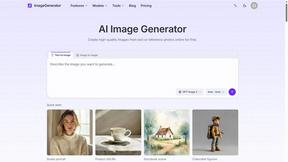
ImageGenerator
Create and edit AI images online with multiple models, text-to-image, image-to-image, background removal, and upscaling.

SightRadar
Face recognition API, a drop-in replacement for AWS Rekognition. Index, search, compare and detect faces, billed per photo with no subscription.

nanobanana 21
A fast, simple image studio powered by Nano Banana 2.1: accurate details, readable text, consistent characters, 14 reference images.
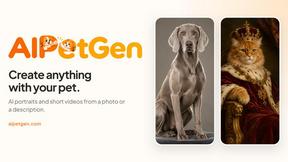
AIPetGen
AIPetGen turns a photo of your dog, cat, or other pet, or a written description, into a new picture or a short animation.

AI Object Remover
Remove unwanted people, objects, text and watermarks from photos with AI


Image to Layers AI
Turn any image into editable transparent PNG/PSD layers with AI