RemoveTexts
Effortlessly erase text and watermarks from images in seconds with RemoveTexts—no skills needed, just paint and let AI do the magic!.
tool Details
Explore More
Alternatives
About RemoveTexts
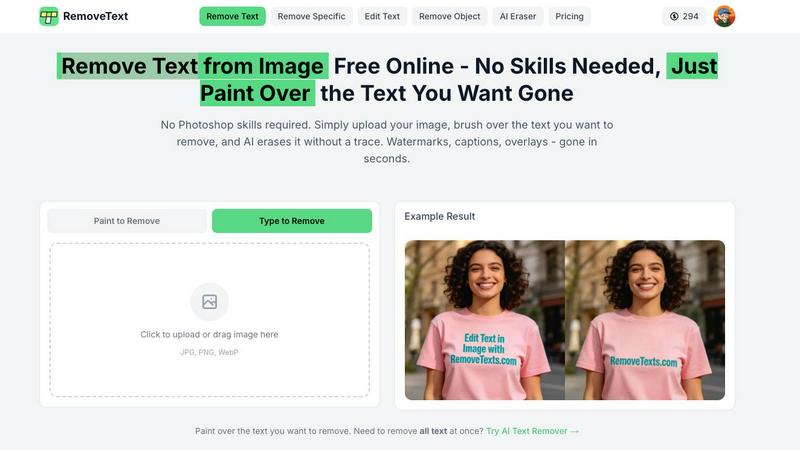
RemoveTexts is an incredible AI-powered image editing tool designed to effortlessly remove unwanted text from images in seconds! Whether you are dealing with watermarks, subtitles, memes, or any distracting text, RemoveTexts has got you covered. The platform is perfect for creators, marketers, and designers who need clean visuals without the hassle of complex software like Photoshop. With its user-friendly interface, anyone can achieve professional-grade results without any design skills! Just upload your image, let our advanced AI do the heavy lifting, and watch as your image transforms into a clean masterpiece. Trusted by over 100,000 users worldwide, RemoveTexts combines cutting-edge technology with speed, making it the go-to solution for anyone looking to enhance their visuals quickly and efficiently. Say goodbye to unwanted text and hello to stunning images that shine!
Features
Paint to Remove
This feature allows users to brush over specific areas of text they want to eliminate. The AI intelligently detects the painted regions and removes the text without leaving a trace, giving you precise control for targeted edits.
Auto Remove All
With just one click, users can take advantage of the Auto Remove All feature, which allows the AI to detect and erase every text element automatically. This is perfect for those who need quick, comprehensive cleaning of their images.
Edit & Replace Text
Forget about the old text! The Edit & Replace Text feature lets users change existing text in images while perfectly matching the original font style. This means you can customize visuals without compromising on quality!
Remove Objects
Need to eliminate more than just text? The Remove Objects feature allows users to erase unwanted elements like logos or even people from photos, ensuring a clean and professional appearance in every image.
Use Cases
E-commerce Product Photos
Online sellers can use RemoveTexts to clean up product images by removing watermarks or distracting text, presenting their products in the best light to attract potential buyers.
Social Media Graphics
Content creators can utilize RemoveTexts to erase unwanted captions or overlays from images, ensuring that their social media posts are visually appealing and free from distractions.
Legal Document Redaction
Legal professionals can rely on RemoveTexts to remove sensitive information or text from documents, allowing for secure sharing while maintaining a professional appearance.
Personal Photo Enhancement
Individuals looking to enhance personal photos can use RemoveTexts to remove date stamps or other unwanted text, creating beautiful memories that are free from distractions.
Frequently Asked Questions
How does RemoveTexts work?
RemoveTexts leverages advanced AI and deep learning technology to analyze images and intelligently reconstruct backgrounds after removing text. This ensures seamless and professional results.
What image formats does RemoveTexts support?
The tool supports popular image formats including JPG, PNG, and WebP, making it accessible for most users. You can upload images up to 10 MB in size.
Is there a limit to how many images I can process?
While there is no stated limit to the number of images you can process, RemoveTexts is designed for efficiency and can handle multiple images quickly, serving the needs of high-volume users.
Can I trust the quality of the edits?
Absolutely! RemoveTexts ensures that the original image quality is preserved with no compression or loss of detail. You can expect clean, professional results every time!
Similar to RemoveTexts
ImageGenerator
Create and edit AI images online with multiple models, text-to-image, image-to-image, background removal, and upscaling.
SightRadar
Face recognition API, a drop-in replacement for AWS Rekognition. Index, search, compare and detect faces, billed per photo with no subscription.
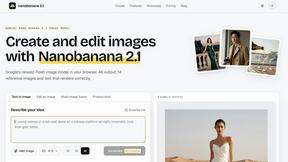
nanobanana 21
A fast, simple image studio powered by Nano Banana 2.1: accurate details, readable text, consistent characters, 14 reference images.
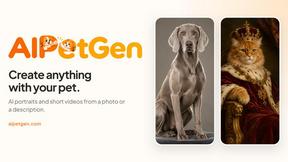
AIPetGen
AIPetGen turns a photo of your dog, cat, or other pet, or a written description, into a new picture or a short animation.

AI Object Remover
Remove unwanted people, objects, text and watermarks from photos with AI

Image to Layers AI
Turn any image into editable transparent PNG/PSD layers with AI