

Picture Enhancer
Picture Enhancer uses AI to deblur, upscale, and restore your photos instantly in your browser with no install needed.
tool Details
Explore More
Alternatives
About Picture Enhancer
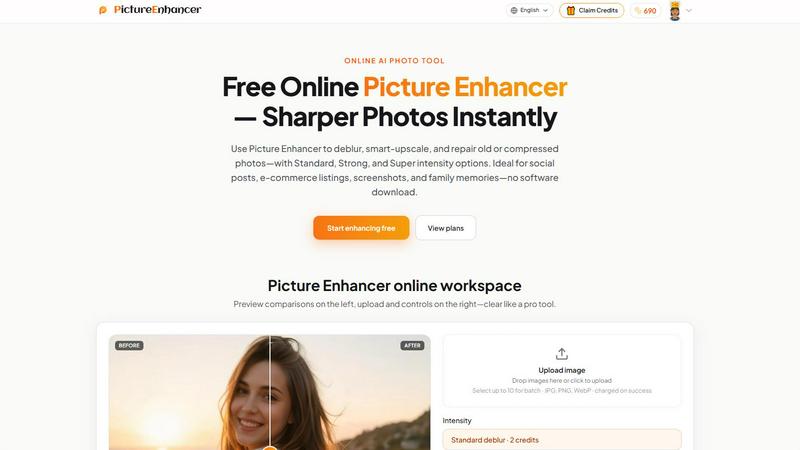
Get ready to transform your blurry, pixelated, or damaged photos into stunning, crystal-clear images in seconds! Picture Enhancer is a free online AI photo enhancer designed for creators, sellers, and everyday users who need sharper images fast. This powerful tool lets you upload a JPG, PNG, or WebP photo and choose from three core modes: Deblur, Upscale, or Restore. You can then pick your intensity level with Standard, Strong, or Super options to get the exact result you need. The best part? You can preview a side-by-side before and after comparison using an intuitive slider, and when the job succeeds, you download a watermark-free result instantly. Picture Enhancer is perfect for social media posts, e-commerce product listings, screenshot cleanup, and restoring precious family memories. Guests get three free lifetime tries per IP with absolutely no signup required. Sign in to use credits, and new accounts receive starter credits to get you going right away. Credits are charged only on successful enhancements: Standard costs 2 credits, Strong costs 4 credits, and Super costs 6 credits. Paid users unlock Super tiers and batch enhance capabilities for up to 10 images at once. Monthly plans grant credits each billing cycle, while permanent credit packs never expire. With private processing, results in seconds, and a watermark-free output, Picture Enhancer is your go-to solution for elevating every photo's clarity and detail to a whole new level!
Features
AI Deblur Mode
Say goodbye to blurry photos forever! Picture Enhancer's AI Deblur mode intelligently rebuilds edges and texture from camera shake, soft focus, and mild motion blur. Choose from Standard, Strong, or Super deblur intensity levels to ensure faces and text read clearly again. Whether you're fixing a slightly out-of-focus portrait or sharpening a fast-moving action shot, this feature delivers professional-grade results that make every detail pop with stunning clarity!
Smart Upscale Mode
Need to enlarge a small image without losing quality? The Smart Upscale mode provides 2x and 4x enlargement that adds realistic detail for social media covers, product hero shots, or print previews. This AI-powered feature intelligently generates new pixels that match the original image's texture and patterns, so your enlarged photos look natural and crisp instead of blocky or pixelated. It is a game-changer for anyone working with low-resolution source files!
Old Photo and Damage Restore Mode
Bring your treasured memories back to life with the Restore mode! This powerful feature reduces scratches, fading, and compression artifacts that plague old scanned photos. Strong and Super restore intensity levels handle heavier damage on scanned family prints, smoothing out imperfections while preserving the original character of the image. Watch as years of wear and tear disappear, revealing the vibrant memories you thought were lost forever!
Batch Enhance and Super Intensity Tiers
Take your photo enhancement to the next level with paid-user benefits! Subscribers and permanent pack buyers unlock Super intensity tiers for maximum correction power across all three modes. Plus, you can batch enhance up to 10 images simultaneously, saving you massive amounts of time when processing multiple photos for a project. Credits are only charged on successful results, so you never waste resources on failed attempts. It is efficiency and power combined!
Use Cases
Portraits and Everyday Photos
Perfect your personal photos with ease! Picture Enhancer is ideal for reducing mild blur in portraits so faces and clothing look cleaner for social media feeds, dating profiles, or online portfolios. Whether you captured a candid moment with slight camera shake or need to salvage a group photo where someone moved, the AI deblur feature restores sharpness and clarity. Your everyday memories deserve to look their absolute best, and Picture Enhancer makes that happen instantly!
E-commerce and Product Shots
Make your products stand out and drive more sales! E-commerce sellers can upscale product detail and tame compression noise so listings look professional and appealing. Sharp, clear product images build trust with potential buyers and reduce return rates. Use the Smart Upscale mode to enlarge small product photos for hero images, or apply Deblur to fix slightly soft focus on detail shots. Your online store will look like a premium brand with Picture Enhancer!
Screenshots and UI Captures
Create crystal-clear tutorials, documentation, and support threads! Screenshots and UI captures often suffer from compression artifacts or slight blur from scaling. Picture Enhancer sharpens text edges and restores clarity, making your screenshots look professional and easy to read. This is perfect for software developers creating documentation, educators making online courses, or support teams building knowledge bases. Your visual instructions will be more effective and polished than ever!
Old Photo Memories
Preserve and share your family history with stunning quality! Repair fading, scratches, and damage on scanned family prints so they are ready to share or print. The Restore mode intelligently reduces years of wear while maintaining the authentic look and feel of the original photograph. Grandparents' wedding photos, childhood memories, and vintage snapshots can all be revived and enjoyed by future generations. Picture Enhancer helps you honor your past with vibrant, clear images!
Frequently Asked Questions
What is Picture Enhancer?
Picture Enhancer is a free online AI photo enhancement tool that allows you to deblur, smart-upscale, and repair old or compressed photos. It supports JPG, PNG, and WebP formats and offers Standard, Strong, and Super intensity options for each mode. The tool is designed for creators, sellers, and everyday users who need sharper images fast without downloading any software. You can preview before and after results, and downloads are always watermark-free on successful enhancements!
Can I try Picture Enhancer without signing in?
Absolutely! Guests get three free lifetime tries per IP address with no signup required. This gives you a risk-free opportunity to test the tool and see the amazing results for yourself. After using your guest tries, you can sign in to use credits for continued access. New accounts receive starter credits to begin enhancing right away, so there is always a way to keep improving your photos!
How does billing work after sign-in?
After signing in, you use credits to enhance photos. Credits are charged only on successful results, meaning you never pay for failed attempts. Standard intensity costs 2 credits, Strong costs 4 credits, and Super costs 6 credits. You can purchase monthly subscription plans that grant credits each billing cycle, or buy permanent credit packs that never expire. Paid users also unlock Super intensity tiers and batch enhance capabilities for up to 10 images at once!
Which modes does Picture Enhancer support?
Picture Enhancer supports three powerful enhancement modes: AI Deblur for rebuilding edges and texture from camera shake and soft focus, Smart Upscale for 2x and 4x enlargement with added detail, and Old Photo and Damage Restore for reducing scratches, fading, and compression artifacts. Each mode offers Standard, Strong, and Super intensity levels to give you precise control over the enhancement result. You can preview the before and after comparison with an intuitive slider before downloading!
Similar to Picture Enhancer
ImageGenerator
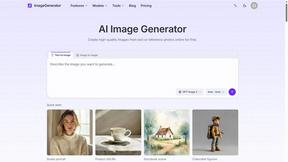
Create and edit AI images online with multiple models, text-to-image, image-to-image, background removal, and upscaling.
nanobanana 21
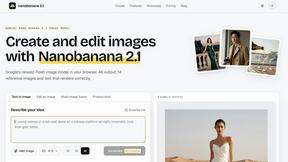
A fast, simple image studio powered by Nano Banana 2.1: accurate details, readable text, consistent characters, 14 reference images.

ColorBestie
AI color previews and marker color suggestions for coloring pages.
ideogram-45
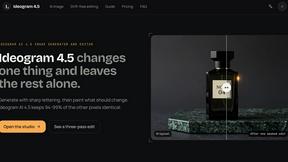
AI image generation and editing with sharp typography, native 2K output, and localized edits.
AIPetGen
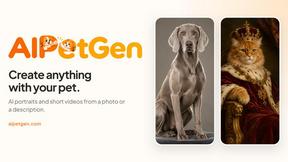
AIPetGen turns a photo of your dog, cat, or other pet, or a written description, into a new picture or a short animation.

ImageGPT
ImageGPT is an all-in-one AI creative platform for generating, editing and transforming images and videos using AI.

AI Album Cover Maker
Create release-ready album covers from a prompt or photo. Generate, refine, and export art for singles, EPs, mixtapes, and playlists.

Sprite Sheet Maker
Create pixel-art sprite sheets from text with AI, preview animations, and export PNG assets for game prototypes.