

Krea 2 AI
Create expressive images instantly in your browser with Krea 2's aesthetic-first models, style presets, and powerful editing tools.
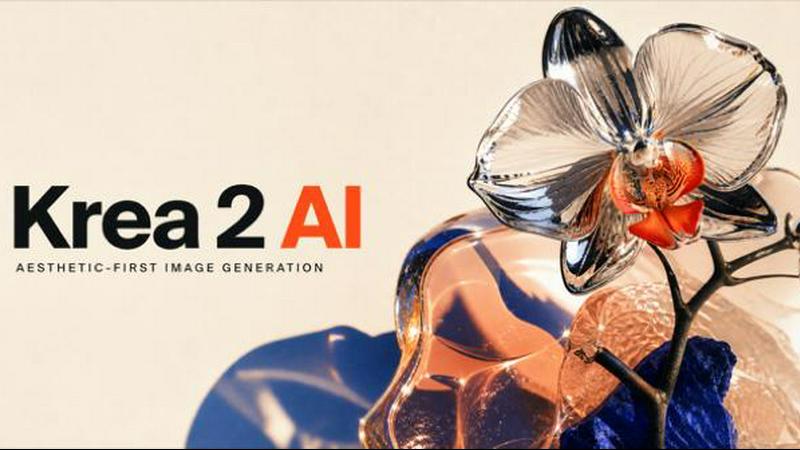
About Krea 2 AI
Get ready to revolutionize your creative workflow with Krea 2 AI, the browser-based image workspace built entirely around aesthetic-first generation! This is not just another AI image tool – it is your new hub for creating expressive, authored visuals that stand out from the generic crowd. Krea 2 AI puts three powerful model tiers right at your fingertips: Large, Medium, and Turbo, each carefully tuned to deliver exceptional grain, texture, and expressive lighting. Whether you are a designer, artist, marketer, or content creator, Krea 2 AI is built for anyone who wants to iterate fast and think visually without ever leaving the browser.
What makes Krea 2 AI truly special? It combines private processing, prompt expansion, and style references with a suite of editing tools that let you refine outputs in real time. You get 3 free credits to start exploring, and every generation is estimated upfront so you always know what you are spending. The platform also opens guest routes to other powerful models like GPT Image 2, FLUX variants, and Nano Banana when your project needs typographic precision or photorealistic control. With functions for both text-to-image and image-to-image, plus support for multiple aspect ratios and creativity levels, Krea 2 AI is the complete aesthetic home base for building art direction, not just keyword piles. Jump in and start creating visuals that feel intentional, textured, and truly yours!
Features
Three Model Tiers: Large, Medium, and Turbo
Krea 2 AI gives you the power of choice with three distinct model variants, each tuned for different creative needs and speed requirements! The Large model delivers the highest quality outputs with rich detail and expressive lighting perfect for final assets. Medium strikes an excellent balance between quality and generation speed, ideal for iterative design work. Turbo is your go-to for rapid prototyping and quick concept exploration, allowing you to generate multiple variations in seconds without sacrificing that signature Krea aesthetic of grain, texture, and authored feel.
Guest Model Integration on Demand
Why switch between different websites when Krea 2 AI brings the best models directly into your creative workflow? This feature lets you open GPT Image 2, FLUX Pro, FLUX Max, Nano Banana, and other powerful models right from the Krea interface! Need typographic precision? Switch to GPT Image 2. Require photorealistic control? FLUX variants are ready. Want fast Gemini forks for branching ideas? It is all here. This seamless integration means you can explore diverse visual directions without breaking your creative flow or losing your account credit balance.
Intelligent Prompt Expansion
Stop struggling to write the perfect prompt – Krea 2 AI can expand your direct idea into a fuller visual brief while preserving your core subject and intent! This feature is a game-changer for both beginners and experienced creators. Start with a simple concept like "dark blue elven archer on a tiger" and watch as Krea expands it into a detailed direction that includes composition, lighting, palette, and texture cues. The expansion respects your original vision while adding the kind of professional art direction language that produces stunning, intentional results every time.
Reference-Based Editing with Image-to-Image
Take complete control of your creative direction with Krea 2 AI's powerful image-to-image functionality! This feature accepts reference images for restyles, palette shifts, and Kontext-aware revisions, allowing you to carry composition and subject cues from existing visuals into new generations. Whether you need to restyle a character, shift the color scheme of a scene, or make identity-aware edits while preserving the original structure, the image-to-image route handles it beautifully. Combine this with the text-to-image function for fresh compositions, and you have a complete visual toolkit in one browser tab.
Use Cases
Character and Concept Art Direction
Bring your fantasy characters and creative concepts to life with Krea 2 AI's expressive model tiers! Imagine generating a dark blue elven archer riding a white tiger against a solid green backdrop, with flat graphic design and distorted proportions that create dynamic energy. The Large model excels at capturing the grain and texture that makes character art feel authored rather than generic. Use the image-to-image feature to iterate on specific elements like armor details or facial expressions, and switch to Turbo for rapid exploration of different poses and compositions.
Editorial and Action Photography Simulation
Create stunning editorial-style images that capture motion and energy with Krea 2 AI's ability to understand lens language and viewpoint! Picture a hooded tennis player mid-backhand with a chrome racquet, captured from a close wide-angle view with a low vantage point. The Medium model delivers crisp editorial photographs with reflective materials and dynamic composition that look ready for magazine spreads. Use prompt expansion to add specific lighting cues and texture descriptions, and experiment with different aspect ratios like 16:9 for widescreen impact or 4:5 for social media optimization.
Environmental and Landscape Storytelling
Transform ordinary scenes into monumental visual narratives using Krea 2 AI's support for extreme viewpoints and creative distortion! Generate a massive ancient baobab tree viewed from the base looking upward with fisheye lens distortion for an organic, immersive scale. The Turbo model lets you quickly test multiple lens effects and composition angles, while Large delivers the final high-quality render. Combine this with guest model access to FLUX Max for photorealistic environmental details, and use the reference edit feature to maintain consistent lighting across a series of landscape concepts.
Brand and Marketing Visual Development
Build cohesive visual identities and marketing assets faster than ever with Krea 2 AI's aesthetic-first approach to brand imagery! Start with a moodboard direction using the image-to-image function to establish a consistent style, then generate multiple variations across different aspect ratios (1:1 for product shots, 16:9 for hero banners, 4:3 for presentations). The prompt expansion feature ensures your brand guidelines are respected while adding professional art direction language. Use guest models for typographic precision when creating social media graphics, and keep everything organized within the same credit balance and workflow.
Pricing
Based on the provided content, Krea 2 AI offers 3 free credits to start generating immediately. For detailed pricing information on additional credit packs, subscription plans, or API usage costs, please visit the official Krea 2 AI pricing page or sign in to your account to view available options. The platform provides upfront credit estimation before every generation so you can always see the cost before committing.
Frequently Asked Questions
What makes Krea 2 AI different from other AI image generators?
Krea 2 AI stands out because it is built around an aesthetic-first philosophy, meaning every model variant is tuned for expressive lighting, texture, and unconventional composition that feels authored rather than generic. Unlike other tools that require switching between platforms for different capabilities, Krea 2 AI integrates multiple guest models like GPT Image 2, FLUX variants, and Nano Banana directly into its workspace. You also get private processing, prompt expansion, reference-based editing, and upfront credit estimation – all within a single browser-based environment that keeps your creative flow uninterrupted.
How do the three model tiers (Large, Medium, Turbo) differ?
The Large model prioritizes maximum quality with rich details, expressive lighting, and authentic grain and texture – perfect for final assets and client presentations. Medium strikes an optimal balance between output quality and generation speed, making it ideal for iterative design work where you need to explore multiple directions efficiently. Turbo is optimized for speed and rapid prototyping, allowing you to generate concepts and variations in seconds while still maintaining the distinctive Krea aesthetic. Choose based on your current need: final quality, balanced iteration, or fast exploration.
Can I use Krea 2 AI for commercial projects?
Yes, Krea 2 AI is designed for professional creators and commercial use! The platform provides private processing for your generations and supports a wide range of commercial applications including brand development, marketing assets, editorial content, and product visualization. With features like reference-based editing, multiple aspect ratios, and guest model access for specialized tasks like typographic precision, Krea 2 AI gives you the tools to produce professional-grade visuals. Always review the specific terms of service for any model you use, including guest models, to ensure compliance with commercial licensing requirements.
How do credits work and what does each generation cost?
Krea 2 AI provides 3 free credits to get started, and every generation shows an estimated credit cost before you commit to creating. Credits are calculated based on the model tier you select (Large, Medium, or Turbo), the complexity of your prompt, and whether you are using additional features like prompt expansion or reference images. The platform is designed to help you learn efficiently – each credit should teach you something specific, so you can iterate by changing one variable between runs rather than starting from scratch every time. Your credit balance works across both Krea models and guest model access.
Similar to Krea 2 AI
Try OC Maker
Create OCs from text or images, customize their look, and turn them into animated videos with AI.
ImageGenerator
Create and edit AI images online with multiple models, text-to-image, image-to-image, background removal, and upscaling.
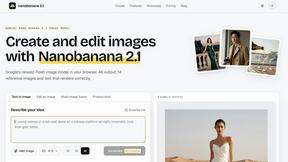
nanobanana 21
A fast, simple image studio powered by Nano Banana 2.1: accurate details, readable text, consistent characters, 14 reference images.
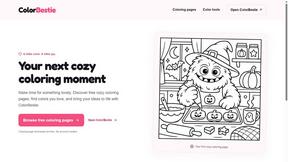
ColorBestie
AI color previews and marker color suggestions for coloring pages.
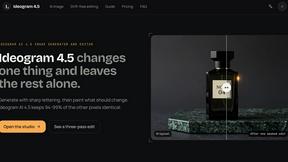
ideogram-45
AI image generation and editing with sharp typography, native 2K output, and localized edits.
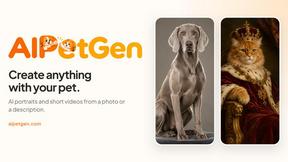
AIPetGen
AIPetGen turns a photo of your dog, cat, or other pet, or a written description, into a new picture or a short animation.
screenRIG
Signage and kiosk infrastructure for AI agents. Your agent publishes images, video, streams, web pages and apps to screens via one plugin.screenRIG is