

File Studio
Transform and manage your files and PDFs offline with File Studio's powerful, private tools for ultimate control and.
tool Details
Explore More
Alternatives

About File Studio
File Studio is the ultimate desktop application for anyone who values privacy and efficiency in file management! Designed to handle PDFs and images entirely offline, this powerful tool is perfect for photographers, freelancers, remote workers, and anyone needing to manage sensitive documents like passports, IDs, and contracts without the risks associated with cloud storage. With File Studio, users can merge, split, reorder, rotate, and even password-protect their PDF files while converting between over 20 different formats, including HEIC, WebP, AVIF, and various RAW types. Best of all, File Studio operates on both Mac and Windows platforms, providing a one-time purchase model that eliminates subscription hassles and account setups! Dive into a seamless experience that keeps your files safe and secure, allowing you to focus on what matters most—your work!
Features
5 PDF Tools
File Studio offers five dedicated PDF tools that allow users to merge multiple PDFs, split documents into individual pages, reorder and rotate spreads, and even remove passwords. All processes are conducted offline, ensuring that your PDF management is both convenient and secure!
10 Image Tools
With ten powerful image tools at your fingertips, File Studio supports over 20 formats including HEIC, WebP, AVIF, and 14 RAW types. Users can easily resize, compress, crop, and even create collages—all offline—making it a versatile solution for all your image manipulation needs!
Batch Processing
Efficiency is key with File Studio! The application allows users to handle hundreds of files at once, converting, resizing, or compressing entire folders in a single run. This batch processing capability ensures maximum productivity without sacrificing quality or security.
100% Offline Functionality
File Studio processes all files locally on your Mac or PC, meaning your sensitive documents never leave your device. With no uploads, accounts, or subscriptions required, you can work confidently knowing that your data remains private and secure every step of the way!
Use Cases
Document Management for Freelancers
Freelancers can utilize File Studio to manage client contracts, invoices, and project documents securely. With the ability to merge, split, and password-protect PDFs, they can ensure that sensitive information is handled safely and efficiently.
Photo Editing for Photographers
Photographers can streamline their workflow using File Studio to convert and compress images before sharing them with clients. This powerful tool allows for batch processing of RAW images, making it easy to prepare portfolios without compromising on quality.
Secure Handling of Personal Documents
For individuals managing sensitive personal documents like passports and IDs, File Studio provides a secure environment to edit and store files. Users can redact information and clean metadata without ever needing to upload their data to the cloud.
Efficient File Conversion for Businesses
Businesses can leverage File Studio for converting and optimizing documents and images for various applications. Whether it’s converting PDF reports to images for presentations or compressing files for email, this tool offers flexibility and security in file management.
Frequently Asked Questions
Is my data ever uploaded?
No! File Studio processes everything locally on your device, ensuring that your files never leave your computer. You can trust that all your data remains secure and private!
Do you offer a free trial?
Yes! You can try File Studio before committing to a purchase, giving you the chance to explore its powerful features and see how it fits into your workflow.
Can I use File Studio on both Mac and Windows?
Absolutely! File Studio is fully compatible with both Mac and Windows operating systems, allowing users to enjoy its features regardless of their platform preference.
What is included in the lifetime plan?
The lifetime plan includes unlimited conversions, updates for one year, and offline processing capabilities. There are no monthly fees or subscriptions, making it a cost-effective choice for all your file management needs!
Similar to File Studio

HomeAnswerBook
Practical, independent guides to home repairs, maintenance, costs, troubleshooting, and everyday fixes.
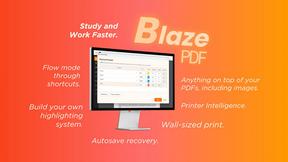
BlazePDF
Highlight faster. Study in flow with custom shortcuts and a workflow built around you. Print smarter, or turn any page into a tiled poster.

Build Mode for Mac
Build Mode is a Mac app that turns focused sessions into visible progress, so you can see the work adding up before the results arrive.



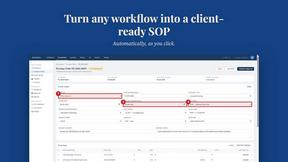
MySOP.guru
Capture any workflow in your browser and export a branded, step-by-step SOP with screenshots. €5 per document, no subscription.

PerPageFax
PerPageFax lets you send a fax online from any browser for a flat $0.50 per page — no account, no subscription, no fax machine.