

Alternatives to File Studio
Transform and manage your files and PDFs offline with File Studio's powerful, private tools for ultimate control and.
Explore 20 alternatives to File Studio. Compare features, pricing, and find the best fit for your needs.

hearlog
AI transcription, translation and subtitles for Indian languages: Hindi, Tamil, Telugu, Bangla, Hinglish and 50+ more.

Safe Outreach
AI-powered platform that evaluates the safety of LinkedIn automation tools and helps reduce the risk of account restrictions.

WordCraft
WordCraft is a free, open-source word processor for browser and desktop with .docx support, offline privacy, formatting, tables, references, reviews,


How Long How Many Tool
Timers and hourly checks to figure how out long until a certain time or how many days away.


Emailyy
Free email tools for signatures, subject lines, HTML previews, word counts, and email headers. Browser-based, simple to use, and no signup required.

Uniclip
Clip pages, take full-page screenshots and batch-capture list data to Notion, Feishu, Obsidian, Markdown, CSV or JSON.

TroveKey
Search tabs, Chrome bookmarks and history, run browser commands, and save webpages and social posts locally—no account.
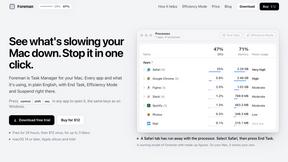
Foreman
See every app and what it's using in plain English, and end or slow down the one that's hogging your Mac.
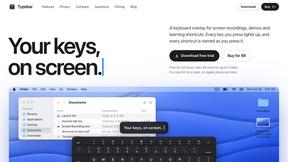
Typebar
Every key you press lights up on an on-screen keyboard, and each shortcut is named as you press it.

Notchpals
Little characters peek out of your Mac's notch to remind you to drink water, eat, sit up and get to bed. Quiet during calls. $4.99 once.

LightScreen
Free light screen tool online. Turn any display into a flashlight, ambient light, or solid-color screen. No download or sign-up.
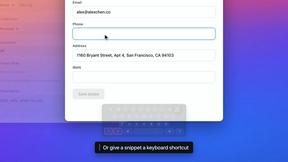


Agent Pets
Your Claude Code & Codex sessions as pets in Chrome. Approve, deny and reply to your coding agents from any tab.
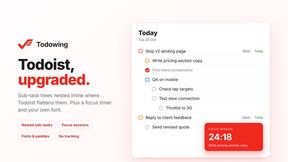
Todowing
Chrome extension that nests sub-tasks inside Todoist's Today, Upcoming and Filter views. Free tier, plus a $19.99 one-time unlock.
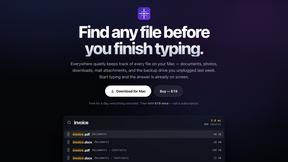
Everywhere
Fast file search for the Mac. Results as you type, files inside Mail and Photos, works with Wi-Fi off. $19 once.

Basalt
Eighteen PDF tools in one native Mac window: merge, split, compress, OCR, Bates numbering, forms, signing and redaction. Offline. $29 once.

Voice Keyboard Pro
Hold a key, say what you mean, let go. Clean, punctuated text lands at the cursor in any app on your Mac or iPhone.
About File Studio Alternatives
File Studio is a powerful desktop application designed for productivity and management, specifically focused on file and PDF handling. With its robust offline capabilities, it caters to users who value privacy and security while managing sensitive documents like contracts and IDs. However, many users find themselves searching for alternatives due to factors such as pricing, feature sets, or specific platform compatibility requirements. It's common for individuals to seek out options that better fit their unique workflows or offer enhanced functionalities that align more closely with their needs. When exploring alternatives to File Studio, consider the specific features that matter most to you, such as offline processing, file format support, and user interface design. Additionally, think about whether you're looking for a one-time purchase model or a subscription service, as well as the compatibility with your operating system. Ultimately, finding the right tool will hinge on your individual requirements and preferences, so take the time to evaluate each option thoroughly!
FAQs about File Studio Alternatives
What is File Studio?
File Studio is a robust desktop application that offers powerful offline tools for converting, editing, and managing files and PDFs securely on your computer.
Who is File Studio for?
File Studio is ideal for photographers, freelancers, and remote workers who need to manage sensitive documents without the risk of online exposure.
Is File Studio free?
No, File Studio operates on a one-time purchase model, eliminating the need for subscriptions or accounts.