

AI Audio Translator
AI Audio Translator instantly transcribes, translates, and dubs your spoken content with a live interactive studio experience.
tool Details
Explore More
Alternatives
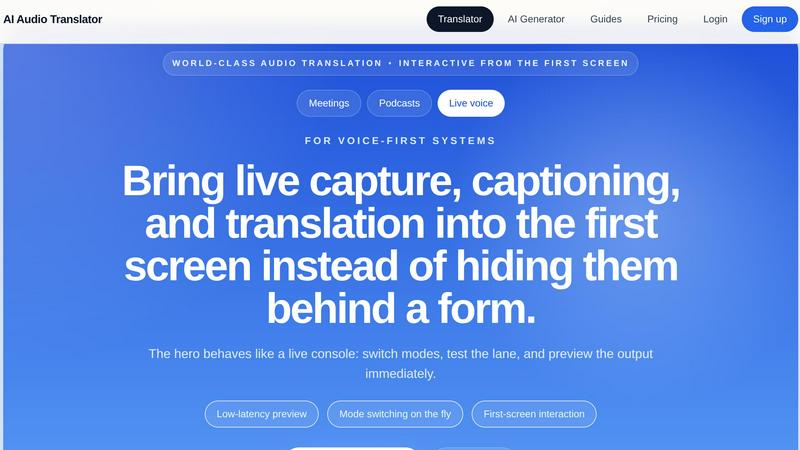
About AI Audio Translator
Get ready to revolutionize your spoken-content workflows with AI Audio Translator, the browser-based powerhouse that transforms how you handle audio across languages! This isn't just another translation tool; it is a complete, interactive studio built for the modern, fast-paced world of podcasts, interviews, lessons, demos, and localization tasks. Forget stitching together multiple disconnected tools! With AI Audio Translator, you can upload audio files, paste a public audio URL, or even record directly in your browser to generate a transcript, translated text, and optional dubbed audio in one focused, seamless pipeline. What makes this tool truly world-class is its practical, review-first approach. You are always in control! Inspect your transcript first, check the translation for accuracy, and only generate dubbed speech when you actually need it. This is a game-changer for teams and individuals who demand efficiency, accuracy, and interactivity from the very first screen. The hero interface behaves like a live console, letting you switch modes, test lanes, and preview output instantly with low latency. Whether you are a podcaster expanding your global audience, a localization team reviewing spoken content, or an educator translating lessons, AI Audio Translator puts the power of live capture, captioning, and translation right where you need it. Say goodbye to hidden forms and hello to a first-screen interaction that brings your audio translation workflow to life!
Features
Interactive Studio with First-Screen Control
Jump right into action with our live console that puts everything at your fingertips from the moment you land! No more navigating through clunky forms or hidden menus. The interactive studio lets you switch modes on the fly, test your audio lane, and preview the output immediately. This low-latency preview capability means you can transcribe, translate between languages, or lock a language pair for a full pipeline run without any friction. It is a dynamic, responsive interface designed for voice-first systems where speed and interactivity are everything!
Flexible Input Options for Any Audio Source
Say goodbye to rigid upload requirements! AI Audio Translator offers three powerful ways to get your audio into the system. You can upload supported file formats like MP3, WAV, M4A, AAC, and OGG (up to 100MB), paste a public audio URL from anywhere on the web, or use the built-in browser recording feature to capture live voice clips. This incredible flexibility means you can handle any spoken-content scenario, from pre-recorded podcasts and interviews to live meetings and spontaneous voice notes, all from the same unified studio lane!
Transcript-First Review Lane for Total Accuracy
Take full control of your output with our intelligent transcript-first workflow! Before any translation or dubbing happens, you get to review the raw transcript of your audio. This is a game-changer for quality assurance and localization handoff. You can inspect every word, copy text for editing, and ensure the source material is perfect before moving forward. This reviewable pipeline keeps your workflow clean and inspectable, preventing costly mistakes downstream and making it ideal for teams that require meticulous accuracy in their spoken content.
Optional AI Dubbed Speech Generation
Only generate dubbed audio when you actually need it, saving you time and resources! After you have reviewed and approved the transcript and translation, you can optionally create playable, translated speech using a high-quality AI voice. This feature is perfect for creating dubbed clips for demos, learning materials, and localization projects. The pipeline clearly shows the status of your audio, from transcribing to translating text and finally generating the dubbed audio. It is practical, efficient, and puts you in the driver's seat of your audio production!
Use Cases
Global Podcasting and Interview Expansion
Take your podcast or interview series global with incredible ease! Upload your recorded episodes, and let AI Audio Translator generate a transcript and translation for your international audience. You can review the translated text for cultural nuances and then generate a dubbed audio track to release as a separate localized episode. This streamlined workflow turns a complex, multi-tool process into a single, focused session, allowing you to connect with listeners in English, Chinese, Japanese, Korean, French, German, Spanish, and more without breaking a sweat!
Localization Handoff for Video and Audio Content
Streamline your localization team's workflow by starting with a clean, reviewable transcript! Before any voice actors or video editors get involved, use the transcript-first review lane to inspect and edit the translated text. This ensures that the final dubbed audio is based on accurate, approved copy. It eliminates the back-and-forth confusion of working with raw audio and provides a clear, exportable text output for seamless handoff between translators, editors, and production teams. It is the professional standard for spoken-content localization!
Educational Content Translation for Global Learners
Break down language barriers in education by translating lessons, lectures, and recorded explainers for a global student body! Teachers and course creators can upload their instructional audio, review the transcript for clarity, and generate a translated version in the target language. The optional dubbed audio feature is perfect for creating supplementary listening materials or full translated versions of courses. This empowers educators to reach non-native speakers effectively, making complex subjects accessible to a wider, more diverse audience!
Live Meeting and Demo Transcription and Translation
Turn your live meetings and product demos into actionable, multilingual assets! Use the browser recording feature to capture a live voice directly in the studio. Once captured, the audio is transcribed and can be translated instantly. This is perfect for creating meeting minutes for international teams or preparing a reliable, translated voice track for a product demo before a release call with overseas partners. It transforms a single live event into a permanent, multilingual record that can be shared and reviewed by everyone!
Pricing
Clear and straightforward pricing is a core part of the product's value proposition. Credits map directly to actual audio work instead of bundling unrelated image or video features. This means you only pay for the transcription, translation, and dubbing you use, with no hidden surprises. For the most current and detailed pricing plans, including specific credit costs per minute of audio and available subscription tiers, please visit the official pricing page on the AI Audio Translator website. It is designed to be predictable and fair for all users, from individual podcasters to large localization teams.
Frequently Asked Questions
What audio formats and sizes does AI Audio Translator support?
You can upload audio files in MP3, WAV, M4A, AAC, and OGG formats, with a maximum file size of up to 100MB. This covers the vast majority of standard audio recordings, including podcasts, interviews, and lecture captures. If your file is larger, consider compressing it or using a shorter clip.
How does the transcript-first review lane work?
The transcript-first review lane is designed for total quality control. After you upload, paste a URL, or record audio, the system first generates a raw transcript of the spoken content. You can then inspect this transcript, copy text for editing, and make corrections before proceeding to translation. This ensures your translation and any dubbed audio are based on accurate source material, making the entire workflow inspectable and reliable.
Can I generate dubbed audio for every translation?
Yes, you have the option to generate dubbed audio for any translation you create. However, the tool is built for practicality, meaning you only need to generate the dubbed speech when you actually need playable, translated audio. The pipeline clearly shows the steps: transcribing, translating, and then generating the dubbed audio. This saves you time and resources, allowing you to review the text first and only dub when necessary for demos, learning materials, or localization.
What languages are supported for translation and dubbing?
AI Audio Translator supports a wide range of major world languages for both translation and dubbing. The supported languages include English, Chinese, Japanese, Korean, French, German, Spanish, Portuguese, Italian, Russian, Arabic, Hindi, Dutch, Polish, Turkish, Vietnamese, Thai, and Indonesian. You can select from these extensive options for your source and target languages, making it a powerful tool for global communication.
Similar to AI Audio Translator

FLUX 3 Video Generator
Create synchronized AI video and native audio from text, images, keyframes, and references.
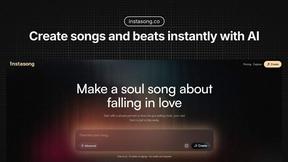
InstaSong - AI song and beat maker
Turn any text into a royalty-free song with vocals and beats in seconds!.
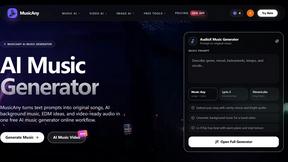
MusicAny AI Music Generator
MusicAny instantly transforms your text prompts into original songs, background music, and video-ready audio for free.
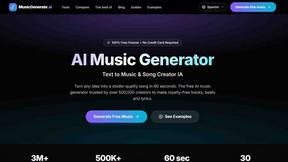
AI Music Generator
Turn any idea into a studio-quality song in 60 seconds with this free, royalty-free AI music generator!.
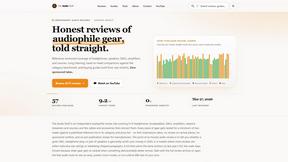
The Audio Stuff
The Audio Stuff delivers honest, independent reviews of audiophile gear to help you build the ultimate hi-fi system without the fluff.