
Perkoon vs TinyFast
Side-by-side comparison to help you choose the right tool.

Send unlimited files for free with no signup using our revolutionary peer-to-peer transfer!.
Last updated: March 4, 2026

Shrink images, videos, and PDFs instantly on your Mac with TinyFast for fast, private, and hassle-free file.
Last updated: February 28, 2026
Visual Comparison
Perkoon

TinyFast
Feature Comparison
Perkoon
Unlimited Free P2P Transfers
This is the game-changer! Perkoon's peer-to-peer technology creates a direct, encrypted connection between two browsers. Your files fly from sender to recipient without ever touching a central server. This means there are absolutely no file size limits, no mandatory accounts, and because it costs Perkoon nothing in server costs, it's completely free for you to use forever! It's fast, private, and revolutionary in its simplicity.
Honest Encrypted Cloud Storage
Need to send a file to someone who isn't online right now? No problem! Perkoon offers encrypted cloud storage as a paid feature. We're upfront about it: this costs us money to run servers, so we charge a fair price to cover those costs. Your files are encrypted on our servers, providing a secure "hold" until your recipient is ready to download. It's transparent, secure, and hassle-free!
Native AI & Automation Ready
Step into the future! Perkoon is built for the age of automation. We provide a dedicated API and a global window object (window.__perkoon) so your AI assistants and scripts can interact with the service directly and efficiently. No more clumsy screen-scraping! This allows for seamless integration into automated workflows, making Perkoon a powerful tool for developers and power users.
Simple CLI & Referral Rewards
Control Perkoon from your command line with our straightforward CLI tool, perfect for scripting and server environments! Plus, our exciting affiliate program rewards you for sharing the love. Share your unique link, and when friends sign up and start transferring, you BOTH earn bonus cloud storage. Build a network and multiply your rewards together!
TinyFast
Batch & Drag-Drop Shrink
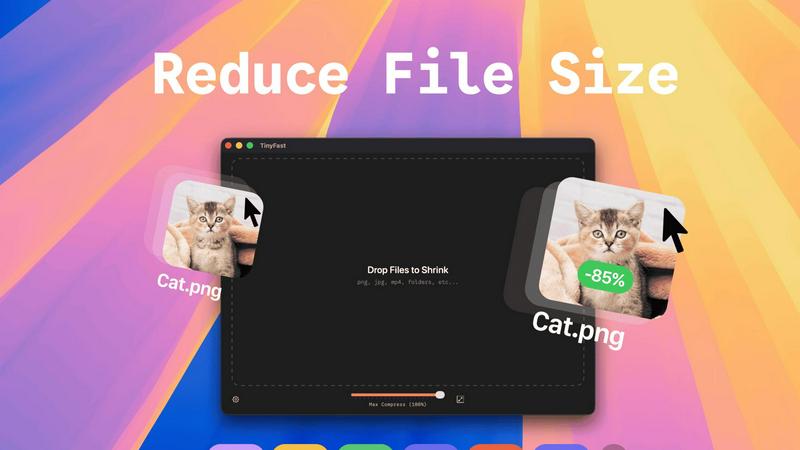
TinyFast allows you to drop entire folders into the app, providing optimized output in seconds! No more tedious one-by-one file compression; just drag and drop, and let TinyFast handle the rest. This feature is perfect for users who have multiple files to compress and want to save time.
Blazing-Fast Compression
Experience lightning-fast compression with TinyFast's optimized native engines! Unlike online tools that require uploads and downloads, TinyFast compresses files instantly on your device, eliminating wait times. You can shrink large files in seconds, streamlining your workflow and enhancing productivity.
Resize Resolution
With TinyFast, you can automatically resize the resolution of your images and videos! This feature is especially useful for those who need to adapt file sizes for different platforms or applications. Customize your output to suit your needs without compromising on quality.
100% Local & Private
TinyFast guarantees that your files remain completely private. No uploads, no cloud servers—your files never leave your machine! This design ensures total confidentiality, making it the perfect solution for anyone concerned about data security, such as developers and designers working with sensitive materials.
Use Cases
Perkoon
Sending Massive Creative Files
Filmmakers, game developers, and graphic designers, rejoice! Finally, a service that doesn't choke on your 50GB+ project files. Use Perkoon's unlimited free P2P transfer to send raw video footage, 3D asset packs, or high-res design mockups to your collaborators instantly and without spending a dime. It's the professional-grade transfer tool you need.
Secure Document Sharing for Teams
Share sensitive business documents, legal contracts, or financial reports with complete peace of mind. With P2P transfers, your data never sits on a third-party server, minimizing risk. For asynchronous sharing, use the encrypted cloud storage. It's the perfect, privacy-respecting solution for modern, distributed teams.
Automating File Delivery Pipelines
Integrate Perkoon directly into your software and workflows! Use the CLI tool or the native AI agent interface to automatically send generated reports, backup logs, or processed data from your servers to clients or team members. Automate the boring stuff and let Perkoon handle the secure delivery.
Everyday Personal File Sharing
Ditch the cumbersome email attachments and sketchy free services! Use Perkoon to quickly send a batch of vacation photos to your family, share a large presentation with a classmate, or beam a software installer to a friend. It's fast, free for live transfers, and incredibly easy for anyone to use.
TinyFast
Creator's Toolkit
Whether you're a graphic designer, video editor, or web developer, TinyFast is an essential tool in your creative arsenal. Compress images and videos quickly to optimize your projects and improve loading times on websites, ensuring a smooth user experience.
Efficient File Management
For professionals who handle numerous files daily, TinyFast transforms the way you manage your assets. The ability to batch compress entire folders means you spend less time on file management and more time on what truly matters—your work!
Secure Document Handling
TinyFast is the go-to solution for anyone dealing with confidential documents. With the assurance that your files remain local and private, you can compress sensitive PDFs and other documents without the fear of them being stored on external servers.
Streamlined Workflow for Developers
Developers can greatly benefit from TinyFast by compressing images, audio files, and code assets efficiently. This ensures that applications run faster and consume less storage, all while maintaining high-quality visuals and sound.
Overview
About Perkoon
Tired of file transfer services that nickel-and-dime you, force you to sign up, and treat your precious data like a product? Meet Perkoon, the refreshingly honest solution that cuts through the corporate nonsense and gets back to basics: moving your files from point A to point B, powerfully and privately! Built for real people, creators, and forward-thinking teams, Perkoon offers two brilliant ways to send anything, anywhere. Its flagship service is unlimited, free, and forever peer-to-peer (P2P) transfer that beams files directly between browsers with no size limits and no accounts required! For sending to offline recipients, Perkoon provides straightforward, encrypted cloud storage. But what truly sets it apart is its native design for the modern age, featuring built-in tools for automation and AI agents. With a simple CLI also available, Perkoon is the no-nonsense, privacy-focused file transfer powerhouse you've been waiting for!
About TinyFast
TinyFast is the ultimate local file compressor designed specifically for macOS users who crave speed, efficiency, and privacy! Say goodbye to the days of waiting for slow online tools and worrying about file security. With TinyFast, you can effortlessly compress a wide array of file types, including PNG, JPEG, MP4, MOV, PDF, SVG, WebP, MP3, and GIF, all from the comfort of your Mac. This powerful application allows you to simply drag and drop your files, and within seconds, you receive perfectly compressed versions without ever leaving your device. It's the ideal solution for developers, designers, and creators who frequently handle large or sensitive files. Why risk uploading confidential assets to unknown servers when you can maintain total control? TinyFast prioritizes your privacy, ensuring your files stay on your machine. Experience the blazing-fast compression with optimized native engines, batch processing capabilities for entire folders, and seamless integration into your workflow. Transform your file management process today with TinyFast, the fast, safe, and incredibly efficient way to reduce file sizes!
Frequently Asked Questions
Perkoon FAQ
Is the P2P transfer really free forever?
Yes, absolutely! The peer-to-peer transfer technology creates a direct connection between browsers. Since your file data never passes through or is stored on Perkoon's servers, it costs us essentially nothing to provide. We promise that core P2P functionality will remain free, unlimited, and without mandatory accounts forever. That's our whole deal!
What happens if the recipient is offline?
If your recipient isn't online for a direct P2P transfer, Perkoon can hold the file for them using our encrypted cloud storage. This is a paid feature because storing data on servers incurs real costs for us. The file is securely encrypted and held until they are ready to download it, ensuring your transfer is successful no matter what.
Can Perkoon see what I'm sending with P2P?
No, we cannot! During a peer-to-peer transfer, the file data is streamed directly between the two browsers involved in the transfer. It is encrypted end-to-end and never passes through our infrastructure. We literally have no way to see, scan, or access the contents of your P2P transfers. Your privacy is guaranteed.
How can AI agents or scripts use Perkoon?
Easily! Perkoon is built with automation in mind. We expose a clean JavaScript object (window.__perkoon) on our web interface that AI agents and scripts can interact with directly to initiate and manage transfers programmatically. This eliminates the need for unreliable DOM scraping and makes Perkoon a native tool for automated workflows.
TinyFast FAQ
How does TinyFast ensure file privacy?
TinyFast compresses files locally on your device without any uploads to cloud servers. This means your files never leave your machine, providing complete privacy and security for sensitive data.
What file types does TinyFast support?
TinyFast supports a wide range of file types, including images (PNG, JPG, TIFF, HEIC, WEBP, GIF, BMP, SVG), videos (MP4, MOV, M4V), documents (PDF, DOCX), code files (JS, CSS, JSON), and audio files (MP3).
Is there a limit to how many files I can compress?
With the free plan, you can compress up to 5 files per day. For those needing unlimited local compressions, TinyFast offers a lifetime plan or a monthly subscription option.
How do I get started with TinyFast?
Getting started is simple! Download TinyFast for Mac, drag your files into the app, and watch as they are compressed instantly. Enjoy the ease and efficiency of managing your file sizes locally!
Alternatives
Perkoon Alternatives
Perkoon is a game-changer in the file transfer and productivity space, offering a refreshingly honest and powerful way to send files without the usual headaches! It's built for anyone who values privacy, hates artificial limits, and wants a tool that just works. So why look elsewhere? Even the best tools aren't a perfect fit for everyone! You might need specific features like advanced team collaboration, a different pricing model, or integration with a particular platform you use daily. It's all about finding the right tool for your unique workflow. When exploring your options, focus on what matters most to you. Consider the transfer speed, file size limits, privacy policies, and whether you need automation capabilities. Look for a service that aligns with your values—whether that's rock-solid security, seamless integrations, or a transparent, no-nonsense approach to business!
TinyFast Alternatives
TinyFast is an innovative local file compressor designed specifically for macOS users, enabling them to quickly shrink images, videos, and PDFs right on their devices. This powerful tool is perfect for developers, designers, and creators who prioritize speed and privacy when managing large or sensitive files. As users navigate their options, they often seek alternatives due to various factors such as pricing, specific feature sets, or compatibility with different platforms. When searching for an alternative, it is essential to consider aspects like the speed of compression, privacy measures, ease of use, and support for multiple file formats. Users should also evaluate whether the software offers batch processing capabilities and whether it operates locally or requires an internet connection to function. Making informed choices ensures that users find a solution that fits their unique workflow and requirements.