

TinyFast
Shrink images, videos, and PDFs instantly on your Mac with TinyFast for fast, private, and hassle-free file.
About TinyFast
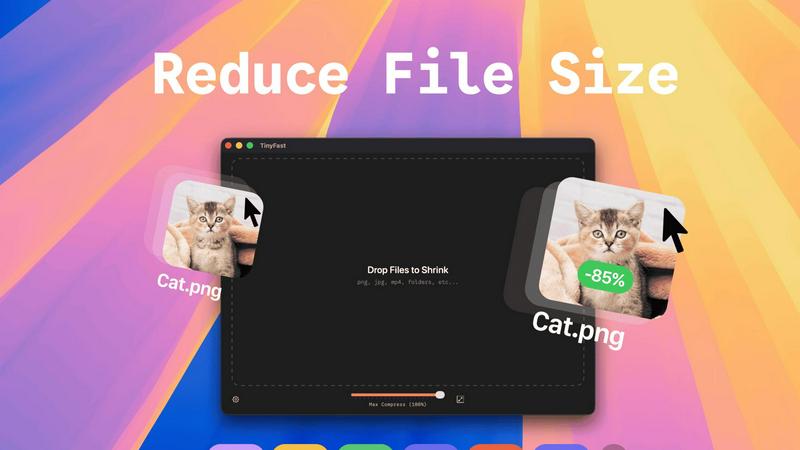
TinyFast is the ultimate local file compressor designed specifically for macOS users who crave speed, efficiency, and privacy! Say goodbye to the days of waiting for slow online tools and worrying about file security. With TinyFast, you can effortlessly compress a wide array of file types, including PNG, JPEG, MP4, MOV, PDF, SVG, WebP, MP3, and GIF, all from the comfort of your Mac. This powerful application allows you to simply drag and drop your files, and within seconds, you receive perfectly compressed versions without ever leaving your device. It's the ideal solution for developers, designers, and creators who frequently handle large or sensitive files. Why risk uploading confidential assets to unknown servers when you can maintain total control? TinyFast prioritizes your privacy, ensuring your files stay on your machine. Experience the blazing-fast compression with optimized native engines, batch processing capabilities for entire folders, and seamless integration into your workflow. Transform your file management process today with TinyFast, the fast, safe, and incredibly efficient way to reduce file sizes!
Features
Batch & Drag-Drop Shrink
TinyFast allows you to drop entire folders into the app, providing optimized output in seconds! No more tedious one-by-one file compression; just drag and drop, and let TinyFast handle the rest. This feature is perfect for users who have multiple files to compress and want to save time.
Blazing-Fast Compression
Experience lightning-fast compression with TinyFast's optimized native engines! Unlike online tools that require uploads and downloads, TinyFast compresses files instantly on your device, eliminating wait times. You can shrink large files in seconds, streamlining your workflow and enhancing productivity.
Resize Resolution
With TinyFast, you can automatically resize the resolution of your images and videos! This feature is especially useful for those who need to adapt file sizes for different platforms or applications. Customize your output to suit your needs without compromising on quality.
100% Local & Private
TinyFast guarantees that your files remain completely private. No uploads, no cloud servers—your files never leave your machine! This design ensures total confidentiality, making it the perfect solution for anyone concerned about data security, such as developers and designers working with sensitive materials.
Use Cases
Creator's Toolkit
Whether you're a graphic designer, video editor, or web developer, TinyFast is an essential tool in your creative arsenal. Compress images and videos quickly to optimize your projects and improve loading times on websites, ensuring a smooth user experience.
Efficient File Management
For professionals who handle numerous files daily, TinyFast transforms the way you manage your assets. The ability to batch compress entire folders means you spend less time on file management and more time on what truly matters—your work!
Secure Document Handling
TinyFast is the go-to solution for anyone dealing with confidential documents. With the assurance that your files remain local and private, you can compress sensitive PDFs and other documents without the fear of them being stored on external servers.
Streamlined Workflow for Developers
Developers can greatly benefit from TinyFast by compressing images, audio files, and code assets efficiently. This ensures that applications run faster and consume less storage, all while maintaining high-quality visuals and sound.
Frequently Asked Questions
How does TinyFast ensure file privacy?
TinyFast compresses files locally on your device without any uploads to cloud servers. This means your files never leave your machine, providing complete privacy and security for sensitive data.
What file types does TinyFast support?
TinyFast supports a wide range of file types, including images (PNG, JPG, TIFF, HEIC, WEBP, GIF, BMP, SVG), videos (MP4, MOV, M4V), documents (PDF, DOCX), code files (JS, CSS, JSON), and audio files (MP3).
Is there a limit to how many files I can compress?
With the free plan, you can compress up to 5 files per day. For those needing unlimited local compressions, TinyFast offers a lifetime plan or a monthly subscription option.
How do I get started with TinyFast?
Getting started is simple! Download TinyFast for Mac, drag your files into the app, and watch as they are compressed instantly. Enjoy the ease and efficiency of managing your file sizes locally!
Similar to TinyFast
AI Email Filter
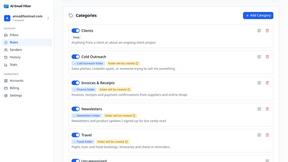
AI Email Filter sorts incoming mail into folders using plain-language prompts you write. Works with any IMAP mailbox; bring your own LLM if you want.

Egmatic
No-code 2D game editor: visual node logic, drag-and-drop scenes, live preview. Exports to Windows, macOS, Linux, Android, iOS, Web.
Kody Tools
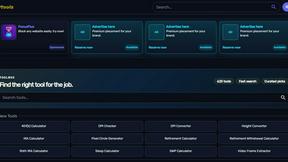
Free collection of online developer utilities, code formatters, and digital converters designed to streamline your daily workflow.
tallycounterweb.com
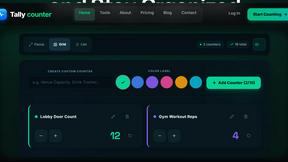
Online tally counter for tracking attendance, workouts, inventory, sports scores, visitors, habits, and everyday counting tasks.
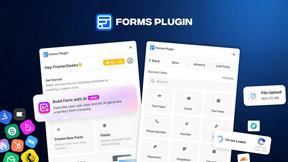
Forms Plugin
The #1 Native Form Builder Plugin for Framer - No Code, No Embeds, No External Platforms.

FaceCoda
Free AI attractiveness test and face analysis with private, on-device photo processing.

Product Launch Checklist
A free launch checklist for SaaS, apps, AI tools and more. Every step says why it matters and when you can skip it.

HomeAnswerBook
Practical, independent guides to home repairs, maintenance, costs, troubleshooting, and everyday fixes.