
RemoveTexts vs Seedream 4.0
Side-by-side comparison to help you choose the right tool.

RemoveTexts
Effortlessly erase text and watermarks from images in seconds with RemoveTexts—no skills needed, just paint and let AI do the magic!.
Last updated: March 11, 2026

Seedream 4.0
Unleash stunning 4K AI images and edits instantly with just a single sentence in Seedream 4.0!.
Last updated: March 1, 2026
Visual Comparison
RemoveTexts

Seedream 4.0
Feature Comparison
RemoveTexts
Paint to Remove
This feature allows users to brush over specific areas of text they want to eliminate. The AI intelligently detects the painted regions and removes the text without leaving a trace, giving you precise control for targeted edits.
Auto Remove All
With just one click, users can take advantage of the Auto Remove All feature, which allows the AI to detect and erase every text element automatically. This is perfect for those who need quick, comprehensive cleaning of their images.
Edit & Replace Text
Forget about the old text! The Edit & Replace Text feature lets users change existing text in images while perfectly matching the original font style. This means you can customize visuals without compromising on quality!
Remove Objects
Need to eliminate more than just text? The Remove Objects feature allows users to erase unwanted elements like logos or even people from photos, ensuring a clean and professional appearance in every image.
Seedream 4.0
Multi-Image Composition
Unlock complex visual storytelling with ease! Input multiple reference images and describe your vision in a single sentence to achieve seamless, intelligent composition. This powerful feature supports batch output, making it perfect for creating cohesive brand assets, detailed scenes, and narrative-driven artwork with incredible efficiency. Say goodbye to tedious manual compositing and hello to a fluid, inspired workflow!
Instruction-Based Editing
Experience true "what you say is what you get" creativity! Generate stunning, high-quality images from a simple text prompt, or upload your own photos and transform them using plain English instructions. Want to change the setting, add an object, or alter the style? Just ask! This intuitive, natural language control puts precise editing power directly at your fingertips, making both generation and refinement astonishingly simple and direct.
Diverse Style Library
Instantly access a world of professional visual aesthetics right at your fingertips! Our extensive style library lets you apply anything from beautiful watercolor and oil painting effects to gritty cyberpunk and futuristic looks with a single click. Whether you're generating new stylized images from scratch or transforming your own photos, crafting a unique and compelling visual language has never been easier or more exciting!
Knowledge-Driven Generation
Go beyond simple patterns and create with enhanced understanding! Seedream 4.0 leverages rich knowledge and reasoning capabilities to produce not just beautiful, but also accurate and informative images. This is ideal for creating detailed educational illustrations, precise charts, professional diagrams, and any content that requires a deeper level of conceptual accuracy and clarity, elevating the intelligence of your creations.
Use Cases
RemoveTexts
E-commerce Product Photos
Online sellers can use RemoveTexts to clean up product images by removing watermarks or distracting text, presenting their products in the best light to attract potential buyers.
Social Media Graphics
Content creators can utilize RemoveTexts to erase unwanted captions or overlays from images, ensuring that their social media posts are visually appealing and free from distractions.
Legal Document Redaction
Legal professionals can rely on RemoveTexts to remove sensitive information or text from documents, allowing for secure sharing while maintaining a professional appearance.
Personal Photo Enhancement
Individuals looking to enhance personal photos can use RemoveTexts to remove date stamps or other unwanted text, creating beautiful memories that are free from distractions.
Seedream 4.0
Marketing & Advertising Design
Supercharge your campaign creation! Generate eye-catching social media graphics, compelling ad banners, and unique product visualizations in minutes, not hours. Easily maintain brand consistency across multiple assets using the multi-image composition feature, and experiment with different styles from the library to instantly match any campaign vibe. It's a game-changer for agile marketing teams!
Concept Art & Visualization
Bring your ideas to life before the first sketch! Writers, game developers, and filmmakers can instantly visualize characters, scenes, and worlds from descriptive text. Architects and product designers can rapidly iterate on concepts and styles. Transform vague ideas into tangible, stunning visual references that inspire your entire team and accelerate the creative development process dramatically!
Personal Art & Photo Enhancement
Unleash your inner artist! Turn your photographs into stunning works of art by applying professional styles from our library, like turning a portrait into a classic oil painting. Use instruction-based editing to creatively alter your images—change backgrounds, add elements, or reimagine the entire scene—all with simple commands. It's the perfect tool for hobbyists and digital art enthusiasts to explore and create!
Educational & Professional Content
Create superior instructional and professional materials with ease! Generate accurate, detailed illustrations for textbooks, blogs, or presentations. Produce clear charts, diagrams, and infographics that communicate complex data beautifully. The knowledge-driven generation ensures your visuals are not only attractive but also factually coherent, making learning and professional communication more effective and engaging.
Overview
About RemoveTexts
RemoveTexts is an incredible AI-powered image editing tool designed to effortlessly remove unwanted text from images in seconds! Whether you are dealing with watermarks, subtitles, memes, or any distracting text, RemoveTexts has got you covered. The platform is perfect for creators, marketers, and designers who need clean visuals without the hassle of complex software like Photoshop. With its user-friendly interface, anyone can achieve professional-grade results without any design skills! Just upload your image, let our advanced AI do the heavy lifting, and watch as your image transforms into a clean masterpiece. Trusted by over 100,000 users worldwide, RemoveTexts combines cutting-edge technology with speed, making it the go-to solution for anyone looking to enhance their visuals quickly and efficiently. Say goodbye to unwanted text and hello to stunning images that shine!
About Seedream 4.0
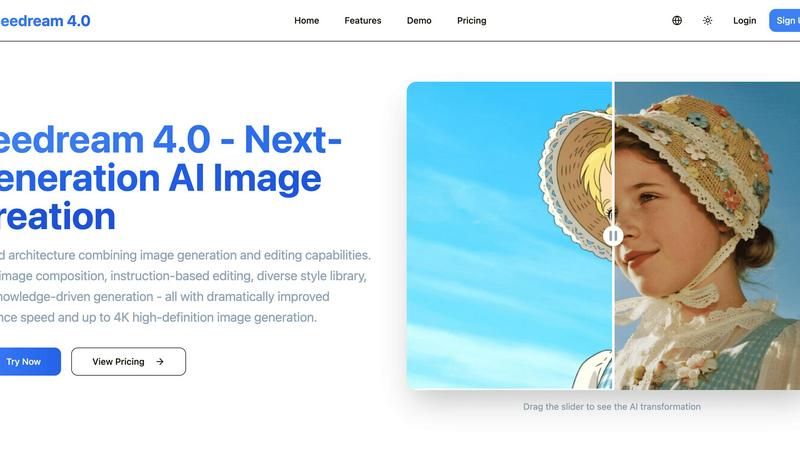
Welcome to the future of visual creation! Seedream 4.0 is a revolutionary, all-in-one AI platform that completely shatters the barrier between your imagination and reality! This isn't just another image tool; it's your ultimate creative partner designed for everyone from hobbyists and professional artists to entire marketing teams. The core magic lies in its unified architecture, which seamlessly combines powerful AI image generation with intuitive, instruction-based editing in a single, streamlined workflow. Forget the frustration of juggling multiple apps! Simply describe what you want to see, and watch as Seedream 4.0 brings it to life with breathtaking speed and stunning quality, up to crystal-clear 4K resolution. Whether you're starting from a text prompt or transforming your own uploaded images with natural language commands, you gain unprecedented creative control. It's built for speed, quality, and simplicity, empowering you to craft concept art, design marketing materials, visualize groundbreaking ideas, and bring your wildest dreams to life faster than ever before!
Frequently Asked Questions
RemoveTexts FAQ
How does RemoveTexts work?
RemoveTexts leverages advanced AI and deep learning technology to analyze images and intelligently reconstruct backgrounds after removing text. This ensures seamless and professional results.
What image formats does RemoveTexts support?
The tool supports popular image formats including JPG, PNG, and WebP, making it accessible for most users. You can upload images up to 10 MB in size.
Is there a limit to how many images I can process?
While there is no stated limit to the number of images you can process, RemoveTexts is designed for efficiency and can handle multiple images quickly, serving the needs of high-volume users.
Can I trust the quality of the edits?
Absolutely! RemoveTexts ensures that the original image quality is preserved with no compression or loss of detail. You can expect clean, professional results every time!
Seedream 4.0 FAQ
Can I try Seedream 4.0 for free?
Yes! You can experience the power of Seedream 4.0 by trying our demo editor. Simply visit the website, upload an image, and describe your desired transformation to see the AI in action. This allows you to test the core instruction-based editing capabilities and see the stunning results for yourself before committing to a subscription plan!
How does Seedream 4.0 work?
Seedream 4.0 uses advanced artificial intelligence models trained on vast datasets. You provide input, either as a text prompt or an uploaded image with instructions. The AI analyzes your request, understands the context and desired outcome (leveraging its knowledge-driven capabilities), and generates or edits the image accordingly. The unified architecture processes everything in one smooth, fast workflow!
What makes Seedream 4.0 different from other AI tools?
The key differentiator is our unified all-in-one platform! Unlike other tools that separate generation and editing into different apps, Seedream 4.0 combines them seamlessly. This, combined with features like Multi-Image Composition, a vast Style Library, and Knowledge-Driven Generation, offers unparalleled creative control, speed, and professional-grade output quality—all in a single, intuitive interface!
Can I use the generated images commercially?
Absolutely! You own the images you create with Seedream 4.0 and can use them for commercial purposes, including in marketing materials, products, publications, and client work. This makes it an incredibly powerful tool for freelancers, agencies, and businesses looking to produce original, royalty-free visual content quickly and cost-effectively. Always check the latest Terms of Service for full details.
Alternatives
RemoveTexts Alternatives
RemoveTexts is an innovative AI-powered tool designed to effortlessly remove text from any image in mere seconds, making it an essential resource in the image and photo editing category. Users find themselves seeking alternatives for various reasons, including pricing concerns, specific feature requirements, or compatibility with different platforms. As more creators, marketers, and designers look for solutions that best fit their unique needs, the search for the perfect text removal tool becomes a priority. When selecting an alternative to RemoveTexts, consider factors such as ease of use, the range of features offered, and the quality of output. Look for tools that provide precision editing capabilities, support for multiple languages, and quick results without requiring extensive design skills. Ultimately, the right alternative should empower users to achieve their goals efficiently and effectively.
Seedream 4.0 Alternatives
Seedream 4.0 is a powerhouse all-in-one AI image generator and editor that's taking the creative world by storm! It belongs to the exciting category of AI-powered visual creation tools, designed to turn your imagination into stunning, high-quality visuals with incredible speed and control. It's a fantastic platform for anyone looking to streamline their workflow from idea to final artwork. Even with such a powerful tool, creators often explore alternatives for various reasons. Maybe you're looking for a different pricing model or a free tier to start. Perhaps you need specific features like a particular art style, integration with other software, or platform compatibility that better suits your device. It's all about finding the perfect creative partner that aligns with your unique needs and budget! When choosing an alternative, focus on what matters most for your projects. Consider the core quality and speed of image generation, the depth and ease of the editing tools, and whether the platform offers a unified workflow. Don't forget to evaluate output resolution, the flexibility of pricing plans, and the overall user experience. The right tool should feel like an extension of your creativity, removing barriers, not creating them!