

Alternatives to ytskim
ytskim instantly transcribes and summarizes any YouTube video so you can skip the fluff and get the key insights fast.
Explore 20 alternatives to ytskim. Compare features, pricing, and find the best fit for your needs.
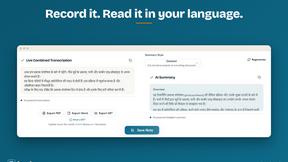
hearlog
AI transcription, translation and subtitles for Indian languages: Hindi, Tamil, Telugu, Bangla, Hinglish and 50+ more.

Safe Outreach
AI-powered platform that evaluates the safety of LinkedIn automation tools and helps reduce the risk of account restrictions.
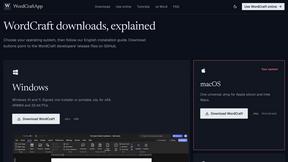
WordCraft
WordCraft is a free, open-source word processor for browser and desktop with .docx support, offline privacy, formatting, tables, references, reviews,


How Long How Many Tool
Timers and hourly checks to figure how out long until a certain time or how many days away.

Emailyy
Free email tools for signatures, subject lines, HTML previews, word counts, and email headers. Browser-based, simple to use, and no signup required.

Uniclip
Clip pages, take full-page screenshots and batch-capture list data to Notion, Feishu, Obsidian, Markdown, CSV or JSON.
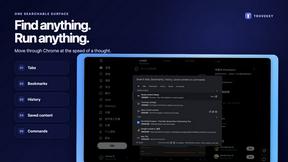
TroveKey
Search tabs, Chrome bookmarks and history, run browser commands, and save webpages and social posts locally—no account.
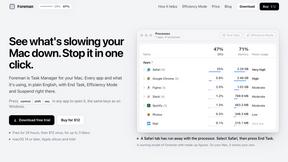
Foreman
See every app and what it's using in plain English, and end or slow down the one that's hogging your Mac.
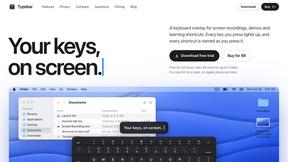
Typebar
Every key you press lights up on an on-screen keyboard, and each shortcut is named as you press it.
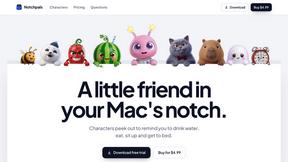
Notchpals
Little characters peek out of your Mac's notch to remind you to drink water, eat, sit up and get to bed. Quiet during calls. $4.99 once.

LightScreen
Free light screen tool online. Turn any display into a flashlight, ambient light, or solid-color screen. No download or sign-up.
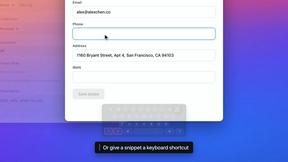
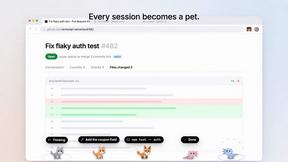
Agent Pets
Your Claude Code & Codex sessions as pets in Chrome. Approve, deny and reply to your coding agents from any tab.
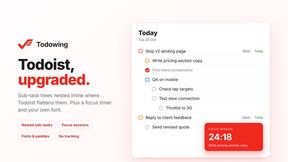
Todowing
Chrome extension that nests sub-tasks inside Todoist's Today, Upcoming and Filter views. Free tier, plus a $19.99 one-time unlock.
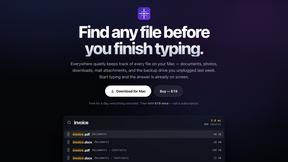
Everywhere
Fast file search for the Mac. Results as you type, files inside Mail and Photos, works with Wi-Fi off. $19 once.
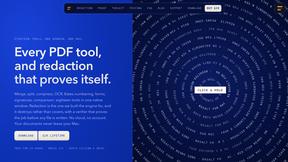
Basalt
Eighteen PDF tools in one native Mac window: merge, split, compress, OCR, Bates numbering, forms, signing and redaction. Offline. $29 once.
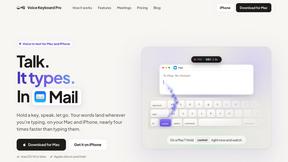
Voice Keyboard Pro
Hold a key, say what you mean, let go. Clean, punctuated text lands at the cursor in any app on your Mac or iPhone.
About ytskim Alternatives
Are you tired of spending hours watching lengthy YouTube videos just to extract the key points and important details? That is exactly the problem that tools like ytskim solve, by instantly providing accurate transcripts and structured summaries from any video in just seconds. ytskim sits squarely in the Productivity & Management category, designed to supercharge your workflow and help you consume video content faster than ever before. However, you might find yourself exploring other options if ytskim’s pricing doesn’t fit your budget, if you need a specific feature like multi-language support or collaboration tools, or if you simply want a different user interface or integration with your existing apps. When hunting for the perfect alternative, you should look for a solution that delivers lightning-fast processing, high transcription accuracy, and the ability to customize your summaries to your liking. Don’t settle for anything less than a tool that saves you real time and helps you take immediate action on the content you learn! The best alternatives will make you feel like you’ve unlocked a superpower for learning and research, giving you back hours of your day. Focus on finding a platform that offers a seamless experience, whether you are a student, a professional, or a content creator. You want a tool that integrates directly with your browser or workflow, allowing you to grab transcripts and summaries without any friction. Look for features like adjustable summary lengths, the ability to export notes in your preferred format, and a clean, distraction-free interface. Remember, the goal is to find a solution that not only meets your immediate needs but also scales with you as you tackle more complex projects. Choose a tool that empowers you to extract value from every single video you watch, turning passive viewing into an active, productive asset for your personal and professional growth!
FAQs about ytskim Alternatives
What is ytskim?
ytskim is a powerful productivity tool that allows you to transcribe and summarize YouTube videos with incredible speed and accuracy. It belongs to the Productivity & Management category and is designed to help users quickly extract the most important information from video content without watching the entire video. By providing both accurate transcripts and structured summaries, ytskim saves you valuable time and makes video content easily searchable and digestible.
Who is ytskim for?
ytskim is ideal for a wide range of users including students, researchers, professionals, content creators, and anyone who regularly consumes YouTube content for learning or work. If you need to quickly grasp the main points of a lecture, tutorial, meeting recording, or news segment, ytskim is the perfect tool for you. It is especially useful for those who want to boost their productivity by turning passive video watching into an active, efficient research and note-taking process.
Is ytskim free?
While specific pricing details are not provided here, ytskim typically offers a tiered pricing model that may include a free tier with limited usage and paid plans for more advanced features and higher usage limits. The free version is often perfect for trying out the core functionality of getting accurate transcripts and structured summaries from YouTube videos. For heavy users or professionals who need unlimited access, a paid subscription is usually available to unlock the full potential of the tool.
What are the main features of ytskim?
The main features of ytskim include the ability to get accurate transcripts and structured summaries from any YouTube video in just seconds. This allows you to instantly capture the spoken content as text and receive a concise, organized overview of the key points. The tool is designed to be incredibly fast and user-friendly, making it a standout choice in the Productivity & Management category for anyone looking to streamline their video consumption workflow.