

Alternatives to VersQ
VersQ translates your PDFs, DOCXs, and EPUBs with 50+ AI models while preserving formatting and letting you build reusable glossaries for a flat.
Explore 20 alternatives to VersQ. Compare features, pricing, and find the best fit for your needs.

@fuck.it - email with attitude
Private email. Pure. Secure. Exclusive. No ads, no tracking, no data selling. GDPR compliant, EU-hosted.
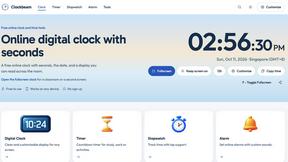
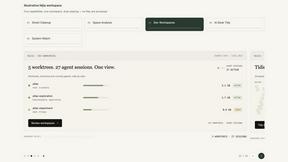
Nijia
Understand your Mac's storage, review cleanup candidates, and organize files with control.

Panzoe
Panzoe is an all-in-one AI platform for personal productivity, business automation, AI assistants, content creation, and custom AI solutions.

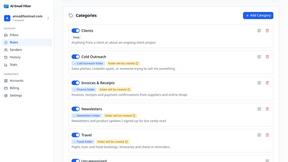
AI Email Filter
AI Email Filter sorts incoming mail into folders using plain-language prompts you write. Works with any IMAP mailbox; bring your own LLM if you want.

Egmatic
No-code 2D game editor: visual node logic, drag-and-drop scenes, live preview. Exports to Windows, macOS, Linux, Android, iOS, Web.
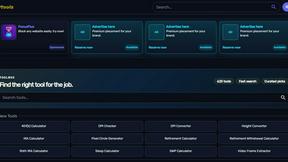
Kody Tools
Free collection of online developer utilities, code formatters, and digital converters designed to streamline your daily workflow.
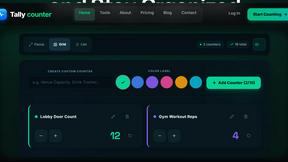
tallycounterweb.com
Online tally counter for tracking attendance, workouts, inventory, sports scores, visitors, habits, and everyday counting tasks.
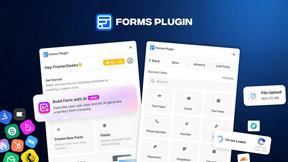
Forms Plugin
The #1 Native Form Builder Plugin for Framer - No Code, No Embeds, No External Platforms.
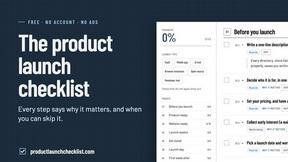
Product Launch Checklist
A free launch checklist for SaaS, apps, AI tools and more. Every step says why it matters and when you can skip it.

HomeAnswerBook
Practical, independent guides to home repairs, maintenance, costs, troubleshooting, and everyday fixes.
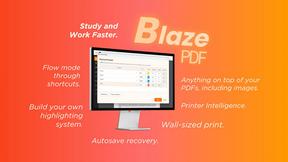
BlazePDF
Highlight faster. Study in flow with custom shortcuts and a workflow built around you. Print smarter, or turn any page into a tiled poster.

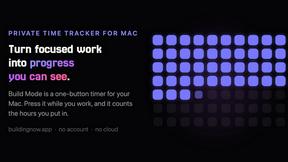
Build Mode for Mac
Build Mode is a Mac app that turns focused sessions into visible progress, so you can see the work adding up before the results arrive.



About VersQ Alternatives
VersQ is an AI-powered document translation platform designed specifically for legal, medical, and international business professionals who demand accuracy and precision. It sits squarely in the Productivity & Management category, offering a specialized solution for translating complex documents while perfectly preserving every table, chart, and layout element from the original file. Users commonly start searching for alternatives when they encounter pricing structures that don’t fit their volume, need more granular control over the AI model selection, or require support for even more niche file formats and security protocols. Some teams also look elsewhere if they need deeper integration with their existing translation memory tools or a more robust collaborative workflow for large projects. When evaluating an alternative to VersQ, you should prioritize platforms that offer true format preservation for your specific document types, whether that’s complex legal PDFs or data-heavy Excel sheets. Look for a solution that gives you flexibility in choosing AI models, as different models excel at different types of content and languages. Security is non-negotiable, so check for enterprise-grade encryption and compliance certifications like SOC 2 or HIPAA if you handle sensitive information. Finally, consider the learning curve and onboarding support, as the best tool in the world is useless if your team can’t adopt it quickly and start translating with confidence.
FAQs about VersQ Alternatives
What is VersQ?
VersQ is an AI-powered document translation platform built for professionals who need accurate, context-aware translations without losing document structure. It allows users to upload files in over 15 formats including PDFs, DOCX, EPUB, XLSX, and HTML, then extracts the text, applies semantic section splitting, and translates through a choice of 50+ AI models including GPT-4, Claude, Gemini, DeepSeek, and Llama. The platform then reconstructs all formatting, tables, and layout in the final output, making it ideal for complex documents.
Who is VersQ for?
VersQ is designed for legal, medical, and international business teams who need high-quality document translations that preserve the original structure. It is also ideal for translators, localization managers, and any professional who regularly handles multilingual documents with complex formatting like tables, charts, or embedded images. The platform caters to both individual users and enterprise teams requiring scalable, accurate translation workflows.
What are the main features of VersQ?
VersQ’s main features include support for over 15 document formats such as PDF, DOCX, XLSX, and HTML, with automatic extraction and semantic section splitting for context-aware translation. Users can choose from more than 50 AI models including GPT-4, Claude, Gemini, DeepSeek, and Llama to match their specific translation needs. The platform also excels at reconstructing original formatting, tables, and layout in the output file, ensuring the translated document looks just like the source.
Is VersQ secure?
VersQ prioritizes security for professional and enterprise users, particularly those handling sensitive legal, medical, or business documents. The platform employs encryption for data in transit and at rest, and it offers compliance features suitable for industries with strict data handling requirements. For specific security certifications or enterprise-level controls, users should consult VersQ’s official documentation or contact their sales team directly.