

Explore 20 alternatives to Opal. Compare features, pricing, and find the best fit for your needs.

Panzoe
Panzoe is an all-in-one AI platform for personal productivity, business automation, AI assistants, content creation, and custom AI solutions.
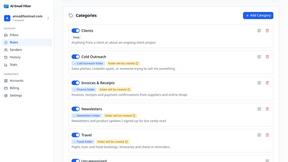
AI Email Filter
AI Email Filter sorts incoming mail into folders using plain-language prompts you write. Works with any IMAP mailbox; bring your own LLM if you want.
Egmatic
No-code 2D game editor: visual node logic, drag-and-drop scenes, live preview. Exports to Windows, macOS, Linux, Android, iOS, Web.
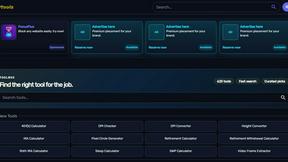
Kody Tools
Free collection of online developer utilities, code formatters, and digital converters designed to streamline your daily workflow.
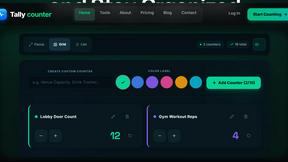
tallycounterweb.com
Online tally counter for tracking attendance, workouts, inventory, sports scores, visitors, habits, and everyday counting tasks.
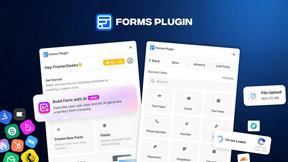
Forms Plugin
The #1 Native Form Builder Plugin for Framer - No Code, No Embeds, No External Platforms.
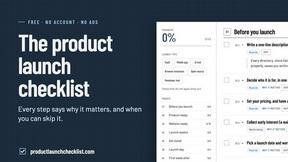
Product Launch Checklist
A free launch checklist for SaaS, apps, AI tools and more. Every step says why it matters and when you can skip it.

HomeAnswerBook
Practical, independent guides to home repairs, maintenance, costs, troubleshooting, and everyday fixes.
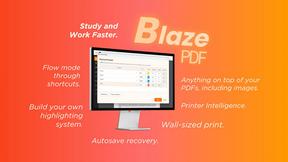
BlazePDF
Highlight faster. Study in flow with custom shortcuts and a workflow built around you. Print smarter, or turn any page into a tiled poster.

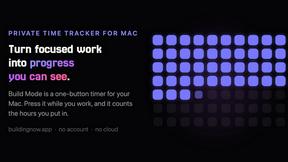
Build Mode for Mac
Build Mode is a Mac app that turns focused sessions into visible progress, so you can see the work adding up before the results arrive.



MySOP.guru
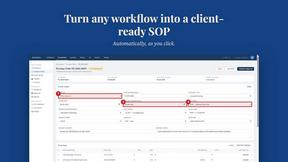
Capture any workflow in your browser and export a branded, step-by-step SOP with screenshots. €5 per document, no subscription.

PerPageFax
PerPageFax lets you send a fax online from any browser for a flat $0.50 per page — no account, no subscription, no fax machine.

Construction Calculator
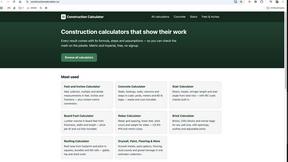
Free construction calculators with transparent formulas, steps, assumptions, and metric or imperial units.


About Opal Alternatives
Opal is a dynamic visual workspace that reimagines how we organize projects and notes! It falls squarely into the productivity and project management category, but with a unique twist: it leverages spatial memory on an infinite canvas. This approach is perfect for visual thinkers who thrive on seeing connections and remembering where information lives, rather than just what it's called. It turns chaotic digital clutter into a structured, intuitive landscape for your ideas. So why might someone explore other options? It's all about finding the perfect fit for your workflow and needs! Common reasons include budget considerations, the need for specific collaboration features or integrations that a different tool might offer, or simply a preference for a more traditional, list-based interface over a visual canvas. When evaluating alternatives, think about what matters most to you: Is it real-time team collaboration, deep integration with other apps, a particular pricing model, or the core philosophy of how information is organized? Pinpointing your non-negotiables will guide you to the best tool for your creative process.
FAQs about Opal Alternatives
What is Opal?
Opal is a visual knowledge and project management workspace designed for people who think spatially. It provides an infinite digital canvas where you can drag and drop notes, documents, files, and links to organize them visually, much like on a physical desk. This spatial approach helps you remember where information is located, making retrieval instant and intuitive. It's built to stop you from losing ideas in nested folders and to keep your active projects top-of-mind.
Who is Opal for?
Opal is built for solopreneurs, consultants, agency owners, writers, and anyone whose business runs on conversations, details, and promises. It's ideal for visual thinkers who are tired of losing notes in traditional apps and want a refreshingly intuitive solution. If you need to keep your entire world of active projects, client details, and creative ideas visible without breaking your flow, Opal is designed for you. It helps anyone move from searching for information to instantly doing their best work.
What are the main features of Opal?
Opal's core feature is its infinite visual canvas that allows for spatial organization of all your content. You can freely drag and drop notes, documents, files, and web links to create a map of your projects and ideas. This design leverages spatial memory, so you recall where things are placed for faster retrieval. It effectively replaces nested folders with a flexible, visual workspace that keeps everything in sight and mind.
Why choose Opal?
Choose Opal if you're a visual thinker frustrated by losing brilliant ideas in traditional, list-based apps. Its spatial workspace mirrors how your brain naturally organizes information, making it incredibly intuitive and reducing the friction of finding what you need. By keeping all your projects and notes visually connected on one canvas, it ensures nothing gets buried and forgotten. It's the tool that lets you stop searching and start executing your best work with clarity and focus.