

Alternatives to documentorium
Create professional contractor documents and PDFs in seconds with guided, trade-specific forms!.
Explore 20 alternatives to documentorium. Compare features, pricing, and find the best fit for your needs.


How Long How Many Tool
Timers and hourly checks to figure how out long until a certain time or how many days away.
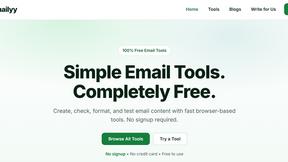
Emailyy
Free email tools for signatures, subject lines, HTML previews, word counts, and email headers. Browser-based, simple to use, and no signup required.

Uniclip
Clip pages, take full-page screenshots and batch-capture list data to Notion, Feishu, Obsidian, Markdown, CSV or JSON.
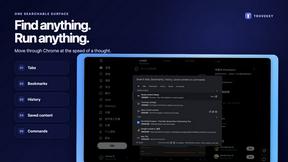
TroveKey
Search tabs, Chrome bookmarks and history, run browser commands, and save webpages and social posts locally—no account.
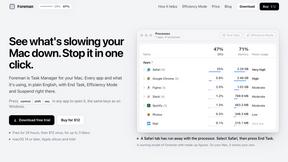
Foreman
See every app and what it's using in plain English, and end or slow down the one that's hogging your Mac.
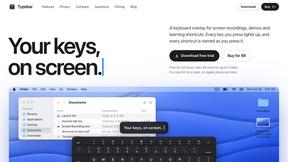
Typebar
Every key you press lights up on an on-screen keyboard, and each shortcut is named as you press it.
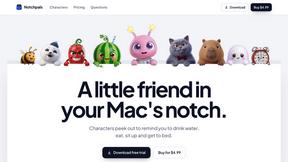
Notchpals
Little characters peek out of your Mac's notch to remind you to drink water, eat, sit up and get to bed. Quiet during calls. $4.99 once.

LightScreen
Free light screen tool online. Turn any display into a flashlight, ambient light, or solid-color screen. No download or sign-up.
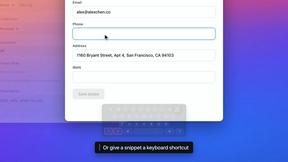

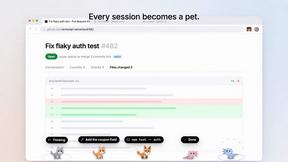
Agent Pets
Your Claude Code & Codex sessions as pets in Chrome. Approve, deny and reply to your coding agents from any tab.
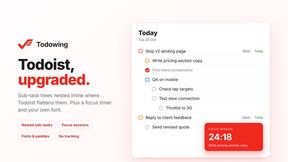
Todowing
Chrome extension that nests sub-tasks inside Todoist's Today, Upcoming and Filter views. Free tier, plus a $19.99 one-time unlock.
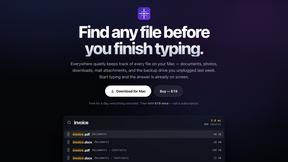
Everywhere
Fast file search for the Mac. Results as you type, files inside Mail and Photos, works with Wi-Fi off. $19 once.
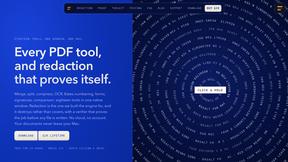
Basalt
Eighteen PDF tools in one native Mac window: merge, split, compress, OCR, Bates numbering, forms, signing and redaction. Offline. $29 once.
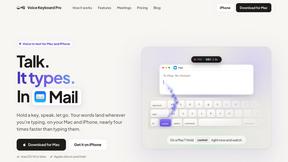
Voice Keyboard Pro
Hold a key, say what you mean, let go. Clean, punctuated text lands at the cursor in any app on your Mac or iPhone.
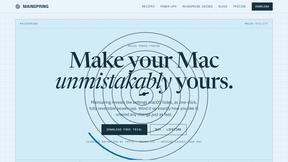
Mainspring
Mainspring turns the settings macOS hides into 90+ one-click, fully reversible power-ups for Finder, Dock, screenshots and more. $29 once.
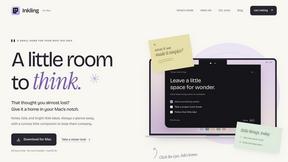
Inkling
Catch a thought without leaving what you are doing. Notes, checklists and a little companion in your Mac's notch. $12 once.

Context Board
Context Board brings your numbers, docs, clients, content and day into one workspace that Claude and Codex can read and update.
About documentorium Alternatives
documentorium is a powerful document engine designed specifically for tradespeople and service professionals. It falls into the productivity and management software category, helping users create polished quotes, invoices, and other essential paperwork in seconds. But even the best tool isn't a perfect fit for everyone! Users often explore alternatives for various reasons. Maybe they need a different pricing model, require integration with other business platforms, or are looking for a specific feature that suits their unique workflow. It's all about finding the right tool that clicks with your business needs and budget. When evaluating other options, focus on what matters most for your trade. Look for specialized templates, ease of use, mobile accessibility, and reliable customer support. The goal is to save time and look professional without the hassle, so prioritize solutions that get you there quickly!
FAQs about documentorium Alternatives
What is documentorium?
documentorium is a no-nonsense document engine built for tradespeople to create professional business documents and PDFs fast, without starting from a blank page.
Who is documentorium for?
It's built for service professionals like electricians, plumbers, contractors, HVAC techs, and roofers who need to create quotes, invoices, work orders, and more.
What are the main features of documentorium?
Key features include access to 200+ guided templates across 26 trades, trade-specific form fields, and the ability to generate clean, print-ready PDFs in seconds.
Is documentorium free?
The provided content does not specify pricing, so you would need to check their official website for current plan details and any free trial offers.