
Sketch To
Instantly transform any image into stunning AI sketches for free or professional projects!.
tool Details
Explore More
Alternatives
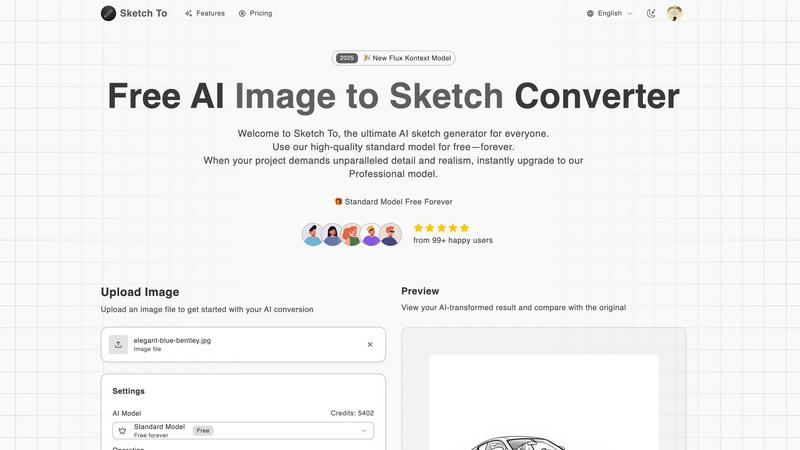
About Sketch To
Welcome to Sketch To, the ultimate AI-powered creative playground where your imagination becomes reality in an instant! This revolutionary tool is designed to bridge the gap between the physical and digital art worlds by seamlessly converting images into stunning sketches and transforming simple sketches into breathtakingly realistic images. Whether you're a professional artist, a graphic designer, a hobbyist, or a student, Sketch To is your perfect partner for unleashing creativity! It harnesses cutting-edge artificial intelligence to deliver high-quality, artistic results without the need for complex software or years of training. The platform is incredibly user-friendly and entirely web-based, meaning you can start creating masterpiece sketches from your photos or bringing your drawings to life immediately—no downloads or hefty subscriptions required! With its flexible model system, including a powerful free standard model and a top-tier professional upgrade, Sketch To empowers everyone from social media enthusiasts to commercial artists. Experience the magic of turning everyday photos into extraordinary pencil drawings, ink sketches, or watercolor art, and watch as your simple line drawings evolve into detailed, realistic scenes. Dive in and redefine what's possible with your visual content today!
Features
Dual-Direction AI Conversion
Unlock endless creative possibilities with our core technology! Sketch To doesn't just convert photos to sketches; it also works in reverse! Use our advanced AI to transform your hand-drawn sketches into fully realized, detailed, and realistic images. This powerful two-way street means you can start from any point in your creative process and achieve stunning, professional-grade results every single time!
Multiple Artistic Style Options
Go beyond a basic pencil sketch and explore a full spectrum of artistic expression! Choose from a wide variety of pre-set styles including Pencil Sketch, Charcoal, Ink, Colored Pencil, Comic, Concept Art, and even Watercolor. Each style applies unique textures and effects, allowing you to match the perfect aesthetic to your project's vision without needing multiple different tools or apps!
Free Trial & Professional Model Tiers
Start creating absolutely free! New users receive trial credits to test drive our high-quality Standard Model, perfect for hobbies and social media. When your project demands the absolute best, instantly upgrade to our Professional Model for unparalleled detail, accuracy, and realism suitable for commercial work. This flexible system ensures there's a perfect power level for every creator and budget!
Instant, High-Resolution Processing
Say goodbye to long waits and hello to instant gratification! Our powerful, cloud-based AI engine processes your conversions in seconds, not minutes. Plus, every creation is delivered in high resolution, ensuring your artwork looks crisp and beautiful whether it's on a screen, in a portfolio, or even printed out for physical display. Quality and speed are guaranteed!
Use Cases
Social Media Content Enhancement
Make your social media posts pop with unique, eye-catching artwork! Instantly convert your best photos into elegant sketches or artistic filters to stand out on Instagram, Facebook, or Pinterest. Create a consistent and creative aesthetic for your profile that grabs attention and engages your followers like never before. Perfect for influencers, bloggers, and small businesses!
Professional Design & Concept Art
Accelerate your professional workflow from concept to completion! Designers and artists can quickly generate multiple sketch variations from a reference photo or transform rough concept sketches into polished, realistic visuals to present to clients. This is an invaluable tool for storyboarding, character design, architectural visualization, and creating compelling project mockups with incredible speed!
Educational & Hobbyist Projects
Bring learning and personal projects to life with ease! Students can illustrate reports and presentations with custom sketches, while hobbyists can experiment with different art styles without needing years of practice. Turn a family photo into a beautiful hand-drawn style gift, or practice drawing by seeing your sketches transformed into realistic images. The possibilities for creative exploration are endless!
Commercial Art & Product Prototyping
Create professional assets for commercial use with confidence! Illustrators, product designers, and marketers can use the Pro model to generate high-fidelity artwork for advertisements, book illustrations, merchandise designs, and product prototypes. The superior detail and accuracy provide a cost-effective way to produce top-tier visual content that resonates with customers and sells your vision!
Pricing
Transform your images with AI and choose the plan that fits your creative needs! Sketch To offers flexible pricing options. Start with our Basic plan at $7.99 per month when billed annually, or $9.99 on a monthly basis. This plan is perfect for regular creators and includes a credit pack for conversions. For users who prefer not to subscribe, Credit Packs are available for one-time purchases, giving you the freedom to pay as you go. Remember, new users always get free trial credits to test the powerful Standard Model before committing!
Frequently Asked Questions
How do I get started with Sketch To?
Getting started is incredibly easy and free! Simply visit the Sketch To website, sign up for a new account, and you'll receive trial credits to use our powerful Standard Model. No download is needed! Just upload your image or sketch, choose your desired artistic style, and let our AI work its magic. You'll have your transformed creation ready to download in seconds!
What is the difference between the Standard and Professional models?
Our Standard Model is a powerful, free-tier option perfect for personal projects, social media, and hobbies, delivering clean and artistic conversions. The Professional Model is our premium upgrade, engineered for commercial work and projects demanding the highest fidelity. It unlocks world-class realism, finer details, superior textures, and enhanced accuracy, taking your creations to the next level!
What file formats and sizes do you support?
You can upload common image files like JPG, PNG, and more to begin your conversion. The current maximum file size for uploads is 5MB. Don't worry about quality loss—our AI processes and outputs your final creation in high resolution, ensuring it looks fantastic whether you're viewing it online or using it for print purposes!
Do I need to download any software to use Sketch To?
Absolutely not! Sketch To is a 100% web-based application that runs directly in your browser. This means you can access all its powerful features from any device—be it a computer, tablet, or smartphone—without installing any software. Just an internet connection is all you need to start transforming your images and sketches instantly!
Similar to Sketch To
AIEnhancer
AI enhancer for photos, images, videos, and creative effects.
Ideogram Studio
Ideogram 4 AI workflows for text-perfect logos, posters, ads, packaging, and ecommerce visuals with prompts and image references.

amaze.directory
Every AI tool here was opened and used on a real task before it went in. Free to submit.
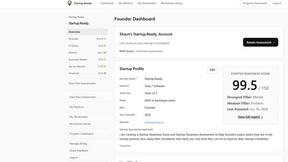
Startup.Ready.
A free 20-minute assessment that scores your startup across six foundational pillars and routes you to the work that closes the gaps.
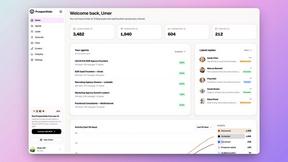
Speechyou
AI transcription for voice notes, meetings, and audio files in 1,700 languages, with AI summaries and subtitle export and unlimited chat ai usage.
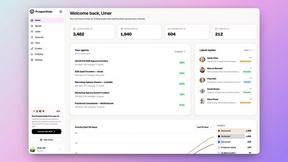
ProspectHalo
AI sales agent that finds qualified leads, runs outreach, follows up automatically, creates content, and helps book more meetings.
benchmark.directory
An independent directory of 146 AI tools. Every listing was paid for, set up and used on real work. Nobody can buy a place or a score.