

RecordFlow
RecordFlow automatically backs up your Zoom recordings to Google Drive and can delete them from Zoom to free up storage, all with a 60-second setup.
tool Details
Explore More
Alternatives

About RecordFlow
RecordFlow is your ultimate time-saving sidekick for Zoom recording management! It automatically archives every single Zoom cloud recording directly to your Google Drive the moment a meeting ends, and it even backfills the past two years of your recordings. No more manual downloads, no more forgotten files, and definitely no more paying for Zoom storage you simply don't need! This tool is built for coaches, consultants, therapists, professors, and small teams who absolutely cannot afford to lose a single recording. The setup takes just 60 seconds: sign in with Zoom, connect your Google Drive, and pick a folder. That is it! New recordings then sync within minutes automatically and forever. Every file transfers seamlessly including video (MP4), audio (M4A), transcripts (VTT plus a formatted Google Doc), and chat logs all organized neatly by year and date. RecordFlow is reliable by design with chunked transfers that never choke on large files, smart deduplication so it is safe to re-run, and automatic retries if anything goes wrong. Best of all, recordings stream straight to your Drive we never store them on our servers. Your data is protected with OAuth 2.0 and AES-256 encryption. Stop wasting hours every week and let RecordFlow handle your archiving automatically!
Features
Automatic Sync to Google Drive
New Zoom cloud recordings transfer to your Google Drive within minutes of each meeting finishing! You get an email with a direct link to share with your team the moment each recording is ready. This feature eliminates the tedious manual process of downloading, uploading, and organizing files. RecordFlow handles everything in the background so you can focus on your work instead of file management. The sync works for individual users and entire Zoom teams, and it supports both personal and shared Google Drives. You will never miss a recording again because the system runs continuously and reliably, checking for new content on an hourly basis as a safety net.
Auto-Delete from Zoom to Free Storage
Once a recording is safely verified in your Google Drive, RecordFlow can automatically delete it from Zoom to free up your valuable cloud storage! This is a game-changer for Zoom Pro users who only get 5 GB of storage roughly 5 hours of recordings. Hit that limit and new recordings get blocked entirely. With auto-delete, you set a safe delay and the system removes the Zoom copy only after confirming the Drive copy is complete and intact. Your storage stays clean and available, and you never have to manually clean out old recordings again. It is the perfect way to stop paying for Zoom storage you do not need!
Reliable Large File Handling
Even hour-long meetings with massive video files transfer reliably without any timeouts or failed uploads! RecordFlow uses chunked transfers that break large files into smaller pieces, uploading them in parallel to ensure nothing gets stuck or corrupted. The system includes smart deduplication so it is completely safe to re-run if needed, and automatic retries handle any temporary network issues. This means you can record all day long without worrying about storage limits or transfer failures. Your recordings stream directly to your Drive we never store them on our servers so your data stays secure and under your control at all times.
AI Companion Transcript and Summary Archiving
RecordFlow goes beyond basic video and audio by capturing Zoom AI Companion transcripts and meeting summaries! When a meeting is recorded with AI Companion but no cloud recording, the transcript is still available and RecordFlow archives it to your Drive as a formatted Google Doc. Additionally, when AI Companion summarizes a recorded meeting, that summary gets saved to your Drive as Markdown and a Google Doc right beside the recording. This means every piece of useful content from your meetings video, audio, transcripts, chat logs, and summaries ends up organized and searchable in one central location. It is the complete archiving solution for knowledge workers who need everything preserved!
Use Cases
Coaches and Consultants Archiving Client Sessions
Coaches and consultants who record five or more client sessions every week will find RecordFlow absolutely indispensable! Your Zoom storage fills up in days, and every single recording is a critical deliverable your clients need access to. With RecordFlow, each session automatically lands in your Google Drive within minutes, organized by date and ready to share. You never have to remember to download or upload anything again. Your clients get permanent access through Drive links, and you free up Zoom storage immediately with the auto-delete feature. This is the professional solution for anyone who delivers recorded sessions as part of their service!
Education Teams Preserving Lectures and Course Content
Professors and education teams can give students lasting access to lectures in Google Drive without relying on Zoom storage alone! Every recorded lecture, seminar, or workshop transfers automatically to a shared Drive folder organized by year and date. Students can access recordings at any time through a simple link, and transcripts are available as formatted Google Docs for easy searching and note-taking. The auto-delete feature keeps your Zoom account from filling up mid-semester, and the reliable large file handling ensures even hour-long lectures transfer without issues. Your entire course library stays safe, organized, and accessible forever!
Business Teams Streamlining Recording Management
Business teams that record everything from client calls to internal training sessions will love how RecordFlow keeps everything organized in Google Drive without requiring a full-time administrator! Each team member's recordings land in their designated folder automatically, and shared Drives make collaboration effortless. The email notifications with direct links mean everyone knows exactly when their recordings are ready. No more hunting through Zoom's interface or asking colleagues to resend files. Your team saves hours every week, and the centralized archive ensures nothing gets lost when people leave the company or change roles!
IT and Ops Admins Managing Enterprise Archiving
IT and operations admins responsible for the entire Zoom account can install RecordFlow once as an administrator and opt members in with a single configuration! Every selected member's recordings land in one root Drive folder you control, with member sub-folders created automatically. This gives you complete oversight of your organization's recording archive without any manual intervention. The secure OAuth 2.0 authentication and AES-256 encryption ensure compliance with data protection requirements. You can finally stop worrying about storage limits, retention policies, or accidental deletions because every recording has a permanent, verified backup in Google Drive!
Frequently Asked Questions
How long does the setup take and what do I need?
Setup takes just 60 seconds! You simply sign in with your Zoom account, connect your Google Drive, and pick a destination folder. You need a Zoom paid plan any of them work and a Google Drive account. No credit card is required to start syncing, and the free tier lets you try everything before committing. The entire process is guided and intuitive, so even non-technical users can get up and running in under a minute!
Is my data secure with RecordFlow?
Absolutely! RecordFlow is designed with security as a top priority. We use OAuth 2.0 for authentication so we never see your passwords. All data is encrypted in transit and at rest using AES-256 encryption. Recordings stream directly to your Google Drive we never store them on our servers. The product has been approved by Zoom after a thorough security review and is available on the Zoom App Marketplace. For Google Workspace, we have minimal access only to files we create. We are happy to answer any additional security questions you have!
Can RecordFlow handle recordings for my entire team?
Yes, absolutely! IT and operations admins can install RecordFlow once as a Zoom admin and opt in members across the entire account. Every selected member's recordings land in one root Google Drive folder you control, with member sub-folders created automatically. This gives you complete oversight and centralized management without any manual work. Individual users can also archive just their own recordings. The system scales perfectly from solo practitioners to large organizations!
What happens if a recording fails to transfer?
RecordFlow is built for reliability with automatic retries and an hourly safety net! If a transfer fails due to network issues or any other reason, the system automatically retries until it succeeds. Smart deduplication ensures it is safe to re-run without creating duplicate files. Chunked transfers handle large files without timeouts. You will receive an email notification when each recording is successfully in Drive, so you always know the status. The system has been designed to handle edge cases so you never lose a single recording!
Similar to RecordFlow
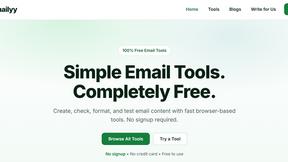
Emailyy
Free email tools for signatures, subject lines, HTML previews, word counts, and email headers. Browser-based, simple to use, and no signup required.

Uniclip
Clip pages, take full-page screenshots and batch-capture list data to Notion, Feishu, Obsidian, Markdown, CSV or JSON.
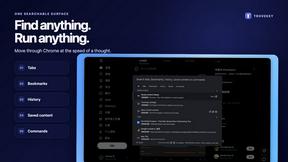
TroveKey
Search tabs, Chrome bookmarks and history, run browser commands, and save webpages and social posts locally—no account.
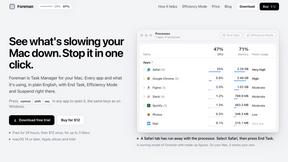
Foreman
See every app and what it's using in plain English, and end or slow down the one that's hogging your Mac.
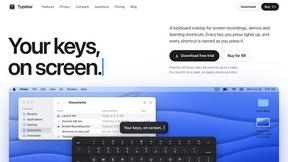
Typebar
Every key you press lights up on an on-screen keyboard, and each shortcut is named as you press it.
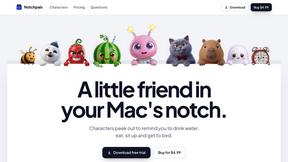
Notchpals
Little characters peek out of your Mac's notch to remind you to drink water, eat, sit up and get to bed. Quiet during calls. $4.99 once.

LightScreen
Free light screen tool online. Turn any display into a flashlight, ambient light, or solid-color screen. No download or sign-up.
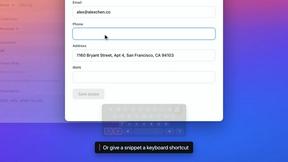
TypeFire
Free text expander, Markdown notes app and clipboard manager for Mac and Chrome