tool Details
Explore More
Alternatives

About Push My App
Push My App is the all-in-one platform built specifically for indie developers and small studios who want to ship their iOS and Android apps to the App Store and Google Play Store in record time. Instead of spending days wrestling with metadata, resizing screenshots, translating listings, and worrying about rejection, you can now handle everything from a single, intuitive dashboard. The platform uses artificial intelligence to write your app name, keywords, description, and release notes with App Store Optimization (ASO) built right in, generating high-performing metadata in seconds. But it does not stop there. Push My App includes a Pre-Flight Rejection Scanner that checks your build and listing against over 80 known rejection reasons from Apple and Google before you ever hit submit, saving you from the dreaded rejection email. You can upload one set of screenshots and automatically resize them into every required device size for both stores. You can also translate your full listing into 14 languages with keywords re-optimized for each locale. Simply drop your .ipa, .apk, or .aab file, and the platform extracts your bundle ID, version, and icon, validates compliance, and submits directly to App Store Connect and Google Play with one click. You can even generate a website and get a support mailbox for your app using your metadata and screenshots. What used to take days by hand now takes minutes with Push My App. Ship your next release five times faster and get back to what you love: coding.
Features
AI-Generated ASO Metadata
Push My App uses artificial intelligence to generate your entire app store metadata in seconds. This includes your app name, subtitle, keywords, description, and release notes, all optimized for discoverability on both the App Store and Google Play Store. The AI scores each element, like a title score out of 30 and a keyword score out of 100, so you know exactly how well your listing will perform. You can generate up to eight keyword suggestions instantly, giving you a huge advantage in search rankings without spending hours on research.
Pre-Flight Rejection Scanner
Before you submit your app, Push My App scans your build and your listing against over 80 known rejection reasons from Apple and Google. This includes common blockers like missing privacy manifests, incorrect permissions, and metadata violations. The scanner flags issues with clear explanations so you can fix them immediately. This feature alone can save you days of back-and-forth with reviewers and prevent the frustration of a rejected submission. It gives you confidence that your app is ready for approval the first time.
Screenshot Resizer and Asset Generator
Upload one set of iPhone screenshots and Push My App automatically generates every required device size for both the App Store and Google Play Store. The platform also handles your app icon and feature graphic, resizing and cropping them for all required dimensions. You can add device frames and dynamic marketing text overlays to make your screenshots pop. This eliminates the tedious manual work of creating dozens of different image sizes and ensures your visual assets look perfect on every device.
Direct Submission to App Store and Google Play
Push My App lets you submit your app directly to App Store Connect and Google Play Console with a single click. Just drag and drop your .ipa, .apk, or .aab file, and the platform extracts your bundle ID, version, and icon automatically. It validates compliance and uploads everything to the stores. You can submit to one platform at a time, with status tracked automatically. This removes the need to juggle multiple developer consoles and streamlines the entire submission process into one smooth workflow.
Use Cases
Solo Indie Developer Launching a New App
A solo developer has spent months coding a new productivity app and now faces the daunting task of preparing the App Store and Play Store listings. With Push My App, they can generate optimized metadata in minutes, resize screenshots instantly, and scan for rejection risks before submitting. The entire launch process, which would normally take days, is completed in a single afternoon. The developer can then focus on iterating on the app itself instead of drowning in store listing busywork.
Small Studio Managing Multiple App Versions
A small studio with a portfolio of apps needs to update several titles simultaneously. Push My App provides an app profile page that acts as a command center for all versions, metadata, and statuses, with iOS and Android side by side. The team can use the AI to generate release notes for each update, translate listings into multiple languages, and submit all changes with one click. This dramatically reduces the time spent on repetitive administrative tasks and keeps the entire team aligned.
Freelance Developer Submitting for a Client
A freelance developer building an app for a client needs to ensure the listing is professional and rejection-free. Push My App allows them to generate high-conversion descriptions and keywords, preview the App Store and Play Store pages side by side, and see a diff against the last submission. The client can review everything before the final click. The developer saves hours of manual work and delivers a polished, ready-to-ship product that impresses the client.
Team Using CI/CD Pipelines for Continuous Delivery
A development team using Xcode, Android Studio, Expo, Fastlane, or GitHub Actions can integrate Push My App into their existing workflow. They can automate the generation of metadata, the scanning of binaries for rejection risks, and the submission process. This enables continuous delivery of app updates without manual intervention. The team ships faster and more frequently, knowing that each submission has been validated against over 80 rejection reasons and is optimized for search.
Frequently Asked Questions
What file types does Push My App support for upload?
Push My App supports .ipa files for iOS apps and .apk or .aab files for Android apps. When you drop your file into the platform, it automatically extracts your bundle ID, version number, and app icon. The system then validates compliance and prepares everything for submission to App Store Connect or Google Play Console. This works seamlessly with builds from Xcode, Android Studio, Expo, and Fastlane.
How does the Pre-Flight Rejection Scanner work?
The Pre-Flight Rejection Scanner checks your binary and your listing against a database of over 80 known rejection reasons from Apple and Google. This includes issues like missing privacy manifests, incorrect permission descriptions, metadata violations, and common technical pitfalls. The scanner runs automatically before you submit and flags any potential problems with clear explanations. You can fix these issues immediately and rescan, giving you high confidence that your submission will be approved on the first try.
Can I translate my app listing into multiple languages?
Yes, absolutely. Push My App allows you to translate your full listing into 14 languages, including English, Spanish, German, French, Japanese, Portuguese, and eight more. The platform does not just translate the text directly. It also re-optimizes your keywords for each specific locale, ensuring your app remains discoverable in every market. This is a massive time saver compared to manually translating and researching keywords for each language.
Is there a free trial or free tools available?
Yes, Push My App offers a free Starter plan with no credit card required. You also get a 30-day Growth trial to test the full feature set. If you are not ready to sign up, the platform provides free tools that do not require an account. You can try out the AI metadata generator, the screenshot resizer, and other features to see the value before committing. This makes it easy to evaluate the product with zero risk.
Similar to Push My App
LaunchIntel
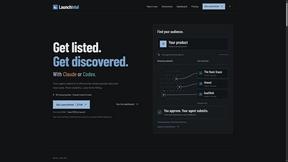
Your AI agent picks relevant directories, submits your product in your browser and tracks every step. One-time purchase.
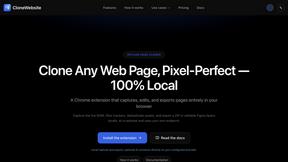
CloneWebsite
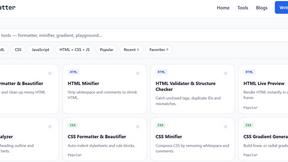
Clone any webpage pixel-perfect, export HTML/CSS/ZIP or React/Vue components.
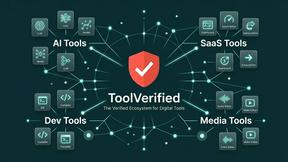
ToolVerified
The software directory where real people test the links so you do not have to. Ranked by community votes, free of bots and spam.
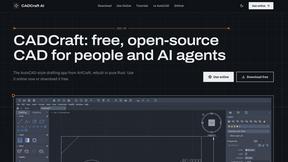
CADCraft
Free open-source 2D CAD built in Rust. AutoCAD-style CLI drafting, layers, dimensions, DWG/DXF support, and AI-agent automation via MCP.
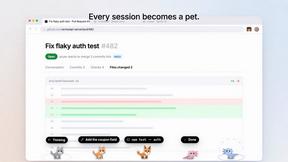
Agent Pets
Your Claude Code & Codex sessions as pets in Chrome. Approve, deny and reply to your coding agents from any tab.