

Picmal
Stop trusting sketchy websites and start converting, compressing, and editing any media file instantly on your Mac with Picmal.
tool Details
Alternatives
About Picmal
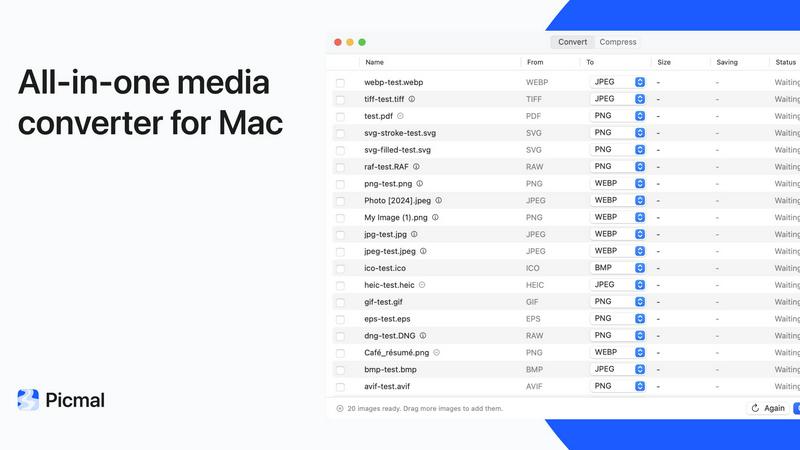
Picmal is your Mac's ultimate all-in-one media toolkit, designed to convert, compress, and edit images, video, audio, and PDFs entirely on your device. Say goodbye to sketchy online websites that demand your uploads, make you wait for processing, and then force you to download everything again. With Picmal, 100% of the work happens right on your Mac. No uploads, no account creation, and it works completely offline. This is the tool for anyone who values their privacy, speed, and convenience. Whether you are a web developer needing to convert a multipage PDF into individual images, a podcaster wanting to merge audio tracks, or a designer compressing large video files for email, Picmal handles it all with a clean, focused, and super fast interface. Over 660 people already love it, and they have called it a "Mac-assed Mac App" that is focused, customizable, flexible, and incredibly fast. It supports over 100 formats across images, video, audio, RAW, and PDF. You can batch process multiple files at once, set default conversions, and even use the powerful Picmal CLI to script your workflows. It is a one-time purchase that includes free updates, making it an essential utility for any Mac user who wants to get work done without compromising on security or efficiency. Stop trusting your files to random websites and start using Picmal for a faster, safer, and more joyful media editing experience.
Features
Convert Between Over 100 Formats
Picmal supports an incredible range of formats across images, video, audio, RAW, and PDF. You can easily convert HEIC to JPG, MOV to MP4, or FLAC to ALAC with just a few clicks. Just drop your file in, pick your output format, and you are done. This feature is perfect for ensuring your files are compatible with any platform, device, or requirement, all without ever needing to go online.
Compress and Save Space Without Sacrificing Quality
Need to get a file under an email size limit or speed up a slow upload? Picmal's compression engine is incredibly smart. It reduces file sizes dramatically while maintaining a quality level you will actually be happy with. No more waiting for slow browser-based tools or dealing with pixelated images. Picmal makes compression fast, local, and effective, so your files are lean and ready to go.
Batch Processing for Maximum Efficiency
Why do one file at a time when you can do hundreds? Picmal excels at batch processing. You can select multiple files, apply the same conversion, compression, or editing action, and let Picmal work through them all in a single pass. This is a massive time-saver for professionals who regularly handle large volumes of media. Set your default conversions and watch Picmal handle the rest.
Powerful PDF and Media Organization Tools
Picmal goes beyond simple conversion. You can split a PDF apart into individual pages, reorder, rotate, or delete pages, and combine multiple PDFs into one document. For media, you can stitch video clips together into one seamless file, merge audio tracks, or split a long recording by its chapters. You can even turn a folder of photos into a multi-page PDF with custom page sizes and passwords. It is a complete editing suite.
Use Cases
Web Developer Converting PDF Pages to Images
A web developer needs to take a multipage PDF document and convert each page into a separate image file for use on a website. With Picmal, this is a one-click process that even Apple's Preview cannot do. The developer drops the PDF into Picmal, selects the image output format, and instantly gets individual images for each page. This saves hours of manual work and keeps the entire workflow private and offline.
Podcaster Merging and Splitting Audio Files
A podcaster has multiple audio tracks from a recording session that need to be merged into a single episode file. Alternatively, they have a long audiobook that needs to be split into chapters. Picmal makes both tasks effortless. The podcaster can drag audio files into the app, reorder them, and merge them into one seamless track. Or they can split a file by its chapters, producing perfectly organized audio files ready for distribution.
Designer Compressing Video for Email Attachment
A graphic designer has a large video file that needs to be sent via email, but it exceeds the attachment size limit. Instead of using a slow, insecure online service, the designer opens Picmal, drops in the video, and uses the compression feature. Picmal quickly reduces the file size while maintaining excellent visual quality. The designer gets a perfectly compressed video that fits the email limit, all without their data ever leaving their Mac.
Office Worker Organizing and Combining Documents
An office worker has a stack of scanned PDFs and a folder of images that need to be combined into a single, organized document. Using Picmal, they can merge all the PDFs into one file, reorder the pages, and then turn the folder of images into a multi-page PDF with a custom page size like A4 or Letter. They can even add a password for security. This creates a professional, organized document in minutes.
Pricing
Picmal is available for a one-time purchase of $15.99 for 1 device. This single payment gives you a permanent license with no recurring fees. You get full access to convert and compress images, videos, and audio, plus all the powerful tools for merging audios and PDFs and organizing pages. Your purchase includes free updates, ensuring you always have the latest features and improvements. Secure payment is handled through Stripe, and prices are in USD. VAT may apply.
Frequently Asked Questions
Is Picmal safe to use with my private files?
Absolutely. Picmal is designed to run 100% on your Mac. No files are ever uploaded to any server, no account is required, and the app works completely offline. Your data never leaves your device, making it the safest and most private way to convert, compress, and edit your media.
What file formats does Picmal support?
Picmal supports over 100 formats across images, video, audio, RAW, and PDF. This includes common formats like HEIC, JPG, PNG, MOV, MP4, FLAC, ALAC, and many more. You can easily convert between any of these supported formats directly within the app.
Can I process multiple files at the same time?
Yes, you can. Picmal has powerful batch processing capabilities. You can select multiple files and apply the same conversion, compression, or editing action to all of them in one go. This is a huge time-saver for handling large volumes of work. You can even set default conversions for your most common tasks.
How does the pricing work for Picmal?
Picmal is a one-time purchase for a single device. You pay once and you are all set. This includes all the core features like converting and compressing images, videos, and audio, as well as tools for merging audios and PDFs and organizing pages. Your purchase also includes free updates, so you get access to all future improvements without any subscription fees.
Similar to Picmal

Egmatic
No-code 2D game editor: visual node logic, drag-and-drop scenes, live preview. Exports to Windows, macOS, Linux, Android, iOS, Web.

layahost
Moderation, routing, intent and scoring for any text over one Jev-compatible API, hosted in the EU.
laya.tools
Free directory of 950+ projects built on Laya, the open-source model that turns text into typed decisions in milliseconds.

tallycounterweb.com
Online tally counter for tracking attendance, workouts, inventory, sports scores, visitors, habits, and everyday counting tasks.
SnitchFeed
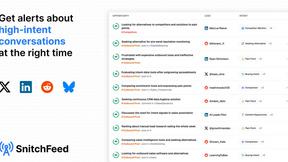
SnitchFeed is an agentic social listening tool that surfaces high-intent conversations on LinkedIn, X, Hackernews, and more for GTM and product teams.

Forms Plugin
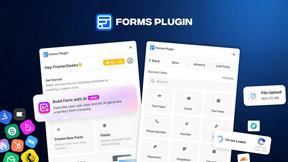
The #1 Native Form Builder Plugin for Framer - No Code, No Embeds, No External Platforms.
Sprite Sheet Maker
Create pixel-art sprite sheets from text with AI, preview animations, and export PNG assets for game prototypes.