

Phishly
Phishly empowers you to instantly detect phishing emails with AI through a seamless Chrome extension for Gmail!.
tool Details
Explore More
Alternatives

About Phishly
Phishly is your ultimate guardian against the ever-growing threat of phishing scams! This AI-powered phishing detection platform is seamlessly integrated as a Chrome extension for Gmail and also available as a web tool. With Phishly, you can simply open any email in Gmail and click "Scan with Phishly" to instantly analyze its safety! You can also paste suspicious emails directly on our website for a quick assessment. Our advanced AI technology meticulously scans for phishing indicators such as suspicious domains, urgent language, spoofed senders, and social engineering tactics. You'll receive clear risk assessments categorized as Safe, Medium Risk, or High Risk, complete with detailed explanations. Phishly is designed for individuals and small businesses seeking straightforward phishing protection without the complexities of enterprise solutions. Plus, we respect your privacy by only analyzing emails you explicitly choose to scan. No technical expertise is required, making it super user-friendly and accessible! With Phishly, you can enjoy peace of mind knowing that you have instant answers when you're questioning an email's legitimacy!
Features
Instant Email Scanning
Phishly allows you to scan any email in Gmail with just one click! Simply open the email and hit "Scan with Phishly" for an immediate assessment. No more waiting or worrying—get instant results and know if an email is safe!
Detailed Risk Assessments
Our platform provides clear and concise risk assessments categorized as Safe, Medium Risk, or High Risk! Each assessment comes with detailed explanations, helping you understand the potential threats associated with the email you scanned.
User-Privacy Focused
We prioritize your privacy above all! Phishly only analyzes the emails you explicitly choose to scan, ensuring that your personal information and email content remain confidential and secure.
No Technical Knowledge Required
Say goodbye to complicated setups and technical jargon! Phishly is designed to be incredibly user-friendly, making phishing protection accessible to everyone—whether you're a tech wizard or a complete novice!
Use Cases
Individual Email Safety
For everyday users, Phishly helps you determine if that unexpected email from an unknown sender is truly legitimate! With instant and clear assessments, you can protect yourself from falling victim to phishing scams.
Small Business Protection
Small businesses often face unique threats from phishing attacks. Phishly equips small business owners with the tools they need to safeguard their email communications and protect their sensitive information from cybercriminals!
Quick Suspicious Email Check
Have you received an email that raises your suspicions? Simply paste it on our website or scan it in Gmail! Phishly provides a quick and reliable check, giving you peace of mind before taking any action.
Educational Tool for Cyber Awareness
Phishly serves as an excellent educational tool for users wanting to learn more about phishing indicators! By providing detailed explanations alongside risk assessments, users can become more aware and informed about online threats.
Frequently Asked Questions
How does Phishly determine the risk level of an email?
Phishly uses advanced AI algorithms to analyze emails for common phishing indicators such as suspicious domains, urgency in language, and signs of social engineering. Based on this analysis, it categorizes emails into Safe, Medium Risk, or High Risk.
Is Phishly free to use?
Absolutely! Phishly is completely free to use, making it accessible for everyone who wants to protect themselves from phishing scams without any hidden fees or complicated pricing structures!
Do I need technical knowledge to use Phishly?
Not at all! Phishly is designed to be intuitive and user-friendly. You can start scanning emails without needing any technical expertise—just click, scan, and receive your assessment!
What happens to the emails I scan with Phishly?
Phishly only analyzes the emails you explicitly choose to scan. We respect your privacy and do not store or share your email content, ensuring that your information remains confidential and secure!
Similar to Phishly

Emailyy
Free email tools for signatures, subject lines, HTML previews, word counts, and email headers. Browser-based, simple to use, and no signup required.

Uniclip
Clip pages, take full-page screenshots and batch-capture list data to Notion, Feishu, Obsidian, Markdown, CSV or JSON.
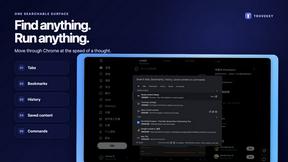
TroveKey
Search tabs, Chrome bookmarks and history, run browser commands, and save webpages and social posts locally—no account.
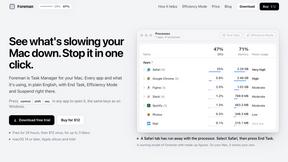
Foreman
See every app and what it's using in plain English, and end or slow down the one that's hogging your Mac.
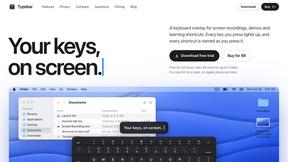
Typebar
Every key you press lights up on an on-screen keyboard, and each shortcut is named as you press it.
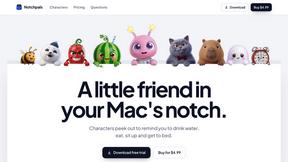
Notchpals
Little characters peek out of your Mac's notch to remind you to drink water, eat, sit up and get to bed. Quiet during calls. $4.99 once.

LightScreen
Free light screen tool online. Turn any display into a flashlight, ambient light, or solid-color screen. No download or sign-up.
TypeFire
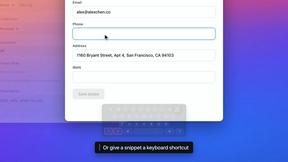
Free text expander, Markdown notes app and clipboard manager for Mac and Chrome