

Online Keyboard Shortcuts
Master every essential keyboard shortcut for Windows, MacOS, and Linux to boost your productivity and work faster with OnlineShortcuts.com.
tool Details
Explore More
Alternatives
About Online Keyboard Shortcuts
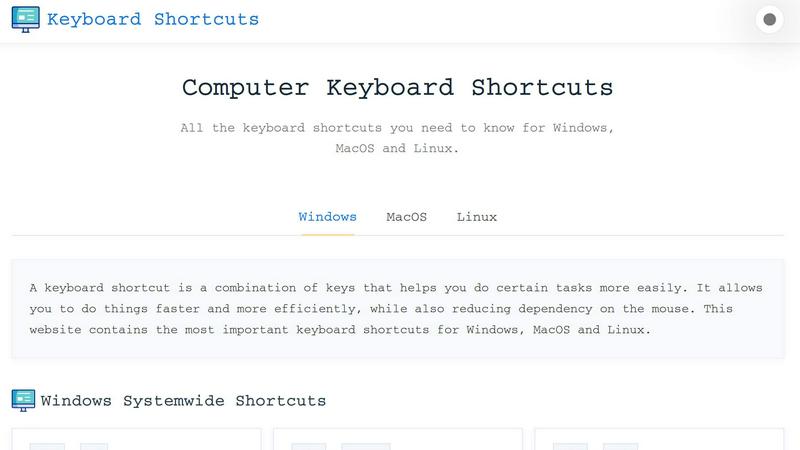
Welcome to Online Keyboard Shortcuts, your ultimate productivity powerhouse available right at OnlineShortcuts.com! This isn't just another list of hotkeys; it is your comprehensive, cross-platform command center for mastering Windows, macOS, and Linux. We have curated the most essential keyboard shortcuts to help you ditch the mouse, accelerate your workflow, and reclaim precious time. Whether you are a seasoned developer, a busy office professional, a creative designer, or a student looking to level up your efficiency, this resource is built for you. Our mission is simple: to provide a clear, accessible, and free database of shortcuts that cover system-wide commands, application-specific hotkeys, and virtual desktop controls. You will find everything from basic text editing commands like Ctrl+C and Ctrl+V to advanced power-user shortcuts like Win+Z for Snap Layouts. Stop hunting through menus and start flying through your tasks. With Online Keyboard Shortcuts, you can instantly learn how to lock your screen, open Task Manager, create a new virtual desktop, or refresh your browser without ever lifting your fingers from the keyboard. It is the fastest way to become a keyboard ninja on any operating system!
Features
Comprehensive Cross-Platform Coverage
Dive into a massive library of shortcuts that spans all three major operating systems: Windows, macOS, and Linux. No more juggling between different websites or remembering confusing commands. We have organized everything in one clean, easy-to-navigate interface. You get instant access to system-wide Windows shortcuts like Win+I to open Settings, macOS equivalents like Cmd+Space for Spotlight, and essential Linux terminal hotkeys. This feature ensures you have the right command for every OS, making you productive no matter what machine you are using. It is the ultimate reference guide for multi-platform users!
Organized and Actionable Shortcut Categories
Say goodbye to messy, overwhelming lists. We have grouped all shortcuts into logical, bite-sized categories that make learning fast and fun. You can quickly jump to sections like Windows Key Shortcuts, Application Specific Shortcuts for Command Prompt and File Explorer, Text Editing commands, Virtual Desktop controls, and Web Browser hotkeys. Each category is clearly labeled and includes the exact key combination along with a simple description of what it does. This organized structure means you can find the shortcut you need in seconds, not minutes, and start using it immediately to boost your daily efficiency.
Downloadable Cheatsheets for Offline Access
Take your productivity on the go with our exclusive downloadable cheatsheets! You are not stuck being online to use these shortcuts. We offer a handy PDF file and two PNG image options (dark and light themes) that you can download, print, or save to your device. This feature is perfect for pinning to your desk, adding to a digital notebook, or sharing with your team. Never forget a shortcut again. With just one click, you can have a complete visual reference of all the most important hotkeys right at your fingertips, ready to use anytime, anywhere, even without an internet connection.
Responsive and User-Friendly Design
Access the power of keyboard shortcuts on any device you own. Our website is fully responsive and designed to look and work flawlessly on mobile phones, tablets, laptops, and desktop computers. Whether you are checking a shortcut on your phone during a commute or studying a list on your tablet, the layout adjusts perfectly to your screen size. The interface is clean, uncluttered, and focused on delivering information fast. No annoying pop-ups or confusing navigation. You simply browse, find, and learn. This feature ensures that your productivity tool is always with you, no matter what device you are using.
Use Cases
Supercharging Your Daily Office Workflow
Imagine flying through your workday without ever touching your mouse. For office professionals, this resource is a game-changer. Use Alt+Tab to switch between spreadsheets and emails instantly. Master Ctrl+Shift+Esc to open Task Manager and troubleshoot issues in a flash. Learn Win+D to show and hide your desktop when you need to grab a file. By memorizing just a handful of these shortcuts, you can cut your task-switching time in half, reduce repetitive strain, and impress your colleagues with your blazing-fast speed. It is the secret weapon for anyone who wants to get more done in less time.
Mastering Creative and Development Environments
For developers, designers, and content creators, speed is everything. This resource provides the exact shortcuts you need to dominate your tools. Use Ctrl+B, Ctrl+I, and Ctrl+U to format text instantly in any editor. Leverage Ctrl+F and Ctrl+H for lightning-fast searching and replacing. Developers can use Win+G to open Xbox Game Bar for screen recordings, while designers can use Win+Shift+S for quick screenshots. By integrating these hotkeys into your muscle memory, you can keep your hands on the keyboard and your creative flow uninterrupted, turning complex tasks into simple, one-handed commands.
Enhancing System Navigation and Management
Power users and IT professionals will love the system management shortcuts. Lock your workstation instantly with Win+L when stepping away for security. Open the Quick Link menu with Win+X to access Device Manager, Disk Management, and more. Create and switch between virtual desktops using Win+Ctrl+D and Win+Ctrl+Left/Right arrows to organize your projects into separate workspaces. These shortcuts give you total control over your operating system without digging through endless menus. It is the fastest way to manage multiple tasks, maintain security, and keep your digital environment perfectly organized.
Accelerating Learning and Training for New Users
Are you teaching someone how to use a computer more efficiently? This website is the perfect training tool. New users can start with the basics like Ctrl+C, Ctrl+V, and Ctrl+Z for undo. They can then progress to more advanced shortcuts like Win+E to open File Explorer or Ctrl+Shift+T to reopen a closed browser tab. The organized categories and downloadable cheatsheets make it easy to create a structured learning path. It is an invaluable resource for onboarding new employees, teaching students, or helping family members become more confident and independent computer users.
Frequently Asked Questions
What is Online Keyboard Shortcuts?
Online Keyboard Shortcuts is a comprehensive, free web resource hosted at OnlineShortcuts.com. It is a curated guide that lists the most important and useful keyboard shortcuts for Windows, macOS, and Linux operating systems. The goal is to help users of all skill levels improve their productivity by learning key combinations that allow them to perform tasks faster and more efficiently, reducing their reliance on the mouse. It covers system-wide shortcuts, application-specific hotkeys, and virtual desktop controls.
How do I use Online Keyboard Shortcuts?
Using the site is incredibly simple and intuitive. Just browse the organized lists of shortcuts. You will see categories like "Windows Systemwide," "Windows Key Shortcuts," and "Application Specific." Find the shortcut you need by reading the key combination and its description. You can then start using it immediately in your operating system or application. If you want to save the shortcuts for later, you can download a PDF or PNG cheatsheet. It is designed to be a quick reference that you can access and use in seconds.
Can I request a new software or shortcut to be added?
Absolutely! We love hearing from our users. While our current list covers the most essential shortcuts, we are always open to expanding. You can request new software or shortcuts by thinking about them really hard, and we will mentally receive your message. (Just kidding! We are actively working on ways to take requests, so stay tuned for updates on the website. Your feedback helps us make this resource better for everyone.)
How accurate are the keyboard shortcuts listed?
The shortcuts on Online Keyboard Shortcuts are curated to be as accurate as possible for the specified software versions and operating systems. We strive to keep the information up-to-date. However, software updates can sometimes change hotkeys or introduce new ones. It is always a good practice to verify a shortcut with the specific version of the software or operating system you are running. If you find an error, we encourage you to let us know so we can correct it and keep the resource reliable for all users.
Similar to Online Keyboard Shortcuts
Product Launch Checklist
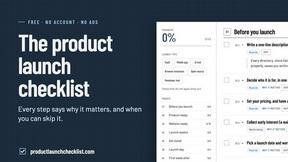
A free launch checklist for SaaS, apps, AI tools and more. Every step says why it matters and when you can skip it.

HomeAnswerBook
Practical, independent guides to home repairs, maintenance, costs, troubleshooting, and everyday fixes.
BlazePDF
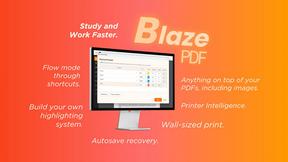
Highlight faster. Study in flow with custom shortcuts and a workflow built around you. Print smarter, or turn any page into a tiled poster.

Build Mode for Mac
Build Mode is a Mac app that turns focused sessions into visible progress, so you can see the work adding up before the results arrive.



MySOP.guru
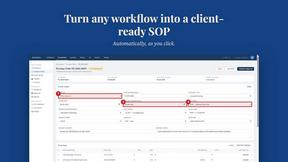
Capture any workflow in your browser and export a branded, step-by-step SOP with screenshots. €5 per document, no subscription.