

MindMap AI
Transform ideas into stunning mind maps instantly with AI, enhancing clarity and collaboration like never before!.

About MindMap AI
Welcome to a new era of visual thinking with MindMap AI, the leading AI-powered mind mapping software designed to elevate productivity for professionals, teams, and organizations! This innovative tool transforms chaotic ideas into crystal-clear visual maps, making it easier than ever to organize and manage thoughts. Whether you're converting raw ideas, documents (like PDFs and Word files), images, or even audio and video recordings from meetings, MindMap AI does it all in seconds! This interactive workspace allows you to engage deeply with your maps using the intelligent Co-Pilot Chat feature, enabling you to ask questions, refine strategies, and uncover insights effortlessly. With features like auto-expansion, smart summarization, and the ability to create second-order connections, you can build upon your ideas with ease. Designed for the fast-paced corporate environment, MindMap AI empowers teams to brainstorm effectively, organize intricate knowledge, and transform complex concepts into actionable workflows in just minutes. It's versatile, compatible across web, mobile, and browser extensions, and supports exports in multiple formats such as Word, PowerPoint, PDF, PNG, and Markdown. Whether you're planning a product launch, capturing insights from a workshop, aligning on company strategy, or analyzing dense research papers, MindMap AI is your ultimate partner for working smarter and moving faster!
Features
AI Thinking Mode for Accuracy
MindMap AI’s step-by-step reasoning engine comprehends context, hierarchy, and relationships before generating your mind map. This ensures that every mind map is structured, meaningful, and accurate from the very first attempt, eliminating the frustration of random branches thrown together.
File-to-Map Conversion
Transform any content—including text, PDFs, images, audio, video, Markdown, or CSV—into a sleek, beautiful mind map instantly. Instead of starting from scratch, you can dive directly into brainstorming and planning, allowing your creativity to flow without the hassle of manual formatting.
Multi-Language Support
Create and edit mind maps in over 25 languages with the same level of accuracy and structure! MindMap AI ensures that your ideas and thoughts are seamlessly mapped out, regardless of the language you're using, without compromising layout or meaning.
Continuous Editing
With MindMap AI, you have the flexibility to build your mind map manually or with the assistance of AI that co-creates alongside you. You can expand, summarize, add arrows, reorganize, and style everything in seconds, maintaining full manual control whenever you desire.
Use Cases
Strategic Planning
MindMap AI is perfect for strategic planning sessions, allowing teams to visualize complex strategies and align on goals. By mapping out objectives, timelines, and responsibilities, everyone gains clarity and focus on their roles and contributions.
Knowledge Management
Capture and organize critical knowledge from workshops, meetings, or research findings with ease! MindMap AI helps professionals convert dense information into accessible, organized visual maps, making it simple to share insights across teams.
Project Management
Turn intricate project details into actionable workflows using MindMap AI! By mapping tasks, deadlines, and resources, teams can collaborate efficiently, ensuring that everyone is on the same page and that projects stay on track.
Educational Purposes
Students and educators can utilize MindMap AI to simplify complex subjects or lesson plans. By converting lecture notes or reading materials into visual maps, learners can enhance their understanding and retention of information, making studying more effective.
Frequently Asked Questions
What types of files can I convert into mind maps with MindMap AI?
You can convert a variety of formats into mind maps, including text documents, PDFs, images, audio and video files, Markdown, and CSV. This versatility allows you to dive straight into idea generation without starting from scratch.
Is there a limit to how many mind maps I can create?
MindMap AI offers 50 free credits monthly, which allows you to create multiple mind maps without any upfront costs. No credit card is required to get started!
How does the AI co-editing feature work?
The AI co-editing feature allows you to collaborate with the AI as you build your mind map. It helps expand, summarize, and reorganize your ideas, while respecting your manual edits and custom layouts, ensuring your work remains intact.
Can I use MindMap AI in multiple languages?
Absolutely! MindMap AI supports over 25 languages, allowing you to create and edit mind maps seamlessly in your preferred language, maintaining the same level of accuracy and organization across all formats.
Similar to MindMap AI

HomeAnswerBook
Practical, independent guides to home repairs, maintenance, costs, troubleshooting, and everyday fixes.
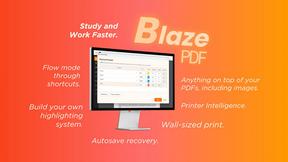
BlazePDF
Highlight faster. Study in flow with custom shortcuts and a workflow built around you. Print smarter, or turn any page into a tiled poster.

Build Mode for Mac
Build Mode is a Mac app that turns focused sessions into visible progress, so you can see the work adding up before the results arrive.


Explainer Video
AI explainer video generator for clear animated stories from topics, scripts, URLs, or PDFs.


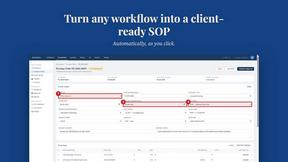
MySOP.guru
Capture any workflow in your browser and export a branded, step-by-step SOP with screenshots. €5 per document, no subscription.