

MacBrightness
MacBrightness boosts your Mac screen past its limit up to 1600 nits for instant readability in direct sunlight.
tool Details
Explore More
Alternatives

About MacBrightness
MacBrightness is a revolutionary utility app designed specifically for MacBook Pro users who need their screen to be readable in bright, outdoor environments! Your MacBook Pro with a mini-LED display can actually go nearly twice as bright as macOS normally allows, and MacBrightness is the key that unlocks that hidden potential. This clever tool taps into the HDR brightness range your display already supports, typically sustaining around 1,600 nits, and makes it available system-wide in every single app you use. No more squinting at a mirror-like screen when you are working on a sunny patio, during a flight with bright window light, or at a café table bathed in sunlight. MacBrightness is built for professionals who work on the go: digital nomads, product designers, software developers, founders, and anyone who values the freedom to work from wherever they want. The best part? It uses the brightness keys you already have on your keyboard, so there are no confusing new shortcuts or menu-bar hunting required. Just tap your brightness key past the old limit and the whole screen keeps going brighter! The app comes with a generous free trial in Splitscreen Mode, where half your screen jumps to full brightness so you can see the incredible difference side by side. A one-time purchase unlocks the full screen experience with no subscription fees, no account needed, and no noticeable CPU overhead. MacBrightness is the simple, elegant solution to the frustrating problem of an unreadable screen in bright conditions!
Features
Same Keys, Twice the Range
MacBrightness works with the brightness keys you already use every single day on your MacBook Pro keyboard! There are no new shortcuts to memorize, no menu-bar icons to hunt for, and no complicated settings panels to navigate. Your familiar brightness keys now just go twice as far as they used to. Tap up a few more times past the old maximum, and you are instantly at full brightness. It is that simple and that intuitive. The transition feels completely natural, as if your Mac always had this extra range available. You will wonder why Apple did not include this from the start!
No Noticeable CPU Overhead
Unlike other utilities that can bog down your system with background processes and low-level hacks, MacBrightness is incredibly lightweight and efficient. The app operates with no noticeable CPU overhead whatsoever, meaning your MacBook Pro continues to perform at its peak while delivering double the brightness. There are no background services draining your battery or slowing down your workflow. MacBrightness simply opens the brightness range your display already keeps in reserve for HDR content and makes it available for everything you do. Your Mac won't even notice it is running, but your eyes will definitely notice the difference!
System-Wide Brightness in Every App
This is not just an HDR video trick that only works in specific media players or streaming apps! MacBrightness unlocks the full brightness range of your display system-wide, so every single application benefits from the extra nits. Whether you are editing documents in Word, coding in Xcode, designing graphics in Photoshop, browsing the web in Safari, or reading emails in Outlook, the entire screen gets brighter. No more switching between dim and bright modes depending on what app you are using. The full panel brightness is available everywhere, all the time, making your MacBook Pro usable in direct sunlight for any task.
Free Splitscreen Mode Trial
MacBrightness offers a truly generous and transparent free trial that lets you see the difference immediately! When you first launch the app, it opens in Splitscreen Mode where one half of your screen jumps to full brightness while the other half stays exactly as macOS left it. This side-by-side comparison makes the incredible brightness boost instantly visible and undeniable. You can keep using Splitscreen Mode for free for as long as you like with no time limits or restrictions. When you are ready to unlock the full experience across your entire screen, a simple one-time purchase makes it happen. No subscriptions, no hidden fees, and no pressure to buy before you see the results!
Use Cases
Working from Sunny Cafés and Patios
Picture this: you find the perfect table at your favorite café, the one with the amazing view and the gentle breeze. But the sun is streaming in, and your screen becomes a completely unusable mirror. With MacBrightness, you can grab that table by the window without a second thought! Turn your MacBook Pro brightness up past the old limit, and suddenly your screen is perfectly readable in direct sunlight. Enjoy your latte, soak up the vitamin D, and get your work done without hunched shoulders and squinting eyes. The terrace, the balcony, the park bench, they are all your new office!
Working on Airplanes and During Travel
Airplane windows let in an incredible amount of bright light, especially when you are seated on the sunny side of the plane. Your screen washes out completely, making it nearly impossible to finish that presentation or watch your in-flight movie. MacBrightness solves this problem instantly! Push past the old brightness cap and your screen becomes crisp and clear again, even with the window shade wide open. For digital nomads, frequent flyers, and road warriors, this app is an absolute game-changer that makes every travel day more productive and enjoyable.
Outdoor Standups and Video Calls
Taking standup meetings from a park bench or a sunny deck used to mean your screen was just a gray smear that nobody could see. With MacBrightness, you can join video calls from anywhere outdoors and your screen looks fantastic! The extra brightness ensures you can see your colleagues, read shared screens, and present your own work without any visibility issues. Summer is no longer a season of hiding indoors to be productive. You can take meetings from the garden, the rooftop, or the beach and still look professional with a perfectly readable display.
Design and Photo Editing in Bright Environments
For creative professionals like graphic designers, photographers, and video editors, accurate screen visibility is absolutely critical to your work. When you are shooting on location, reviewing photos at an outdoor café, or presenting designs to a client in a bright conference room, MacBrightness ensures your screen is bright enough to see every detail and color accurately. The full 1,600 nits of sustained brightness means you can trust what you are seeing, even in challenging lighting conditions. No more guessing about exposure levels or color accuracy because your screen is too dim to evaluate properly!
Frequently Asked Questions
Which Mac models are compatible with MacBrightness?
MacBrightness is specifically designed for MacBook Pro 14-inch and 16-inch models with M-series Pro or Max chips, as well as the Pro Display XDR. These devices feature advanced mini-LED panels that can sustain around 1,600 nits of brightness. The app works by unlocking the HDR brightness range that these displays already support but that macOS normally restricts to HDR video content only. Other Mac models with standard LCD displays do not have the same hardware capability and are not supported by MacBrightness. Your Mac must also be running macOS 13 or later to use the app.
Is MacBrightness safe for my display?
Absolutely! MacBrightness is completely safe for your MacBook Pro's display and uses no low-level hacks or risky modifications to your system. The app simply opens the brightness range that your display already keeps in reserve for HDR content. Apple built these displays to handle up to 1,600 nits of sustained brightness for HDR video, and MacBrightness just makes that same range available for all your applications. There is no overclocking, no voltage manipulation, and no risk of damaging your screen. Your display is operating well within its designed specifications at all times.
How does the free Splitscreen Mode work?
When you download and open MacBrightness for the first time, it automatically launches in Splitscreen Mode. In this mode, exactly one half of your screen jumps to full brightness while the other half stays at whatever brightness macOS has set. This creates a perfect side-by-side comparison that lets you see the dramatic difference instantly. You can use Splitscreen Mode completely free for as long as you want with no time limits or feature restrictions. When you decide you want the full brightness across your entire screen, you can purchase a license with a simple one-time payment. No subscription is ever required.
Does MacBrightness drain my battery faster?
MacBrightness itself has no noticeable CPU overhead and uses virtually no system resources, so it does not directly drain your battery. However, running your display at higher brightness levels will naturally consume more power, just like turning up the brightness on any device uses more energy. The impact is proportional to how much extra brightness you are using and for how long. Many users find that the trade-off is absolutely worth it for the ability to work comfortably in bright environments. If you are on battery power and do not need maximum brightness, you can simply turn it down with your regular brightness keys as you normally would.
Similar to MacBrightness
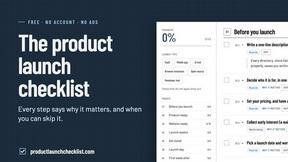
Product Launch Checklist
A free launch checklist for SaaS, apps, AI tools and more. Every step says why it matters and when you can skip it.
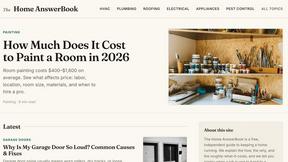
HomeAnswerBook
Practical, independent guides to home repairs, maintenance, costs, troubleshooting, and everyday fixes.
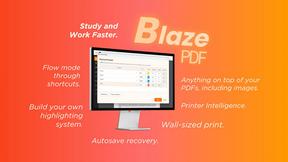
BlazePDF
Highlight faster. Study in flow with custom shortcuts and a workflow built around you. Print smarter, or turn any page into a tiled poster.
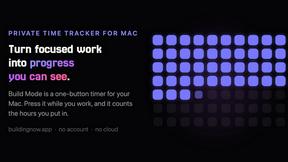
Build Mode for Mac
Build Mode is a Mac app that turns focused sessions into visible progress, so you can see the work adding up before the results arrive.



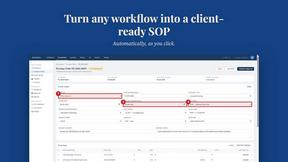
MySOP.guru
Capture any workflow in your browser and export a branded, step-by-step SOP with screenshots. €5 per document, no subscription.