

CloudBurn
Stop costly AWS mistakes before they deploy with automatic cost estimates in every pull request!.

About CloudBurn
CloudBurn is the revolutionary guardrail your cloud infrastructure desperately needs! It's a cutting-edge, automated cost intelligence platform built specifically for engineering teams using Terraform or AWS CDK. Its core mission is to eliminate those heart-stopping, budget-busting AWS bills by catching costly infrastructure mistakes before they ever reach production. Stop flying blind on costs! CloudBurn integrates directly into your GitHub workflow, automatically analyzing every infrastructure change in your pull requests. It then delivers an immediate, detailed cost report right in the PR conversation, showing the exact dollar impact of your code changes. This transforms cost visibility from a painful, post-deployment surprise into a proactive, collaborative discussion during code review. Empower your team to make informed, cost-effective decisions in real-time, optimize resources confidently, and ensure your cloud spending remains perfectly under control. With CloudBurn, financial surprises are a thing of the past!
Features
Automated Pre-Deployment Cost Estimates
Stop guessing and start knowing! CloudBurn automatically calculates the exact monthly cost impact of every infrastructure change you propose. The moment a pull request is opened, it analyzes the cdk diff or terraform plan output and generates a comprehensive, line-item cost report. This gives your team immediate, actionable financial data, allowing you to discuss and optimize architecture before it's deployed, preventing expensive rework later!
Seamless GitHub Integration & Workflow
Get cost intelligence where your team already works! CloudBurn installs in minutes directly from the GitHub Marketplace and operates 100% through secure GitHub permissions. Once configured, it runs silently in the background, posting its insightful cost reports as comments on relevant PRs without any manual intervention. This creates a seamless "FinOps-as-code" workflow that feels like a natural extension of your existing CI/CD pipeline!
Real-Time, Accurate AWS Pricing
Bid farewell to outdated spreadsheets! CloudBurn's analysis is powered by real-time, up-to-the-minute AWS pricing data. Every cost estimate reflects the current on-demand rates for services across all regions, ensuring you're making decisions based on accurate financial information. Whether it's a new EC2 instance type or a Fargate task definition, you see the true cost impact instantly!
Proactive Cost Alerting & Visibility
Turn cost awareness into a core engineering principle! CloudBurn shines a light on the financial implications of infrastructure changes, making cost a first-class citizen in every code review. By surfacing potential budget overruns early, it fosters a culture of cost ownership and accountability. Developers gain the context they need to build efficiently, and teams can catch subtle misconfigurations that could silently spiral into thousands of dollars in waste!
Use Cases
Preventing Costly Configuration Mistakes
Catch a simple typo before it becomes a $10,000 mistake! Imagine a developer accidentally provisions a dozen m5.24xlarge instances instead of t3.micro instances. Without CloudBurn, this error might go unnoticed for weeks. With CloudBurn, the massive cost spike is flagged immediately in the PR, allowing the team to correct the configuration in seconds and avoid a financial disaster!
Enabling Informed Architectural Decisions
Facilitate smarter, data-driven design discussions! When debating between two architectural approaches (e.g., Lambda vs. Fargate, or different database instance sizes), teams can create PRs for each option. CloudBurn provides concrete cost data for each scenario right in the discussion, moving the conversation from speculation to fact-based analysis and ensuring the chosen path is both technically sound and cost-optimal!
Streamlining FinOps for Engineering Teams
Embed financial operations directly into the developer workflow! CloudBurn automates the tedious manual process of cost estimation, freeing up FinOps and platform engineers from constant spreadsheet updates. It empowers developers with immediate cost feedback, shifting accountability left and creating a scalable, collaborative process for managing cloud spend without bottlenecks or delays!
Optimizing Existing Infrastructure
Drive continuous cost optimization for live environments! Use CloudBurn to analyze the cost impact of proposed optimizations, like downgrading underutilized instances, implementing auto-scaling, or moving to Spot Instances. Create a PR with the proposed Terraform or CDK changes and instantly see the projected savings, making it easy to justify and safely implement cost-reduction initiatives!
Frequently Asked Questions
How does CloudBurn calculate the cost estimates?
CloudBurn calculates estimates by analyzing the infrastructure-as-code diff from your pull request (from terraform plan or cdk diff). It identifies every AWS resource being added, changed, or removed. Then, it uses real-time AWS pricing APIs to fetch the current on-demand hourly rates for those specific resources in your configured region. It extrapolates this to a monthly cost based on 730 hours (24/7 operation) to give you a clear, projected monthly impact!
Is my cloud configuration or pricing data secure?
Absolutely! Security is a top priority. CloudBurn is installed via the official GitHub Marketplace and uses GitHub's secure OAuth flow. All billing, setup, and repository permissions are handled 100% through GitHub. Your actual Terraform or CDK code diff is sent securely to CloudBurn's backend for analysis, but we never store your AWS credentials or have direct access to your live AWS account or billing data!
What infrastructure-as-code tools does CloudBurn support?
CloudBurn is built for the most popular IaC tools! We currently offer full, native support for HashiCorp Terraform and AWS Cloud Development Kit (CDK). For each tool, we provide a dedicated GitHub Action (Terraform Plan PR Commenter or AWS CDK Diff PR Commenter) that seamlessly integrates into your workflow to capture the plan/diff output and trigger our cost analysis!
Can I try CloudBurn before committing to a paid plan?
Yes, you can start optimizing costs for free today! CloudBurn offers a generous 14-day Pro Trial when you sign up, giving you full access to all Pro features at no cost. You can cancel anytime during the trial. After the trial, you can continue using the feature-rich Community plan forever for free, or upgrade to a Pro plan for advanced capabilities tailored for larger teams!
Similar to CloudBurn
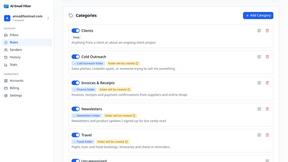
AI Email Filter
AI Email Filter sorts incoming mail into folders using plain-language prompts you write. Works with any IMAP mailbox; bring your own LLM if you want.
Egmatic
No-code 2D game editor: visual node logic, drag-and-drop scenes, live preview. Exports to Windows, macOS, Linux, Android, iOS, Web.
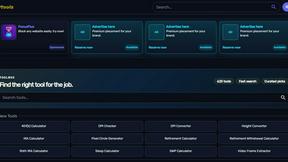
Kody Tools
Free collection of online developer utilities, code formatters, and digital converters designed to streamline your daily workflow.

layahost
Moderation, routing, intent and scoring for any text over one Jev-compatible API, hosted in the EU.
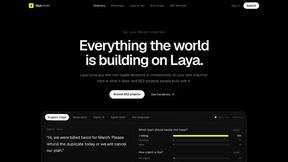
laya.tools
Free directory of 950+ projects built on Laya, the open-source model that turns text into typed decisions in milliseconds.
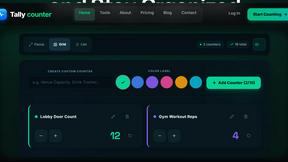
tallycounterweb.com
Online tally counter for tracking attendance, workouts, inventory, sports scores, visitors, habits, and everyday counting tasks.
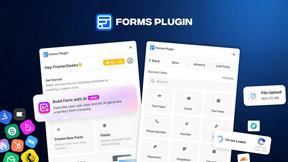
Forms Plugin
The #1 Native Form Builder Plugin for Framer - No Code, No Embeds, No External Platforms.

Product Launch Checklist
A free launch checklist for SaaS, apps, AI tools and more. Every step says why it matters and when you can skip it.