

Caption.IM
Turn any audio from your Mac into real-time captions, translations, and smart summaries instantly and privately.
tool Details
Explore More
Alternatives

About Caption.IM
Caption.IM is a revolutionary privacy-first AI captioning assistant built exclusively for macOS that transforms your computer's audio into real-time subtitles, instant translations, and structured meeting notes. This powerful tool captures system audio directly, meaning it works across virtually any application on your Mac including Zoom, Google Meet, Microsoft Teams, YouTube, online courses, podcasts, livestreams, webinars, and recorded videos. Unlike traditional browser extensions or intrusive meeting bots that require joining your conversations, Caption.IM operates locally on your device using advanced AI and Local LLMs to ensure your privacy remains intact. The application is designed for professionals, students, content creators, researchers, and anyone who needs to capture, translate, or summarize spoken content efficiently. With its elegant floating subtitle window that seamlessly integrates with macOS, you get a beautiful transparent overlay that never disrupts your workflow. Whether you are participating in remote meetings, watching educational content, or collaborating with multilingual teams, Caption.IM turns every conversation into searchable, translatable knowledge instantly. The application is optimized for Apple Silicon (M1, M2, M3 and later) delivering ultra-fast speech recognition with minimal latency and efficient power usage. Say goodbye to complicated setups and hello to frictionless, real-time captioning that puts you in control of your audio experience.
Features
Real-time Transcription
Generate live captions for meetings, videos, podcasts, and calls with exceptional accuracy. Caption.IM captures every word spoken in real time, displaying subtitles instantly on your screen through an elegant floating window. The rebuilt audio pipeline with source-stage 16 kHz mono Float32 conversion ensures improved transcription accuracy, making sure you never miss a single important detail during critical conversations or educational content.
Instant Multilingual Translation
Break down language barriers effortlessly with real-time translated subtitles that work across multiple languages. When participating in international meetings or watching foreign language content, Caption.IM translates spoken words instantly and displays them as readable subtitles. This feature is invaluable for multilingual teams, global businesses, and language learners who need to understand content in real time without waiting for post-processing.
AI Meeting Summaries and Insights
Automatically transform long discussions into structured summaries, key points, action items, and even mind maps. After any conversation or meeting, Caption.IM processes the transcribed content using local AI to extract the most important information. You no longer need to take manual notes or rewatch entire recordings. The application intelligently identifies critical decisions, action items, and discussion highlights, saving you hours of review time.
Floating Subtitle Window
Enjoy a beautifully designed transparent overlay that works seamlessly with macOS and never interferes with your workflow. The floating subtitle window stays on top of your content without being intrusive, allowing you to read captions while focusing on your video call, presentation, or streaming content. You can customize the window position, size, and appearance to match your preferences, creating a truly personalized captioning experience.
Use Cases
Remote Meetings and Video Conferencing
Never miss a word during important Zoom, Google Meet, or Microsoft Teams calls again. Caption.IM provides real-time captions for all participants, making it easy to follow fast speakers, accented voices, or technical discussions. Generate automatic meeting summaries with action items and key decisions immediately after your call ends, eliminating the need for manual note-taking and ensuring everyone stays aligned on next steps.
Online Learning and Education
Transform any online course, tutorial, or educational video into a fully captioned experience. Students and lifelong learners can capture every detail from lectures, webinars, and instructional content with real-time subtitles. The instant translation feature helps international students understand content in their native language, while the recording and summary capabilities make review and study sessions far more efficient and productive.
Multilingual Team Collaboration
Bridge communication gaps in global teams where members speak different languages. Caption.IM translates conversations in real time, allowing everyone to participate fully regardless of their native language. This creates a more inclusive work environment where ideas flow freely and misunderstandings are minimized. The structured summaries ensure that language barriers never prevent important information from being captured and shared.
Content Creation and Accessibility
Content creators, podcasters, and livestreamers can generate accurate captions for their productions without relying on external services. Caption.IM works with any audio source on your Mac, making it perfect for creating accessible content that reaches wider audiences including those with hearing impairments. Researchers and journalists can also use it to transcribe interviews, focus groups, and recorded materials quickly and accurately.
Frequently Asked Questions
Does Caption.IM work with any application on my Mac?
Yes! Caption.IM captures system audio directly rather than relying on browser extensions or meeting integrations. This means it works with virtually any application that produces audio on your Mac including Zoom, Google Meet, Microsoft Teams, YouTube, QuickTime, VLC, Spotify, and any other app that plays or records sound. There is no complicated setup required just open the app and start captioning.
Is my data private and secure when using Caption.IM?
Absolutely! Caption.IM is built with privacy as a core principle. All speech recognition and AI processing can run entirely locally on your device using Local LLMs. Your conversations, audio recordings, and transcriptions never leave your Mac unless you explicitly choose to share them. There are no bots joining your meetings and no cloud processing required for the core functionality.
What Mac models and operating systems are supported?
Caption.IM is optimized for Apple Silicon Macs (M1, M2, M3 and later) to deliver the fastest possible performance with minimal battery impact. The application requires macOS 15.6 or later to run. The local AI processing takes full advantage of the Neural Engine in Apple Silicon chips, providing ultra-fast speech recognition with impressively low latency.
Can I use Caption.IM for languages other than English?
Yes! Caption.IM supports real-time translation and subtitles in multiple languages, making it perfect for multilingual environments. The application can transcribe and translate content from various languages simultaneously, allowing you to understand foreign language meetings, videos, and podcasts as they happen. The language options continue to expand with regular updates to the app.
Similar to Caption.IM

Product Launch Checklist
A free launch checklist for SaaS, apps, AI tools and more. Every step says why it matters and when you can skip it.

HomeAnswerBook
Practical, independent guides to home repairs, maintenance, costs, troubleshooting, and everyday fixes.
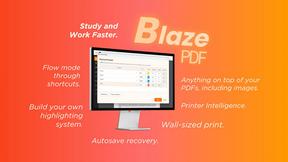
BlazePDF
Highlight faster. Study in flow with custom shortcuts and a workflow built around you. Print smarter, or turn any page into a tiled poster.
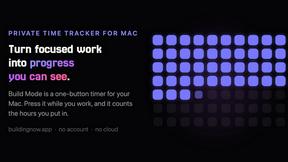
Build Mode for Mac
Build Mode is a Mac app that turns focused sessions into visible progress, so you can see the work adding up before the results arrive.



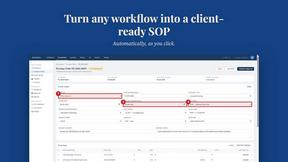
MySOP.guru
Capture any workflow in your browser and export a branded, step-by-step SOP with screenshots. €5 per document, no subscription.