

BlitzCut
BlitzCut instantly transforms raw videos into viral-ready clips by cutting silences and adding captions in minutes!.

About BlitzCut
BlitzCut is the ultimate AI-powered video editing tool designed specifically for content creators who want to make their mark on social media! Whether you're a seasoned TikTok star, an aspiring YouTuber, or a casual Instagrammer, BlitzCut puts the power of professional video editing at your fingertips. Our mission is simple: to make video editing fast, easy, and accessible for everyone! With features like Automatic Silence Removal and AI Captions, you can transform your raw video clips into polished, post-ready content in just minutes! Forget about spending hours on editing; BlitzCut streamlines the process, allowing you to focus on what you love most: creating amazing content! With a mobile-first approach, BlitzCut is perfect for creators on the go, ready to make stunning videos anytime, anywhere!
Features
Automatic Silence Removal
Say goodbye to the tedious task of removing silence from your videos! BlitzCut's Automatic Silence Removal feature employs advanced AI to instantly identify and cut out all pauses, saving you precious editing time. This feature allows you to focus on crafting your story while the app handles the mundane work, ensuring your videos maintain a seamless flow!
AI Captions
Make your videos stand out with AI-generated captions! BlitzCut offers captions with over 95% accuracy, styled perfectly to grab attention. Easily customize your captions to match your video's vibe and enhance viewer engagement. With our AI, you can ensure that your message is clear and captivating without spending hours on manual captioning!
Text-Based Editing
Editing has never been easier! With BlitzCut's Text-Based Editing feature, you can modify your video by simply deleting sentences from the transcription. No more complicated timelines and cutting tools! Just highlight the text you want to remove, and let BlitzCut handle the rest—making editing a breeze!
Mobile-First Experience
Designed with mobile users in mind, BlitzCut is fully optimized for iPhone, iPad, and Mac. This means you can edit your videos on the go, whether you're commuting, traveling, or just lounging at home. Enjoy a seamless editing experience right on your device without the need for bulky software or complicated setups!
Use Cases
Social Media Content Creation
BlitzCut is perfect for creators focused on social media platforms like TikTok, Instagram, and YouTube Shorts. With its rapid editing capabilities, you can quickly turn raw clips into engaging content that resonates with your audience, allowing you to post consistently without the hassle!
Vlog Editing
Are you a vlogger who wants to share your adventures in real-time? BlitzCut helps you edit your vlogs efficiently, removing unnecessary pauses and adding captions that enhance storytelling. This way, you can produce high-quality vlogs that captivate your viewers without sacrificing your time!
Educational Content
Educators and trainers can utilize BlitzCut to create informative videos with ease. By generating captions and removing silence, you can create engaging educational content that keeps your audience focused and informed, making learning fun and accessible!
Promotional Videos
Businesses and marketers can leverage BlitzCut to craft eye-catching promotional videos in a flash! With its user-friendly interface and powerful editing features, you can create polished marketing materials that effectively communicate your brand message and drive engagement!
Frequently Asked Questions
How does Automatic Silence Removal work?
BlitzCut utilizes advanced AI algorithms to detect silent gaps in your video and automatically removes them. This process happens in real-time, ensuring a smooth and uninterrupted viewing experience without the need for manual editing.
Can I use BlitzCut on multiple devices?
Absolutely! BlitzCut is designed to work seamlessly across iPhone, iPad, and Mac, allowing you to edit your videos wherever you are. Your editing journey is not confined to a single device!
Is there a limit to how long my videos can be?
Nope! BlitzCut can handle videos of any length and format, so you can import your raw talking-head videos without worry. Just drop them into the app, and let the magic happen!
Do I need to create an account to use BlitzCut?
Not at all! You can download BlitzCut and start editing right away—no account or sign-up required. Just download the app and dive into creating amazing videos in minutes!
Similar to BlitzCut
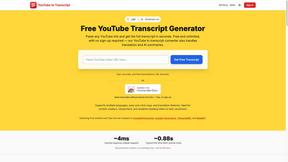
GetYouTubeTranscript
Free YouTube transcripts on the web, a Chrome extension, and an API + MCP server so AI assistants can read YouTube.
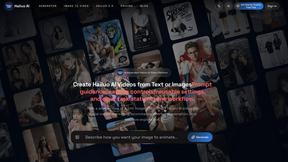
Hailuo AI
Hailuo AI turns prompts and images into videos with Hailuo 2.3, guided motion and camera controls, task tracking, downloads, and API access.
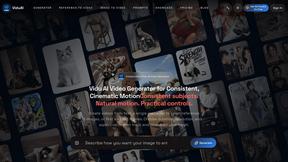
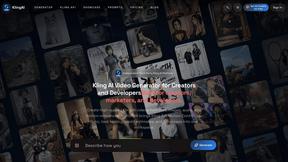
TryKlingAI
Kling AI video generator with Kling 3.0, Motion Control, Lip Sync, and API workflows.
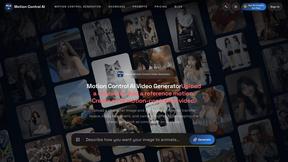
Motion Control AI
Create motion-controlled character videos by transferring dance, gestures, body movement, timing, and camera rhythm from a reference video.
AIEnhancer
AI enhancer for photos, images, videos, and creative effects.
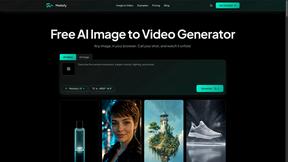
Motiofy
Motiofy is an AI creative workspace that helps creators and teams turn ideas into polished visual stories.