

archmaster
Upload a photo of any room or building, pick a style, and get a photorealistic AI redesign in seconds with no software or designer needed.
tool Details
Explore More
Alternatives

About archmaster
Archmaster is an AI-powered interior design and architectural rendering platform that makes professional-grade design accessible to everyone! Imagine snapping a photo of your living room, your home's exterior, or even a rough sketch on a napkin and getting a stunning, photorealistic redesign back in under 60 seconds. That is the power of Archmaster. It is built for homeowners planning renovations, renters visualizing new decor, interior designers presenting concepts to clients, real estate agents creating virtual stagings, and architects generating quick visualizations. The core value proposition is simple: no 3D modeling software, no CAD files, and no expensive designer required. You just upload a photo, choose from 20 unique style presets ranging from Scandinavian Minimalist to Cyberpunk, and watch the AI work its magic. The platform offers a complete suite of tools including interior and exterior redesign, sketch-to-image conversion, AI render enhancement, architecture video generation, and targeted AI inpainting for editing specific areas. Plus, you get access to free tools like a room size calculator, paint calculator, renovation cost estimator, and color palette generator. Over 800 designers and homeowners already trust Archmaster to transform their spaces, and you can join them today! It is design democratized, powered by cutting-edge artificial intelligence, and ready for your next project.
Features
Interior AI Design
Transform any room in your house with just a few clicks! Whether it is a bedroom, kitchen, bathroom, or living room, Archmaster's Interior AI Design feature lets you upload a photo and instantly see it redesigned in any of 20 style presets. You can drag a before/after slider to compare the original with the stunning new design. It is perfect for visualizing new furniture arrangements, color schemes, or complete style overhauls without lifting a paintbrush or moving a single piece of furniture. The AI understands spatial layouts and lighting to create realistic, livable spaces that feel like they were professionally designed just for you.
Exterior and Facade Design
Your home's curb appeal matters, and Archmaster makes it incredibly easy to reimagine your exterior spaces! Upload a photo of your house, front yard, or outdoor area and choose a style to see a photorealistic transformation. Want to see your house with a modern facade, a tropical landscape, or a rustic stone finish? Just click and watch it happen. This feature is a game-changer for homeowners planning major renovations, real estate agents staging properties for sale, or anyone who wants to dream up their perfect outdoor living space. No blueprints, no contractors, just pure creative possibility.
Sketch to Render
Have a great idea but only a rough sketch to show for it? Archmaster's Sketch to Render feature is your secret weapon! Simply upload a hand-drawn draft, a digital sketch, or even a basic floor plan, and the AI will instantly convert it into a photorealistic image. This is incredibly powerful for architects and designers who want to quickly communicate concepts to clients without spending hours on detailed renderings. It bridges the gap between imagination and reality, turning your rough ideas into polished, professional visuals that everyone can get excited about. It is like having a rendering artist on speed dial!
AI Render Enhancer
Sometimes your generated designs need just a little extra polish, and that is where the AI Render Enhancer comes in! This feature allows you to upscale and sharpen any architectural visualization to print-ready quality. Whether you are preparing a presentation for a client, creating marketing materials, or just want a crystal-clear image for your portfolio, the Enhancer delivers stunning results. It intelligently adds detail and sharpness without introducing artifacts, making your renders look even more realistic and professional. It is the final touch that ensures your designs always look their absolute best.
Use Cases
Homeowners Planning Renovations
Planning a kitchen remodel or a bathroom update can be overwhelming with endless choices and expensive mistakes. Archmaster lets homeowners visualize countertops, cabinets, paint colors, and layouts before committing a single dollar! Upload a photo of your current kitchen and try out different styles like Modern, Scandinavian, or Luxury. See exactly how new cabinets would look, or how a different backsplash changes the entire feel of the room. It eliminates guesswork, reduces anxiety, and helps you make confident decisions before you ever talk to a contractor. It is the ultimate renovation planning tool!
Interior Designers Creating Client Concepts
Interior designers can supercharge their workflow with Archmaster! Instead of spending hours creating mood boards and manual renderings, designers can quickly generate multiple style concepts for a single space in seconds. Present a client with before-and-after sliders showing their living room in Bohemian, Minimalist, or Coastal styles. The AI handles the heavy lifting of visualization, freeing up designers to focus on the creative strategy, material selection, and client relationships. It is an incredible tool for winning new business and impressing existing clients with rapid, professional-grade visualizations.
Real Estate Agents Virtual Staging
Empty rooms can be a major turn-off for potential buyers, but staging every property is expensive and time-consuming. Real estate agents can use Archmaster to virtually stage vacant properties in any style imaginable! Upload a photo of an empty living room and instantly furnish it with a cozy, modern, or luxury look. Use the Exterior Redesign feature to boost curb appeal in listing photos. These stunning, photorealistic images help buyers emotionally connect with a property, leading to faster sales and higher offers. It is a powerful, low-cost marketing tool that every agent should have in their arsenal.
Architects Quick Client Visualizations
Architects often need to present initial concepts quickly, and Archmaster is the perfect tool for rapid visualization. Use the Sketch to Render feature to turn hand-drawn floor plans or facade sketches into photorealistic images in under a minute. This allows architects to communicate complex ideas in a way that clients can instantly understand and get excited about. It is also fantastic for exploring different facade styles or material options during the early design phase. Archmaster accelerates the feedback loop, helping projects move forward faster with clearer communication and shared vision.
Frequently Asked Questions
What is a credit and how does it work?
A credit is the basic unit of usage on Archmaster. One credit equals one generation (creating a new design), one upscale (enhancing an image), or one edit (using the inpainting tool). More complex tasks require more credits. For example, generating a multi-view design costs 3 credits, and creating an architecture video costs 5 credits. Your credits are auto-renewed each week with your subscription, and you can use them anytime during that billing period. Unused credits do not roll over to the next week.
What photo formats are supported?
Archmaster supports all standard photo formats including JPEG, PNG, and WebP. For the best results, we recommend uploading high-resolution, well-lit photos of your room or building. The AI works best when it has clear details to work with, so avoid blurry or extremely dark images. There is no limit on the file size for uploads, but larger files may take slightly longer to process. Your photos are processed securely and are not used to train our AI models without your explicit consent.
Can it redesign building exteriors?
Absolutely! Exterior and Facade Design is one of Archmaster's core capabilities. You can upload a photo of any building, house, front yard, or outdoor space and apply any of the 20 style presets. See your home transformed with a Modern, Tropical, Mediterranean, or even a Cyberpunk facade. The AI understands architectural elements like windows, doors, rooflines, and landscaping, creating realistic and cohesive exterior redesigns. It is perfect for homeowners planning renovations or real estate agents looking to boost curb appeal in listings.
Are my uploaded photos used to train AI?
Your privacy is extremely important to us. Archmaster does not use your uploaded photos or generated designs to train our AI models without your explicit, informed consent. We take data security seriously and process all images securely. Your designs are for your eyes only unless you choose to share them publicly. You can read our full Privacy Policy for more detailed information about how we handle your data. We are committed to providing a safe and trustworthy platform for all our users.
Similar to archmaster

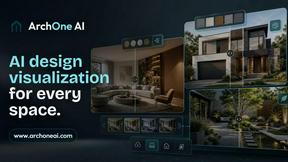
ArchOne AI
All-in-one AI spatial design visualization platform for interior, exterior and landscape design.
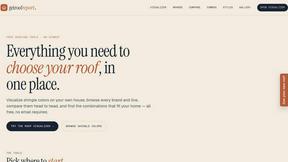
RoofReport
Upload a photo of your house and see real shingle colors on your roof in seconds, completely free with no signup required.
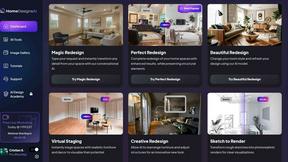
HomeDesignsAI
Transform your home, garden, and outdoor spaces in under 30 seconds with AI-powered redesigns from just one photo!.
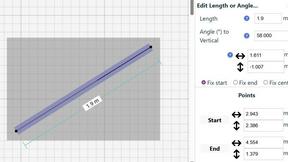
SimpleDraw
Effortlessly create precise floor plans and scale drawings online with SimpleDraw's powerful, free tool!.