
AI Formatter
Effortlessly create stunning professional documents with AI Formatter's 1000+ templates and smart formatting tools!.
tool Details
Explore More
Alternatives
About AI Formatter
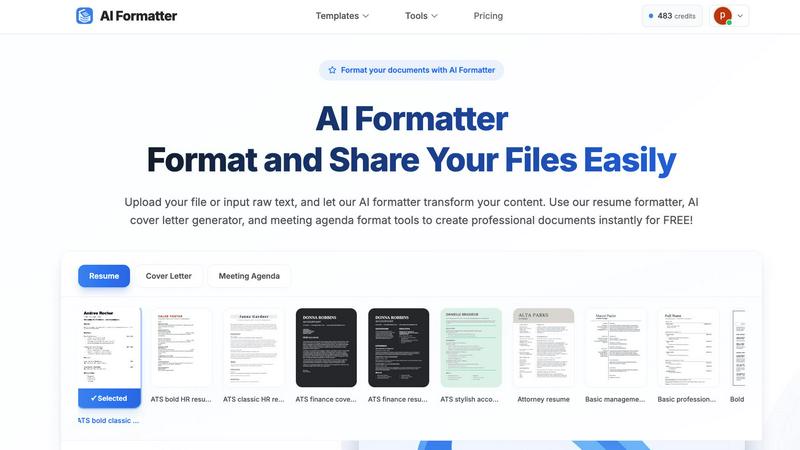
AI Formatter, crafted by Sun Sky LLC, is a groundbreaking cloud-based document formatting platform that is set to transform your document creation experience! This innovative AI-driven tool takes raw text or uploaded files—whether they are in Word, PDF, or TXT formats—and converts them into sleek, professional, ATS-optimized documents in mere seconds! With a remarkable ATS pass rate of over 95%, AI Formatter is a lifesaver for job seekers, professionals, businesses, and academics who want to stand out in their fields! The platform features a vast library of over 100 professional templates, including resumes, cover letters, meeting agendas, and invoices, ensuring your documents are not only visually stunning but also tailored to meet the unique demands of your industry. The user-friendly, real-time online editor allows for full customization of fonts, colors, and layouts, making it easy to create documents that truly make an impression! Plus, with multi-format exports and secure sharing options, distributing your polished documents to the right people has never been simpler!
Features
Extensive Template Library
AI Formatter boasts a diverse collection of over 162 professional templates designed specifically for various documents, including resumes, cover letters, and meeting agendas. Each template is optimized for ATS compatibility, ensuring your documents pass automated screening systems and catch the attention of recruiters!
User-Friendly Editor
Our intuitive online editor allows you to easily review, customize, and edit your formatted documents. With simple navigation and real-time updates, you can make adjustments to fonts, colors, and layouts, creating a polished document that reflects your personal style and professional needs!
AI-Powered Formatting
The AI Formatter automatically processes your uploaded content or raw text, applying professional formatting and structure to your documents. This feature saves you valuable time and effort while ensuring that your documents are perfectly formatted and ready for sharing!
Multi-Format Export and Sharing
After formatting, you can download your documents in multiple formats, including PDF and Word. Additionally, the platform offers secure sharing options, making it seamless to distribute your documents to clients, employers, or colleagues without any hassle!
Use Cases
Job Seekers
AI Formatter is a game changer for job seekers looking to create standout resumes and cover letters. With ATS-optimized templates and AI-powered formatting, candidates can craft professional documents that significantly increase their chances of landing interviews!
Professionals and Corporations
Businesses and professionals can use AI Formatter to create polished meeting agendas, reports, and invoices. The tool saves time on document preparation, allowing teams to focus on what really matters—growing their business and achieving their goals!
Academics and Students
Students and academics can benefit from AI Formatter by easily formatting research papers, theses, and presentations. With the ability to customize templates to specific guidelines, it streamlines the process of creating professional academic documents!
Freelancers and Creatives
Freelancers can utilize AI Formatter to generate impressive portfolios, proposals, and invoices. The platform helps them present their work in the best light, ensuring they leave a lasting impression on potential clients and collaborators!
Frequently Asked Questions
How does AI Formatter ensure ATS compatibility?
AI Formatter utilizes templates specifically designed to meet ATS requirements, optimizing your documents to improve their chances of passing automated screening systems that many employers use.
Can I customize the templates after formatting?
Absolutely! Once your document is formatted, you can make further edits and customizations using our user-friendly editor, allowing you to tailor the document to your preferences!
What file formats are supported for uploads?
AI Formatter supports various file formats, including PDF, DOC, DOCX, and TXT, with a maximum file size of 10MB. This allows you to upload a wide range of documents for formatting!
Is there a limit to the number of documents I can format?
No, there is no limit to the number of documents you can format! You can use AI Formatter as often as you like to create professional documents for all your needs!
Similar to AI Formatter
HomeAnswerBook
Practical, independent guides to home repairs, maintenance, costs, troubleshooting, and everyday fixes.
BlazePDF
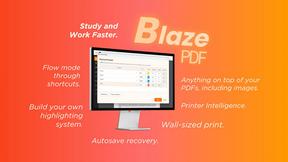
Highlight faster. Study in flow with custom shortcuts and a workflow built around you. Print smarter, or turn any page into a tiled poster.
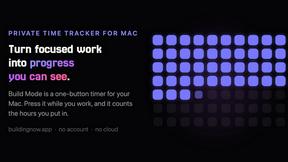
Build Mode for Mac
Build Mode is a Mac app that turns focused sessions into visible progress, so you can see the work adding up before the results arrive.



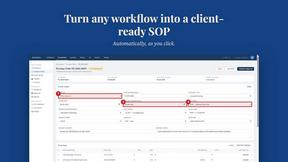
MySOP.guru
Capture any workflow in your browser and export a branded, step-by-step SOP with screenshots. €5 per document, no subscription.
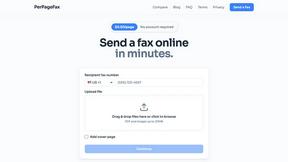
PerPageFax
PerPageFax lets you send a fax online from any browser for a flat $0.50 per page — no account, no subscription, no fax machine.