
QuickImg vs URL to Any
Side-by-side comparison to help you choose the right tool.
Unleash your creativity and create stunning AI images instantly with our all-in-one generation and editing platform!.
Last updated: February 28, 2026

URL to Any
Effortlessly convert any URL into multiple formats like PDF, Markdown, and images with URL to Any, your all-in-one.
Last updated: March 1, 2026
Visual Comparison
QuickImg
URL to Any
Feature Comparison
QuickImg
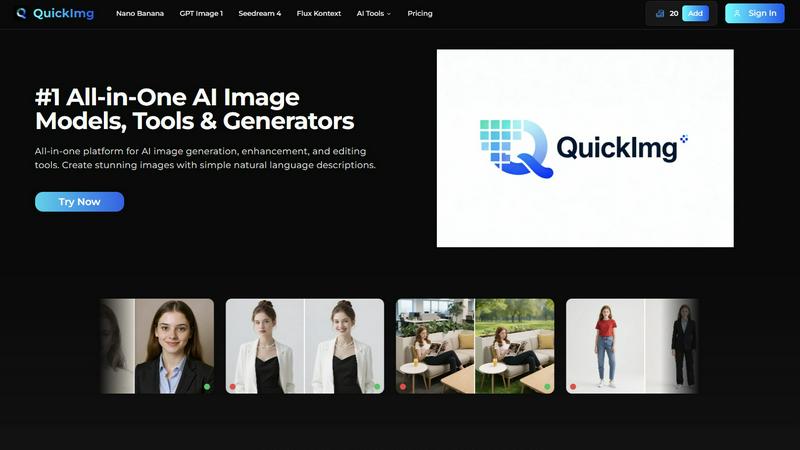
Multiple Cutting-Edge AI Models
Access a powerhouse of top-tier AI image models all in one place! Choose from industry leaders like Google's Nano Banana Pro for advanced text rendering, OpenAI's GPT Image 1 for superior multimodal generation, ByteDance's ultra-fast Seedream 4 for 4K output, and Flux Kontext for precise editing. This means you can select the perfect engine for your specific task-whether it's detailed character creation, photorealistic landscapes, or speedy batch processing-without juggling multiple subscriptions or platforms!
Natural Language Image Generation & Editing
Forget complicated commands and technical jargon! QuickImg's revolutionary interface understands you. Just type a simple description of what you want to create or modify-like "a serene lake at sunset with mountains" or "change this person's jacket to red"-and our AI handles all the complex technical details. This intuitive approach makes professional image creation accessible to absolutely everyone, from seasoned artists to complete beginners!
Comprehensive One-Click Editing Tools
Go beyond generation with a full suite of AI-powered editing tools designed for instant, magical results! Effortlessly remove backgrounds, erase watermarks and unwanted text, upscale images to 4K, change clothes in photos, convert pictures to anime, and even transform pets into human characters-all with a single click. These tools simplify complex editing workflows that would normally take hours in traditional software, delivering professional-grade modifications in moments!
Ready-to-Use Templates & Professional Workflow
Kickstart your projects instantly with a wide collection of professionally designed templates for common scenarios like social media posts, ads, product photos, and more! QuickImg's unified platform streamlines your entire creative workflow from start to finish. Generate an image, enhance it, edit it, and prepare it for download-all without ever leaving the platform. This integrated approach saves you tremendous time and money, consolidating all your image needs into one powerful, user-friendly hub!
URL to Any
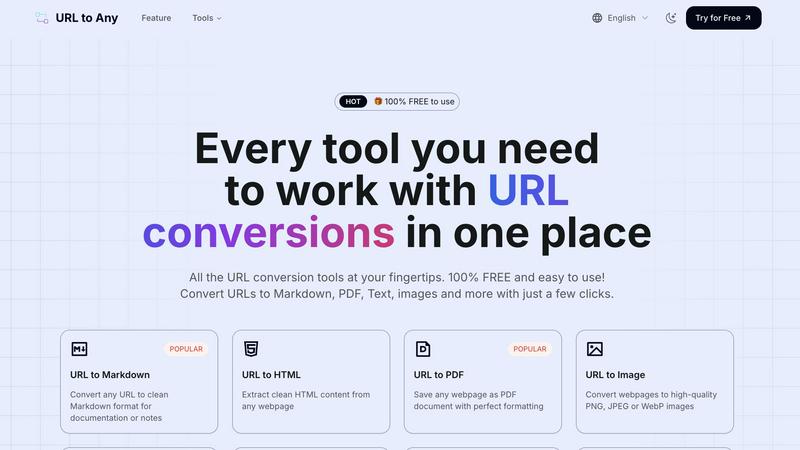
URL to Markdown
Convert any URL to clean Markdown format effortlessly! This feature is perfect for documentation, notes, or any scenario where you need a simple text format that retains essential formatting without the clutter.
URL to PDF
Save any webpage as a beautifully formatted PDF document in seconds! This feature allows you to preserve the layout and style of the original page, making it ideal for sharing or offline viewing.
URL to Image
Transform webpages into high-quality images in formats like PNG, JPEG, or WebP! Capture the visual essence of any webpage instantly, making it easy to share or use in presentations.
URL to QR Code
Generate QR codes from any URL for easy sharing! This feature is perfect for quickly linking to content, allowing users to scan and access webpages effortlessly with their mobile devices.
Use Cases
QuickImg
Social Media & Marketing Content Creation
Supercharge your social media presence and marketing campaigns! Quickly generate eye-catching graphics, promotional banners, and engaging visual content for Instagram, Facebook, TikTok, and ads. Use templates to maintain brand consistency and the AI tools to rapidly produce variations. Transform product photos, create unique characters for stories, and design posts that stop the scroll-all without needing a dedicated graphic designer on standby!
Professional Graphic Design & Digital Art
Elevate your design projects with the power of AI! Graphic designers and digital artists can use QuickImg to brainstorm concepts, create intricate illustrations, generate textures and backgrounds, or edit compositions with simple text instructions. It's perfect for overcoming creative block, rapidly prototyping ideas, and executing complex visual edits like precise background changes or object removal in a fraction of the usual time!
Personal Photo Enhancement & Fun Transformations
Breathe new life into your personal photo library! Use the AI upscaler to enhance old, low-resolution family photos to stunning 4K clarity. Have fun by turning selfies into anime characters or transforming a photo of your pet into a hilarious human version. Quickly remove photobombers or unwanted text from images, and change backgrounds for the perfect profile picture or holiday card. It's like having a photo studio in your pocket!
E-commerce & Product Photography
Dramatically simplify e-commerce workflows! Generate high-quality product images from descriptions, remove distracting backgrounds automatically for clean, white-background shots, and create multiple lifestyle scenes to showcase products in use. The AI clothes changer can even showcase apparel in different colors without a reshoot. This allows small businesses and large retailers alike to produce professional, consistent product imagery quickly and cost-effectively!
URL to Any
Content Creation
Bloggers and content creators can use URL to Any to convert resources and references into Markdown or PDF formats, streamlining their writing process and enhancing productivity.
Education
Teachers and students can convert educational webpages into PDFs or images for easy sharing and offline access, making learning resources more accessible and organized.
Development
Developers can utilize URL to Any to extract clean HTML or JSON data from webpages, simplifying data collection and repurposing for web applications.
Marketing
Marketers can benefit from generating QR codes for their campaigns, allowing potential customers to easily access landing pages or promotional content just by scanning!
Overview
About QuickImg
Welcome to the future of digital creativity with QuickImg, the ultimate all-in-one platform for AI image generation, enhancement, and editing! Designed for graphic designers, content creators, marketers, and digital art enthusiasts, QuickImg empowers you to bring your wildest visual ideas to life with astonishing ease and speed! Our core mission is to democratize professional-grade image creation by eliminating the need for complex software or expert-level prompts. Simply describe your vision in plain, natural language, and watch as our powerful AI transforms your words into stunning, high-quality images in seconds! We've partnered with over 50 leading global companies and integrated the world's most advanced AI models-like Nano Banana, GPT Image 1, and Seedream 4-into one seamless interface. Whether you're generating brand-new artwork from scratch, upscaling old photos to 4K, removing unwanted objects, or transforming a photo into an anime masterpiece, QuickImg has the tool for you! Jump into a world where your imagination is the only limit, and achieve professional results without the professional learning curve. Start creating today and unlock 50% OFF your first purchase with code QI50!
About URL to Any
URL to Any is your ultimate web content conversion companion! This powerful tool allows users to convert any URL into a variety of formats like Markdown, PDF, HTML, images, and QR codes—all for free! Whether you're a content creator seeking to streamline your editing workflow, a developer looking to extract webpage content, or simply someone who wants to save web content for later, URL to Any is here to help! With no registration or complicated setup required, users can simply paste the desired link and receive their converted content in seconds. This invaluable resource offers a hassle-free experience, ensuring you can quickly and efficiently transform online content without worrying about hidden fees or subscriptions. Discover the freedom of converting web pages like never before!
Frequently Asked Questions
QuickImg FAQ
What is QuickImg and who is it for?
QuickImg is an all-in-one online platform that provides AI-powered tools for generating, enhancing, and editing images. It's designed for a wide range of users including graphic designers, content creators, marketers, social media managers, small business owners, digital art enthusiasts, and anyone who needs to create or modify images without professional software expertise. Its intuitive natural language interface makes it accessible to beginners while its powerful tools satisfy professionals!
How does the natural language generation work?
It's incredibly simple! You just type a description of the image you want into the prompt box. For example, you could type "a majestic dragon sleeping on a pile of gold in a fantasy castle." QuickImg's AI models then interpret your text and generate a unique image that matches your description. No need to learn specific prompt engineering techniques-just describe your vision as if you were telling it to a friend. The same principle applies to editing: just describe the change you want!
Which AI models are available on QuickImg?
QuickImg partners with leading AI developers to give you access to multiple cutting-edge models in one platform. Key models include Nano Banana (and the Pro version) from Google for advanced generation, GPT Image 1 from OpenAI for superior text understanding, Seedream 4 from ByteDance for fast 4K output, and Flux Kontext for precise editing tasks. This variety lets you choose the best tool for your specific job, ensuring optimal quality and style for every project!
Is there a free trial or any discounts available?
Yes! QuickImg offers a fantastic limited-time offer to get you started. You can get 50% OFF your first purchase by using the promo code QI50 at checkout! This is a great way to experience the full power of the platform's generation credits and premium tools at a significant discount. Visit the QuickImg website and look for the "View Offer" section to activate this deal and begin your creative journey!
URL to Any FAQ
How do I convert a URL to a PDF?
Simply paste the URL into the tool, select the PDF format, and click convert! Your PDF will be ready for download in seconds.
Is URL to Any really free to use?
Absolutely! URL to Any offers all its features completely free, with no hidden fees or subscriptions required.
Can I convert multiple URLs at once?
While the current tool is designed for single URL conversions, you can use the URL Opener feature to open multiple links simultaneously for easy access.
Is my data safe when I use URL to Any?
Yes! Your data is processed securely and is not stored on our servers, ensuring your privacy and security while using the tool.
Alternatives
QuickImg Alternatives
QuickImg is a dynamic AI image creation platform that puts powerful generation, enhancement, and editing tools right at your fingertips! It falls squarely into the exciting category of AI assistants, designed to help anyone bring their visual ideas to life with incredible ease. It's the perfect creative partner for turning simple text descriptions into stunning artwork! Even with such a fantastic tool, users often explore other options to find their perfect creative match. Common reasons include budget considerations, the need for different or more specialized features, or a preference for a specific platform or interface. It's all about finding the solution that aligns perfectly with your unique workflow and project goals! When searching for an alternative, focus on what matters most for your creativity! Consider the core AI capabilities, the ease of use, and the value for your investment. Look for a platform that feels intuitive, delivers the quality you need, and empowers you to create without limits. The right tool should feel like a natural extension of your imagination!
URL to Any Alternatives
URL to Any is an innovative tool designed for effortless web content conversion, allowing users to transform URLs into a variety of formats such as Markdown, PDF, HTML, images, and QR codes! It falls under the category of AI Assistants, making it a vital resource for content creators and developers alike. Users often seek alternatives to URL to Any for various reasons, including pricing structures, specific feature sets, or platform compatibility. When searching for an alternative, it's important to consider the ease of use, the range of formats offered, and whether the tool is completely free. Additionally, look for user-friendly interfaces and robust support for different languages to ensure a smooth and efficient conversion experience.