
dmaya vs SimpleDraw
Side-by-side comparison to help you choose the right tool.

dmaya
dMaya empowers agencies to design stunning UI with AI, collaborate seamlessly, and export pixel-perfect code in a flash!.
Last updated: April 13, 2026

SimpleDraw
Effortlessly create precise floor plans and scale drawings online with SimpleDraw's powerful, free tool!.
Last updated: March 1, 2026
Visual Comparison
dmaya

SimpleDraw
Feature Comparison
dmaya
AI-Powered Design Generation
With dMaya, you can describe your design needs in plain language! The platform uses AI to generate production-ready UI designs complete with layouts, component systems, and responsive variants in seconds, saving you valuable time and effort.
Multi-Screen Canvas
dMaya offers an infinite canvas, allowing you to work across desktop and mobile frames simultaneously! This feature lets you drag, zoom, and organize screens just like in Figma, but with the added advantage of AI doing the heavy lifting for you.
Built for Teams & Collaboration
Collaboration has never been easier! dMaya enables you to invite team members, share projects with clients, leave comments, and work together in real time. Role-based access ensures that everyone has the right tools for their tasks!
Client Presentation Mode
Impress your clients with polished, interactive previews! Share a single link for clients to review projects without needing to create an account. Collecting feedback and iterating on designs happens seamlessly, all within the dMaya platform.
SimpleDraw
Accurate Measurements & Scale Drawing
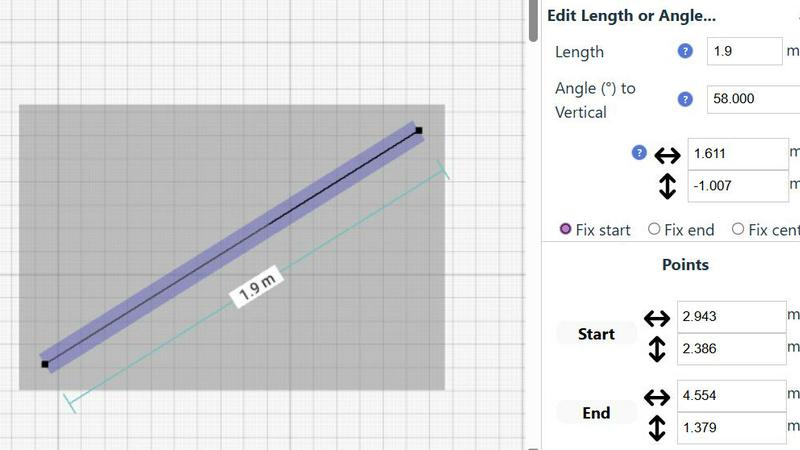
SimpleDraw ensures that your drawings are not only precise but also to scale! With smart alignment tools and real-time measurements, you can create detailed plans with confidence, knowing that every line and shape is exactly where it should be!
Specialized Floor Plan Creator
Dive into our dedicated Floor Plan Mode, designed specifically for creating intricate floor plans! With just a click, you can draw walls, insert doors, and add windows, making your design process faster and more intuitive than ever!
Smart Alignment System
Experience unmatched accuracy with our Smart Alignment System! It assists you in placing lines and points exactly where you want them, with clear visual indicators to guide you. Zoom in for greater precision and utilize keyboard shortcuts for hassle-free editing!
Comprehensive Measurement System
Our comprehensive measurement system lets you display metric or standard US units (feet/inches) based on your preference. Dynamic contextual measurements appear as you work, ensuring that every detail of your drawing meets your specifications!
Use Cases
dmaya
Agencies
Agencies can leverage dMaya to pitch faster and win more clients! Generate design concepts during discovery calls and present multiple directions to stakeholders in hours rather than weeks, significantly enhancing your workflow.
Product Teams
Product teams benefit from moving from ideation to sign-off at lightning speed! Explore various UI directions before committing engineering resources, allowing for effective collaboration across design, product, and engineering teams in one unified workspace.
Freelancers
Freelancers can take on more projects without sacrificing quality or hours! With dMaya, you can deliver high-quality designs efficiently, allowing you to charge more and impress clients with your swift turnaround times.
Startups
Startups can use dMaya to rapidly prototype and validate their product ideas! Create and iterate on designs quickly, ensuring that your vision aligns with user needs before diving into development, thus saving time and resources.
SimpleDraw
Kitchen & Bathroom Renovations
Planning a kitchen or bathroom renovation? SimpleDraw allows you to visualize layouts with accurate measurements, helping you decide on fixtures and finishes before the work begins!
Room Layouts & Furniture Planning
Designing a new bedroom, living room, or office layout? Use SimpleDraw to see how your furniture will fit in the space, ensuring every piece has a perfect spot before making a purchase!
Complete House & Apartment Plans
Creating a detailed floor plan for your home or rental listing is a breeze with SimpleDraw! Capture every room and feature accurately, making your space planning efficient and effective!
Community-Driven Projects
Join our community for collaborative projects and feedback! Use SimpleDraw to share your designs with others, gather input, and refine your ideas based on real user experiences and suggestions!
Overview
About dmaya
dMaya is the ultimate vibe design platform tailored for agencies, teams, and freelancers who prioritize design before coding! With the ability to generate professional UI designs from simple text descriptions, dMaya streamlines the creative process like never before. Imagine describing a SaaS dashboard, e-commerce flow, or mobile app, and receiving polished screens in mere seconds! The platform empowers users to iterate through conversations, making instant adjustments to colors, layouts, typography, and more. Design tokens ensure consistency across all screens automatically, eliminating the guesswork. When it's time for client review, dMaya provides a hassle-free preview link that requires no account for feedback—transforming days of review cycles into minutes! Once designs are approved, users can export clean HTML, CSS, and JS code for seamless integration with coding agents like Cursor or Claude Code. dMaya embraces the design-first workflow, ensuring that teams can present, approve, and ship their projects with absolute confidence!
About SimpleDraw
SimpleDraw is an innovative online tool that revolutionizes the way users create scale drawings! This user-friendly platform is designed for everyone, whether you're a DIY enthusiast, a homeowner planning a renovation, or a professional needing precise architectural layouts. With SimpleDraw, you can effortlessly craft accurate floor plans, room layouts, and detailed technical drawings without any prior CAD experience! The best part? It’s completely free, requires no login or registration, and works directly in your browser! Say goodbye to complicated software installations and hello to a straightforward interface that feels like drawing on paper, but with a level of precision that exceeds your expectations. Join the SimpleDraw community and unleash your creativity while enjoying the freedom and flexibility of online scale drawing like never before!
Frequently Asked Questions
dmaya FAQ
What types of designs can I create with dMaya?
You can create a variety of designs, including SaaS dashboards, e-commerce flows, mobile apps, and more! The platform is versatile enough to handle any UI design project.
Is there a limit to how many designs I can generate?
Currently, there are no specified limits on design generation. You can iteratively create and refine as many designs as you need to achieve the perfect outcome!
Do clients need an account to review designs?
No, clients do not need to create an account to review your designs! Simply share a preview link, and they can provide feedback effortlessly.
How does the design-to-code export work?
Once your design is approved, you can export it as clean HTML, CSS, and JS code! You can then hand this off to any coding agent, like Cursor or Claude Code, to build in your preferred framework.
SimpleDraw FAQ
Do I need any software to use SimpleDraw?
No! SimpleDraw is an online tool that works directly in your browser, requiring no downloads or installations. Simply visit the website and start drawing!
Is it really free to use?
Absolutely! SimpleDraw is completely free to use, allowing you to create detailed drawings without any hidden fees or subscription costs.
Can I save my drawings?
While SimpleDraw doesn’t require account creation, you can easily save your drawings by exporting them to your device. Check the platform for available export options!
How can I provide feedback or request features?
We love hearing from our users! Join our Discord community to share your feedback, request new features, and participate in the ongoing development of SimpleDraw!
Alternatives
dmaya Alternatives
dMaya is an innovative AI vibe design platform tailored for agencies, teams, and freelancers who prioritize the design phase before diving into coding. With its ability to transform text descriptions into striking UI designs in seconds, dMaya empowers users to create everything from SaaS dashboards to mobile apps effortlessly. However, users might seek alternatives for various reasons, such as pricing structures, specific feature sets, or compatibility with their existing workflows. When searching for alternatives, it’s essential to consider factors like ease of use, collaboration capabilities, and the quality of generated designs. Look for platforms that not only streamline the design process but also ensure seamless communication with clients and efficient export options. Prioritizing these elements will help you find a solution that aligns perfectly with your design and development needs.
SimpleDraw Alternatives
SimpleDraw is an innovative online tool that falls into the design tools category, specifically focused on creating stunning and accurate scale drawings and floor plans with ease! Users often seek alternatives for various reasons, including pricing, specific feature sets, or compatibility with different platforms. When searching for an alternative, consider factors such as user-friendliness, the range of features offered, and the ability to create precise designs without the hassle of registration or complicated interfaces. In the world of design tools, finding the right fit can make all the difference in your projects! Look for alternatives that provide similar functionalities, such as accurate scale drawing capabilities, specialized floor plan features, and smart alignment systems. Prioritize tools that cater to your specific needs, ensuring that your creative process remains smooth and enjoyable!