
Shrinkpad vs Sprout Video Downloader
Side-by-side comparison to help you choose the right tool.

Shrinkpad
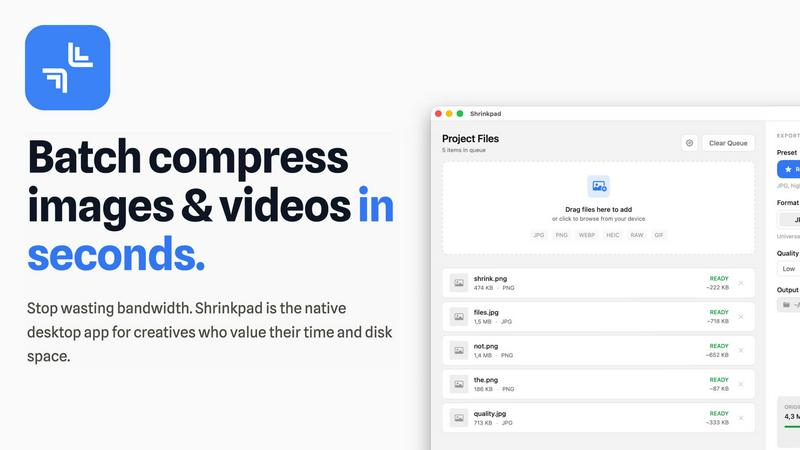
Shrinkpad instantly compresses your images and videos on Mac to save massive space and time!.
Last updated: February 28, 2026

Download hosted MP4s from embedded/direct pages
Visual Comparison
Shrinkpad
Sprout Video Downloader

Overview
About Shrinkpad
Tired of bloated media files devouring your precious Mac storage and slowing down your creative flow? Meet Shrinkpad, your ultimate desktop weapon for lightning-fast, batch image and video compression! This powerful, native macOS app is engineered for speed, privacy, and breathtaking simplicity. Built specifically for photographers, designers, developers, and content creators, Shrinkpad empowers you to reclaim gigabytes of valuable disk space in seconds, not hours! Just drag and drop hundreds of files or entire folders, choose your settings, and watch the magic happen—reducing file sizes by up to 90% while meticulously preserving stunning visual quality. The absolute best part? Every single bit of processing happens 100% locally on your Mac. No cloud uploads, no internet dependency, and absolute privacy for your sensitive client assets. Stop wrestling with clunky web tools and tedious manual exports. With seamless support for over 50 formats including JPG, PNG, HEIC, WebP, AVIF, MP4, and MOV, Shrinkpad is the all-in-one, pro-grade solution for anyone serious about optimizing their media, speeding up websites, and supercharging their entire creative workflow!
About Sprout Video Downloader
SproutVideo Downloader is a browser extension built for users who need offline access to business videos, training content, and embedded media served through SproutVideo. It detects supported direct-file and streaming playback flows, surfaces available quality options when present, and exports the final result as MP4 for later playback.
Save supported SproutVideo videos from embeds and direct pages
Handle direct MP4 and supported HLS-backed workflows
Export MP4 files for easier offline viewing and review
Keep a browser-first workflow for business and training content
Avoid manual stream extraction from embedded players