
Quickfix AI vs Zovo
Side-by-side comparison to help you choose the right tool.

Quickfix AI
Quickfix AI instantly diagnoses your computer's health and explains everything in plain English!.
Last updated: February 28, 2026

Unlock 20 powerful privacy-first Chrome extensions for developers and writers, all from a solo developer you can trust!.
Last updated: February 26, 2026
Visual Comparison
Quickfix AI
Zovo

Feature Comparison
Quickfix AI
One-Click Full System Scan
Get a complete diagnostic picture in under 60 seconds! With a single click, Quickfix AI performs a deep, comprehensive scan of all critical system components. It checks your CPU load, memory usage, GPU performance, disk health and space, battery condition, security protections, and network speeds, compiling everything into an easy-to-understand dashboard. No technical setup required—just download, run, and gain instant insights!
AI-Powered Analysis & Plain English Explanations
Don't just see data—understand it! Our built-in AI assistant reads your full diagnostic report and explains exactly what it all means in simple, clear language. Just ask questions like "Why is my Mac running slow?" and get specific, actionable answers. It identifies problem apps, highlights potential bottlenecks, and translates complex tech jargon into straightforward advice anyone can follow!
Secure Remote Diagnostics with Sharing Codes
Troubleshoot any computer remotely and securely! Perfect for IT support teams or helping friends and family, you can generate a unique, one-time sharing code. Simply send the download link, have the other person run the scan and enter the code, and you'll instantly see their diagnostic report in your own Quickfix AI interface. It’s fast, private, and eliminates the need for complicated screen sharing!
Comprehensive Performance & Health Dashboard
See your system's vital signs at a glance! Quickfix AI presents all key metrics in a beautiful, intuitive dashboard with clear visual indicators. Monitor real-time CPU, memory, and GPU percentages, check your disk space and health rating, review your battery's condition and cycle count, verify firewall and security status, and test your network upload/download speeds—all from one central hub!
Zovo
BeLikeNative
BeLikeNative is your ultimate writing companion! With instant rewrites at the touch of a key, this feature supports 80 languages, enabling users to communicate effectively and naturally, just like a native speaker. This is a game-changer for anyone looking to enhance their writing skills!
Tab Suspender Pro
Tab Suspender Pro is designed to save your computer's memory by automatically suspending inactive tabs. With smart detection capabilities and memory tracking, this feature helps keep your browser running smoothly, allowing you to focus on what matters without the clutter of unused tabs!
Clipboard History Pro
Never lose a copied text again! Clipboard History Pro keeps a record of up to 10,000 clips, allowing you to search instantly and paste text effortlessly. This feature is perfect for anyone who frequently copies and pastes, ensuring you have everything you need right at your fingertips!
Form Filler Pro
Form Filler Pro makes filling out forms a breeze! Save multiple profiles and fill any form with just one click, all while ensuring that your data is stored locally. This feature is designed to save you time and reduce the hassle of repetitive data entry, making online transactions simpler than ever!
Use Cases
Quickfix AI
Personal Troubleshooting
Something feels off with your computer but you don't know where to start? Quickfix AI is your first line of defense! Whether your machine is suddenly slow, the fan is always loud, or you're getting strange warnings, run a scan. The AI will diagnose the root cause—like a memory-hogging app or a full hard drive—and give you clear, step-by-step instructions to fix it yourself, saving you a costly trip to the repair shop!
IT & Tech Support Teams
Revolutionize your support workflow! Instead of lengthy back-and-forth emails or remote desktop sessions, send a Quickfix AI sharing link to a user. Once they run the scan, you get immediate, standardized diagnostic data on their machine. This allows you to identify common issues like outdated drivers, insufficient RAM, or security misconfigurations instantly, dramatically reducing resolution time and improving customer satisfaction!
Gamers & Power Users
Maximize your system's performance for the ultimate experience! Gamers, streamers, and developers can use Quickfix AI to ensure their rig is running at peak efficiency. Monitor GPU and CPU temperatures under load, identify background processes stealing precious resources, and get recommendations for optimal settings. Keep your frame rates high and your system stable with proactive health checks!
Pre-Purchase Device Audits
Buying or selling a used computer? Be an informed buyer or a trustworthy seller! Run Quickfix AI on the device to get an unbiased health report. Check the battery's true condition, verify there are no underlying hardware issues with the storage drive, and ensure all components are functioning correctly. It’s the perfect tool for transparency and making confident tech decisions!
Zovo
Streamlined Writing
Whether you are a student, professional writer, or business person, BeLikeNative can significantly streamline your writing process. With instant rewrites available in 80 languages, you can craft polished emails, reports, and essays in no time!
Efficient Browsing
Using Tab Suspender Pro, busy professionals can maintain a clean and efficient browsing experience. By suspending inactive tabs, the extension enhances performance and helps users focus on their current tasks without distractions from unnecessary tabs!
Enhanced Productivity
With Clipboard History Pro, users can elevate their productivity levels. This tool is perfect for researchers or content creators who need to copy and paste multiple quotes or snippets without losing track of their copied text!
Easy Form Management
Form Filler Pro is a must-have for anyone who frequently fills out online forms, such as job applications or purchase forms. Save your profiles and fill out forms effortlessly, reducing time spent on repetitive tasks and allowing more time for what truly matters!
Overview
About Quickfix AI
Stop the guesswork and start fixing! Quickfix AI is your brilliant, AI-powered system diagnostics tool that delivers instant clarity on your computer's health and performance! Imagine having a top-tier IT expert right inside your machine, ready to scan, analyze, and explain everything in plain English with a single click. No more confusing error messages or endless web searches! This powerful desktop application runs a comprehensive scan of your entire system in under a minute, giving you a crystal-clear report on CPU usage, memory pressure, storage health, battery life, security status, and network performance. Ditch the frustration of a slow or problematic computer and experience the magic of AI working directly on your device to diagnose issues and offer specific recommendations! Save hours on troubleshooting, empower your tech support, and gain total confidence in your system's stability. Whether you're a regular user, a gamer, a developer, or an IT professional, Quickfix AI is the ultimate productivity superpower for your digital life!
About Zovo
Zovo is a powerful suite of 20 Chrome extensions designed and developed by Michael Lip, a solo developer with over 10 years of experience and a remarkable track record of earning $400K+ on Upwork with a 100% success rate! Zovo's flagship extension, BeLikeNative, empowers over 3,300 users to write like native speakers with just one keystroke, supporting an astonishing 80 languages! Each extension in the Zovo suite is crafted with a strong emphasis on user privacy—data never leaves your device, ensuring no data harvesting or third-party interference. Users actively participate in shaping the product roadmap by voting on new features, making Zovo a community-driven platform. With new extensions launched monthly and many tools available for free online at zovo.one, Zovo is your one-stop solution for enhancing productivity and getting the most out of your browser experience!
Frequently Asked Questions
Quickfix AI FAQ
Is Quickfix AI free?
Yes! You can download Quickfix AI and run comprehensive system scans completely free of charge. The free version provides full access to the diagnostic report and AI-powered explanations for your personal use. This allows anyone to understand their system's health without any cost barrier!
Is my data secure?
Absolutely! Your privacy and security are our top priority. Diagnostic scans are processed locally on your device whenever possible. Any data used for generating AI explanations is handled with strict encryption and privacy protocols. We do not sell your personal data. For full details, please review our comprehensive Privacy Policy and Data Processing Agreement (DPA).
Do I need technical knowledge?
Not at all! Quickfix AI is designed for everyone. The interface is simple and intuitive, and our powerful AI assistant is built specifically to explain technical information in plain, easy-to-understand English. Just ask questions like you would ask a friend, and get clear answers and recommendations without any jargon.
What platforms are supported?
Quickfix AI is available for both Windows and macOS! We support a wide range of versions for both operating systems to ensure that whether you're on a personal laptop, a professional workstation, or a family desktop, you can get the insights you need. Simply download the correct version for your system from our website.
Zovo FAQ
How does Zovo ensure user privacy?
Zovo is committed to user privacy! All data processed through its extensions remains on your device. There is no data harvesting or third-party involvement, ensuring your information stays secure and private!
Can I request new features for the extensions?
Absolutely! Users can submit feature requests directly, and the most popular suggestions are prioritized for development. Your input plays a crucial role in shaping the future of Zovo!
Are the extensions free to use?
Many tools in the Zovo suite are available for free online at zovo.one! Additionally, you can enjoy premium features by subscribing to memberships, giving you early access to new extensions!
How can I get support if I encounter issues?
Zovo prides itself on providing exceptional support! Users can contact Michael directly via email or Discord for personalized assistance. There are no bots, no ticket queues—just real human support!
Alternatives
Quickfix AI Alternatives
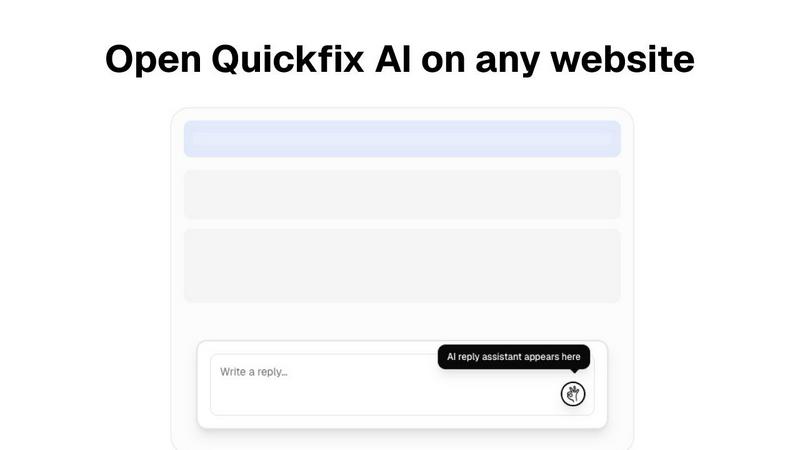
Quickfix AI is a revolutionary browser extension in the productivity and management category. It acts as your personal AI writing assistant, instantly generating smart, context-aware replies across any website you use, from email and social media to support desks and chat apps. It's designed to save you hours and eliminate writer's block with a single click! Users often explore alternatives for various reasons. Maybe they need a different pricing model, specific features not offered, or a solution that integrates with their unique workflow or platform. It's smart to shop around to find the perfect tool that fits your exact needs and budget. When evaluating other options, focus on what matters most to you. Consider the quality of AI responses, ease of use, privacy policies, and where the tool actually works. The best alternative will feel seamless and powerful, boosting your communication without slowing you down!
Zovo Alternatives
Zovo is an innovative suite of 20 privacy-first Chrome extensions designed for developers and writers, offering tools that enhance productivity and management. With features like JSON Formatter, Tab Suspender, and Clipboard History, Zovo helps users streamline their workflows while ensuring that their data remains secure and private. This unique collection is crafted by a solo developer with over a decade of experience, making it a standout choice in the productivity category! Users often seek alternatives to Zovo for various reasons, such as pricing, feature sets, or specific platform requirements. It’s essential to evaluate what each alternative offers in terms of functionality, user experience, and compatibility with your workflow. Look for options that prioritize privacy, provide a robust selection of tools, and have a user-centric approach to feature development to ensure a seamless experience!