
Quickfix AI vs rfpaihub
Side-by-side comparison to help you choose the right tool.

Quickfix AI
Quickfix AI instantly diagnoses your computer's health and explains everything in plain English!.
Last updated: February 28, 2026

rfpaihub
Supercharge your RFP and proposal writing with AI tools that streamline responses, boost efficiency, and ensure consistent quality!.
Last updated: April 13, 2026
Visual Comparison
Quickfix AI
rfpaihub

Feature Comparison
Quickfix AI
One-Click Full System Scan
Get a complete diagnostic picture in under 60 seconds! With a single click, Quickfix AI performs a deep, comprehensive scan of all critical system components. It checks your CPU load, memory usage, GPU performance, disk health and space, battery condition, security protections, and network speeds, compiling everything into an easy-to-understand dashboard. No technical setup required—just download, run, and gain instant insights!
AI-Powered Analysis & Plain English Explanations
Don't just see data—understand it! Our built-in AI assistant reads your full diagnostic report and explains exactly what it all means in simple, clear language. Just ask questions like "Why is my Mac running slow?" and get specific, actionable answers. It identifies problem apps, highlights potential bottlenecks, and translates complex tech jargon into straightforward advice anyone can follow!
Secure Remote Diagnostics with Sharing Codes
Troubleshoot any computer remotely and securely! Perfect for IT support teams or helping friends and family, you can generate a unique, one-time sharing code. Simply send the download link, have the other person run the scan and enter the code, and you'll instantly see their diagnostic report in your own Quickfix AI interface. It’s fast, private, and eliminates the need for complicated screen sharing!
Comprehensive Performance & Health Dashboard
See your system's vital signs at a glance! Quickfix AI presents all key metrics in a beautiful, intuitive dashboard with clear visual indicators. Monitor real-time CPU, memory, and GPU percentages, check your disk space and health rating, review your battery's condition and cycle count, verify firewall and security status, and test your network upload/download speeds—all from one central hub!
rfpaihub
AI-Powered Content Matching
This feature automates the process of matching incoming questions to your existing content library, ensuring that you can quickly find relevant responses without sifting through endless documents. By saving time, your team can focus on crafting compelling proposals!
First-Draft Generation
With AI-driven first-draft capabilities, RFP AI Hub helps you kickstart your responses! This feature allows subject-matter experts (SMEs) to review suggested answers rather than starting from scratch, enhancing efficiency and maintaining quality in your submissions.
Comprehensive Tool Comparison
RFP AI Hub offers an extensive directory of tools that you can filter by categories such as RFP response, proposal writing, and security questionnaire automation. This makes it super easy to find the perfect fit for your unique needs!
Free Access to All Features
Enjoy the benefits of RFP AI Hub without any cost! The platform allows you to browse, compare, and filter tools without requiring an account. This ensures that anyone can access valuable resources to improve their RFP processes!
Use Cases
Quickfix AI
Personal Troubleshooting
Something feels off with your computer but you don't know where to start? Quickfix AI is your first line of defense! Whether your machine is suddenly slow, the fan is always loud, or you're getting strange warnings, run a scan. The AI will diagnose the root cause—like a memory-hogging app or a full hard drive—and give you clear, step-by-step instructions to fix it yourself, saving you a costly trip to the repair shop!
IT & Tech Support Teams
Revolutionize your support workflow! Instead of lengthy back-and-forth emails or remote desktop sessions, send a Quickfix AI sharing link to a user. Once they run the scan, you get immediate, standardized diagnostic data on their machine. This allows you to identify common issues like outdated drivers, insufficient RAM, or security misconfigurations instantly, dramatically reducing resolution time and improving customer satisfaction!
Gamers & Power Users
Maximize your system's performance for the ultimate experience! Gamers, streamers, and developers can use Quickfix AI to ensure their rig is running at peak efficiency. Monitor GPU and CPU temperatures under load, identify background processes stealing precious resources, and get recommendations for optimal settings. Keep your frame rates high and your system stable with proactive health checks!
Pre-Purchase Device Audits
Buying or selling a used computer? Be an informed buyer or a trustworthy seller! Run Quickfix AI on the device to get an unbiased health report. Check the battery's true condition, verify there are no underlying hardware issues with the storage drive, and ensure all components are functioning correctly. It’s the perfect tool for transparency and making confident tech decisions!
rfpaihub
Sales Proposal Automation
Sales teams can utilize RFP AI Hub to streamline their proposal creation process. By leveraging AI tools, they can generate responses faster, allowing them to focus on strategy rather than repetitive tasks!
Vendor Risk Assessments
Compliance and vendor management teams can use RFP AI Hub to automate the completion of security questionnaires. The platform's AI capabilities ensure that responses are accurate, consistent, and completed in record time!
Enhancing Collaboration
With RFP AI Hub, teams can easily collaborate on proposal responses. The centralized knowledge base allows multiple users to access the same information, ensuring everyone is on the same page and maximizing productivity!
Industry-Specific Solutions
RFP AI Hub caters to various industries, allowing users to find tools tailored to their specific needs. This means that whether you are in healthcare, technology, or finance, you can discover solutions that address your unique challenges!
Overview
About Quickfix AI
Stop the guesswork and start fixing! Quickfix AI is your brilliant, AI-powered system diagnostics tool that delivers instant clarity on your computer's health and performance! Imagine having a top-tier IT expert right inside your machine, ready to scan, analyze, and explain everything in plain English with a single click. No more confusing error messages or endless web searches! This powerful desktop application runs a comprehensive scan of your entire system in under a minute, giving you a crystal-clear report on CPU usage, memory pressure, storage health, battery life, security status, and network performance. Ditch the frustration of a slow or problematic computer and experience the magic of AI working directly on your device to diagnose issues and offer specific recommendations! Save hours on troubleshooting, empower your tech support, and gain total confidence in your system's stability. Whether you're a regular user, a gamer, a developer, or an IT professional, Quickfix AI is the ultimate productivity superpower for your digital life!
About rfpaihub
RFP AI Hub is your ultimate resource for discovering the best AI-powered tools for RFP response, proposal writing, and security questionnaire automation! Designed for sales and proposal teams across various industries, RFP AI Hub streamlines the daunting task of responding to Requests for Proposals (RFPs) and security questionnaires. This innovative platform allows users to compare a wide range of tools by features, pricing, and industry needs. With RFP AI Hub, you can leverage AI technology to maintain a searchable knowledge base of approved answers, drastically reduce manual labor, and ensure that your submissions are consistent and high-quality. Whether you are a small business looking to improve your proposal process or a large corporation managing complex vendor assessments, RFP AI Hub has the solutions to enhance your efficiency and effectiveness!
Frequently Asked Questions
Quickfix AI FAQ
Is Quickfix AI free?
Yes! You can download Quickfix AI and run comprehensive system scans completely free of charge. The free version provides full access to the diagnostic report and AI-powered explanations for your personal use. This allows anyone to understand their system's health without any cost barrier!
Is my data secure?
Absolutely! Your privacy and security are our top priority. Diagnostic scans are processed locally on your device whenever possible. Any data used for generating AI explanations is handled with strict encryption and privacy protocols. We do not sell your personal data. For full details, please review our comprehensive Privacy Policy and Data Processing Agreement (DPA).
Do I need technical knowledge?
Not at all! Quickfix AI is designed for everyone. The interface is simple and intuitive, and our powerful AI assistant is built specifically to explain technical information in plain, easy-to-understand English. Just ask questions like you would ask a friend, and get clear answers and recommendations without any jargon.
What platforms are supported?
Quickfix AI is available for both Windows and macOS! We support a wide range of versions for both operating systems to ensure that whether you're on a personal laptop, a professional workstation, or a family desktop, you can get the insights you need. Simply download the correct version for your system from our website.
rfpaihub FAQ
What is RFP response software?
RFP response software is a specialized tool designed to help teams answer Requests for Proposals more efficiently. It centralizes past responses, automates content reuse, and uses AI to draft responses, significantly reducing manual effort and improving submission consistency.
How does AI improve the RFP process?
AI enhances the RFP process by auto-matching incoming questions to your existing content library, generating initial draft responses, and suggesting improvements based on past submissions. Teams often see a 40-60% reduction in response time by utilizing these advanced capabilities!
What types of tools does RFP AI Hub compare?
RFP AI Hub compares a diverse range of AI-powered tools across six main categories: RFP Response, Proposal Writing, Security Questionnaire Automation, Knowledge Base & Answer Library, Document Generation, and Contract & Bid Management, making it easy to find the right fit for your needs!
Is RFP AI Hub free to use?
Absolutely! RFP AI Hub is completely free to use. You can browse, compare, and filter various tools without needing to create an account, making it accessible for everyone looking to improve their RFP and proposal processes!
Alternatives
Quickfix AI Alternatives
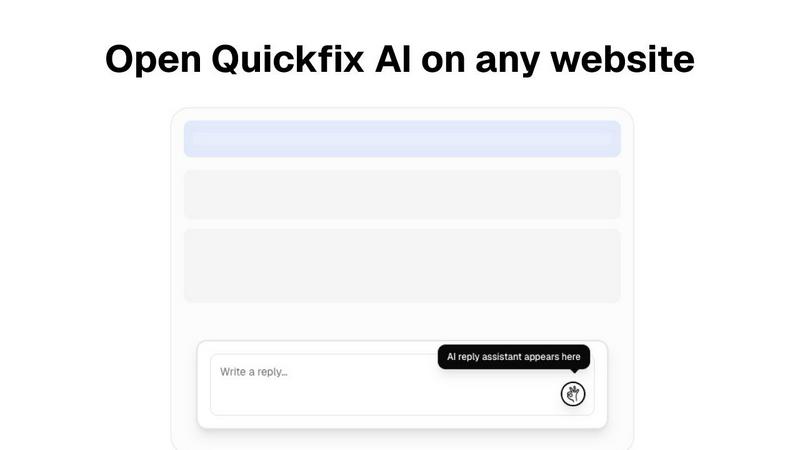
Quickfix AI is a revolutionary browser extension in the productivity and management category. It acts as your personal AI writing assistant, instantly generating smart, context-aware replies across any website you use, from email and social media to support desks and chat apps. It's designed to save you hours and eliminate writer's block with a single click! Users often explore alternatives for various reasons. Maybe they need a different pricing model, specific features not offered, or a solution that integrates with their unique workflow or platform. It's smart to shop around to find the perfect tool that fits your exact needs and budget. When evaluating other options, focus on what matters most to you. Consider the quality of AI responses, ease of use, privacy policies, and where the tool actually works. The best alternative will feel seamless and powerful, boosting your communication without slowing you down!
rfpaihub Alternatives
RFP AI Hub is an innovative platform that specializes in streamlining the process of RFP (Request for Proposal) and proposal writing, making it an essential tool for productivity and management. Users often turn to alternatives for various reasons, such as pricing concerns, specific feature requirements, or the need for compatibility with different platforms. When considering an alternative, it's important to assess the features that suit your business needs, the overall user experience, and how well the tool integrates with your existing workflows. Finding the right tool can significantly enhance your efficiency in crafting proposals and responding to RFPs, so take the time to explore your options and find a solution that meets your unique needs!