
Oneprofile vs Playwriter
Side-by-side comparison to help you choose the right tool.

Sync customer profiles and events seamlessly across all your tools, saving time and ensuring data accuracy every day!.
Last updated: February 26, 2026

Playwriter
Take full control of your Chrome browser with Playwriter, enabling seamless AI interactions and powerful automation in your existing session!.
Last updated: March 18, 2026
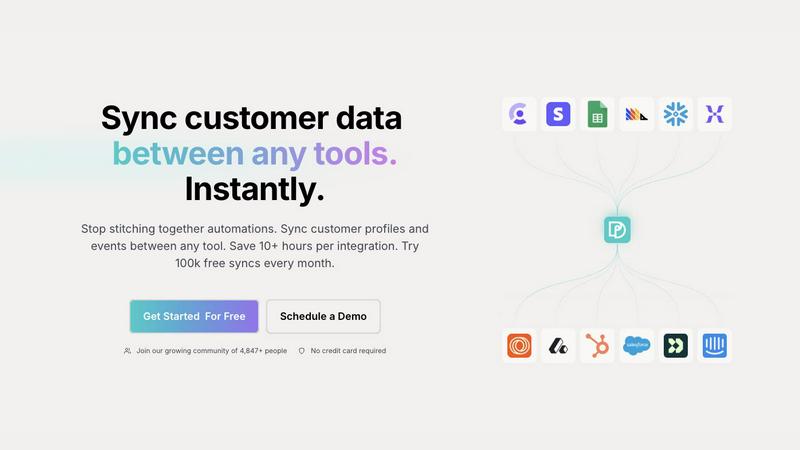
Visual Comparison
Oneprofile
Playwriter

Feature Comparison
Oneprofile
Seamless Data Synchronization
Oneprofile simplifies the process of syncing customer data between various tools, ensuring that any updates made in one system are reflected across all others instantly. No more manual entries or discrepancies!
Identity Resolution
With Oneprofile, you can unify customer identities across your tech stack! This feature prevents duplication and data drift, ensuring that every tool recognizes the same customer profile, no matter where the data originates.
Custom Data Flow Control
Control how your data moves between systems with Oneprofile’s customizable settings! You can define sync directions, map fields manually or automatically, and set up specific triggers for data updates based on your unique business needs!
Smart Field Mapping
Oneprofile takes the guesswork out of data alignment! With smart field mapping, you can easily match fields across different platforms. This ensures that customer information is consistently represented, making data management a breeze!
Playwriter
Full Browser Session Control
Playwriter gives your AI agents access to your actual browser session, complete with all your logins, extensions, and cookies! This means your agents can perform tasks without facing bot detection or memory issues that come with fresh browser instances.
Comprehensive Playwright API Access
With Playwriter, you get the full Playwright API through a single execute tool! This allows you to run any Playwright code without the need for complex wrappers, making your automation tasks simpler and more effective.
Real-Time Collaboration
Collaboration has never been easier! As your AI agent works, you can see everything it does in real-time. If it encounters a captcha or consent wall, you can jump in and solve it together, ensuring smooth and effective task completion.
Advanced Debugging and Snapshots
Debugging is a breeze with Playwriter's built-in debugger and accessibility snapshots. You can set breakpoints, edit code live, and intercept network requests, making it easier to identify issues and optimize performance.
Use Cases
Oneprofile
Centralized Customer Insights
Oneprofile is perfect for businesses looking to centralize customer insights! By syncing profiles across sales, marketing, and support, teams can access a single source of truth, leading to informed decision-making and improved customer experiences.
Enhanced Marketing Campaigns
Leverage Oneprofile to fuel your marketing efforts! With consistent customer data across platforms, marketers can create targeted campaigns that resonate with their audience, while avoiding wasted resources on inaccurate or outdated information.
Streamlined Customer Support
Customer support teams can utilize Oneprofile to pull up-to-date information about clients quickly! This leads to faster resolutions and a smoother customer experience, as representatives have access to the latest data during interactions.
Efficient Onboarding Processes
Use Oneprofile to enhance your onboarding processes for new clients! By keeping customer information synchronized from day one, your team can ensure a seamless transition into your services, improving customer satisfaction right from the start!
Playwriter
Automated Testing
Playwriter is perfect for developers who need to conduct automated testing on web applications. With the ability to control the actual browser, you can ensure your tests are as close to real user interactions as possible!
Data Scraping
Need to extract data from websites efficiently? Playwriter allows your AI agents to navigate through pages, interact with elements, and collect data without facing the challenges of bot detection!
Customer Support Automation
Imagine automating repetitive customer support tasks! Playwriter can help your agents perform routine actions on your support platform, allowing real agents to focus on complex customer queries while AI handles the simple stuff!
Performance Monitoring
Keep an eye on your web application’s performance! Use Playwriter to run performance tests and gather metrics while simulating real user interactions, giving you valuable insights into how your application behaves under different conditions.
Overview
About Oneprofile
Oneprofile is a revolutionary tool designed to synchronize customer profiles and events across multiple platforms and tools that businesses use. In a world where customer data is scattered and fragmented, Oneprofile stands out by ensuring that every system has access to the most accurate and up-to-date information. Imagine the power of having your CRMs, analytics, support, and marketing tools all referencing the same customer profile, eliminating confusion and enhancing collaboration! It’s built for businesses of all sizes that want to streamline their operations and maintain data integrity. With Oneprofile, you can say goodbye to manual integrations and hello to automatic data syncing! The main value proposition? Instant updates across all systems, saving you time and hassle while improving your team's efficiency!
About Playwriter
Playwriter is a revolutionary tool that transforms the way AI agents interact with the web! Designed specifically for developers, testers, and organizations leveraging AI, Playwriter enables agents to control your actual browser session instead of relying on limited headless browsers. This means your agents can operate with full access to your logged-in accounts, extensions, and cookies! No more dealing with fresh Chrome instances that can't recognize your preferences or settings. Playwriter combines a powerful Chrome extension with a robust CLI, offering a seamless integration with your existing workflows. With automation capabilities, accessibility snapshots, live debugging, and real-time collaboration, Playwriter empowers users to enhance their productivity and streamline repetitive tasks. Plus, its open-source, MIT licensed nature encourages community contributions and fosters innovation. Say goodbye to bot detection headaches and welcome a smarter, more efficient browsing experience!
Frequently Asked Questions
Oneprofile FAQ
How does Oneprofile ensure data accuracy?
Oneprofile employs advanced identity resolution techniques to unify customer profiles across all tools, preventing duplication and ensuring that every system references the same data.
Can I customize how my data syncs?
Absolutely! Oneprofile allows you to control sync directions, map fields, and set triggers for updates based on your specific business processes, ensuring flexibility in data management.
Is there a limit to the number of syncs I can perform?
No need to worry! Oneprofile offers 100,000 free syncs every month, allowing you to manage a substantial volume of data without incurring additional costs.
Is Oneprofile suitable for businesses of all sizes?
Yes! Whether you are a startup or a large enterprise, Oneprofile is designed to cater to businesses of all sizes, helping streamline operations and enhance data integrity across various systems.
Playwriter FAQ
What platforms does Playwriter support?
Playwriter works with any MCP client, including Cursor, Claude, VS Code, and more! This makes it a versatile choice for developers working with various tools.
How do I get started with Playwriter?
Getting started is easy! Simply install the Chrome extension, set up the CLI with npm, and add the necessary skills. Then, you're ready to begin browsing with your AI agents!
Is Playwriter secure?
Absolutely! Playwriter operates entirely on your local machine, ensuring that your data never leaves your environment. There's no need for remote servers or accounts, keeping your information safe.
Can I customize the functionality of Playwriter?
Yes! Since Playwriter is open source and MIT licensed, you can modify and extend its functionality according to your needs. This flexibility allows you to tailor it for your specific use cases!
Alternatives
Oneprofile Alternatives
Oneprofile is an innovative tool designed to sync customer profiles and events seamlessly across various platforms, primarily falling under the Analytics & Data category. This powerful solution ensures that businesses have the most accurate and up-to-date information about their customers, eliminating the chaos of managing multiple versions of the same data across different systems. However, users often seek alternatives to Oneprofile for a variety of reasons, such as pricing constraints, specific feature requirements, or the need for integration compatibility with their existing tech stack. When exploring options, it’s vital to consider factors such as ease of use, scalability, customer support, and the specific functionalities that will best suit your business needs. Finding the right solution can help streamline your operations and enhance your customer data management!
Playwriter Alternatives
Playwriter is a cutting-edge automation tool that empowers users to control Chrome with AI through CLI or MCP. With its unique ability to utilize your existing browser session, Playwriter stands out in the automation category by providing full access to your logged-in accounts, extensions, and personalized settings. This innovative solution is designed to tackle the limitations faced by AI agents, making it a game-changer for developers and automation enthusiasts alike! However, users often seek alternatives due to factors like pricing, feature sets, or specific platform requirements. When exploring options, it's essential to consider the unique features that will enhance your workflow, the ease of integration with your current systems, and the overall value offered. Choosing an alternative that aligns with your needs can make a significant difference in your automation experience, so take your time to evaluate your options!