
Movoria AI vs SVG to 3D
Side-by-side comparison to help you choose the right tool.

Movoria AI
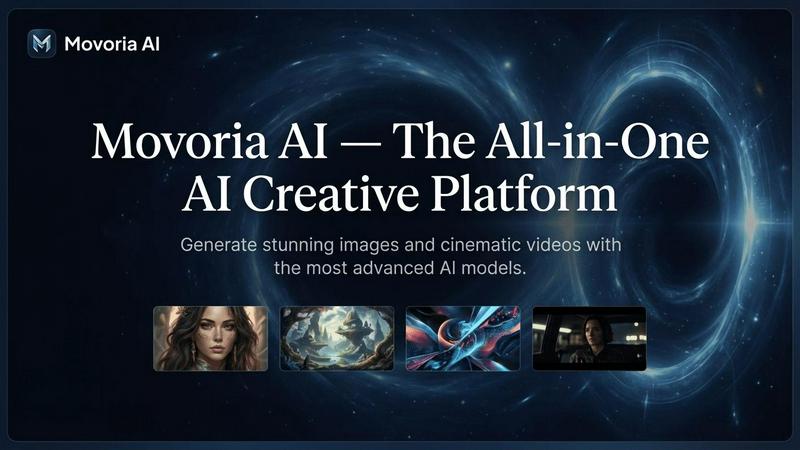
Movoria AI is your all-in-one platform to effortlessly create stunning images and captivating videos using advanced AI technology!.
Last updated: April 13, 2026
SVG to 3D
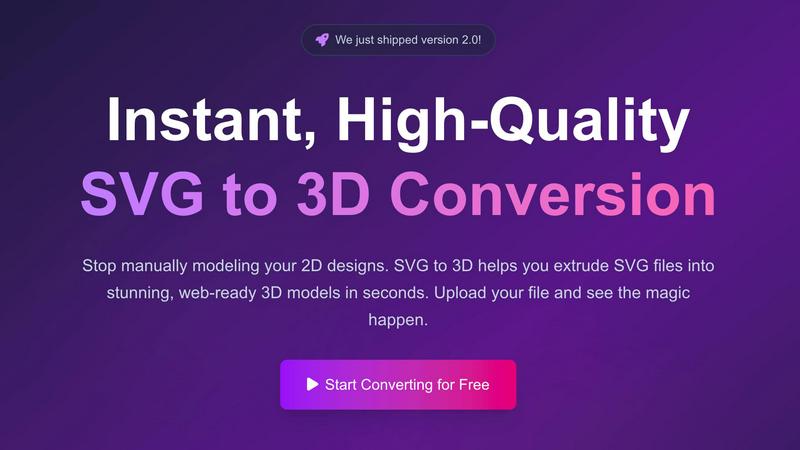
Effortlessly convert your SVG designs into stunning, professional 3D models in seconds with SVG to 3D!.
Last updated: February 26, 2026
Visual Comparison
Movoria AI
SVG to 3D
Feature Comparison
Movoria AI
AI Image Generator
Create photorealistic images from text prompts using cutting-edge AI models! The AI Image Generator allows you to bring your imagination to life, producing high-quality visuals perfect for portraits, logos, and artistic expressions across various domains.
AI Video Generator
Transform your ideas into cinematic video content effortlessly! The AI Video Generator synchronizes audio and visuals, enabling you to craft engaging stories and dynamic clips that captivate your audience on social media or in professional settings.
Intelligent Chat Assistant
Prepare for enhanced productivity with the upcoming Intelligent Chat Assistant! This feature will provide expert-level assistance, offering deep reasoning and real-time information to help you tackle complex problems and streamline your workflow.
Multi-Model Access
Gain access to a diverse array of AI models all in one platform! With Multi-Model Access, you can seamlessly switch between different tools, selecting the perfect model for image generation, video production, or even quick chat assistance.
SVG to 3D
One-Click GLB Export
Experience the ease of exporting your 3D models directly as GLB files optimized for web use! This feature is perfect for web developers who want to seamlessly integrate high-quality 3D assets into their Three.js or React Three Fiber projects without any hassle.
3D-Print Ready STL Files
Transform your designs into tangible creations with our clean STL exports! This feature ensures your models are ready for 3D printing, allowing you to bring your logos, artwork, and custom designs into the physical world without the need for complex CAD software.
Fine-Tuning Controls
Take your 3D modeling to the next level with our comprehensive fine-tuning controls! Adjust thickness, bevels, and apply realistic PBR materials, all while watching real-time previews as you make changes. This level of detail guarantees that your final product looks professional and polished.
Fast Processing Speed
Say goodbye to long waits! Our optimized algorithms enable lightning-fast processing, converting your SVG files into 3D models in seconds. This means you can spend more time creating and less time waiting, making SVG to 3D the fastest conversion tool available online!
Use Cases
Movoria AI
Content Creation for Social Media
Utilize Movoria AI to create eye-catching visuals and videos that stand out on platforms like Instagram and TikTok! The AI's ability to generate stunning images and dynamic clips ensures your content captures attention and drives engagement.
Marketing Campaigns
Leverage the power of Movoria AI for your marketing needs! Whether you need professional-quality images for advertisements or engaging videos for promotional content, this platform provides the tools to impress your clients and enhance your campaigns.
E-commerce Product Photography
Say goodbye to expensive studio shoots! With Movoria AI, you can generate photorealistic product images and lifestyle shots in seconds, boosting your online store's appeal and conversion rates while saving time and resources.
Creative Exploration and Art Projects
Movoria AI is perfect for artists and creators looking to explore new ideas! Generate unique visuals and video content that push the boundaries of creativity, allowing you to experiment with styles and concepts without limitations.
SVG to 3D
Interactive Web Logos
Elevate your web projects by transforming simple SVG icons into interactive 3D logos! With SVG to 3D, you can create engaging user experiences that captivate visitors and make your brand stand out through stunning visuals.
3D Models for UI/UX Design
Make your UI/UX designs pop with depth and dimensionality! Use SVG to 3D to quickly mock up and present user interface elements that impress clients and stakeholders, enhancing your presentations and design proposals.
Prototyping for 3D Printing
Bring your 2D designs to life by creating prototypes for 3D printing! Our tool ensures your models are ready for fabrication, allowing designers and engineers to visualize their concepts and test functionality without extensive modeling work.
Game Development Assets
Game developers can seamlessly integrate 3D models created from SVG designs into their projects! Whether you need assets for characters, environments, or interactive elements, SVG to 3D provides a quick and efficient solution to enhance your gaming experiences.
Overview
About Movoria AI
Movoria AI is your ultimate all-in-one AI creative platform, designed to revolutionize how you generate stunning visuals and cinematic videos! Whether you're a solo creator, a marketing professional, or part of a large team, Movoria AI provides the tools you need to unleash your creativity. With advanced AI models, you can transform text into breathtaking images, create dynamic video clips, and even engage in intelligent chat for support and brainstorming. The platform's seamless integration of image and video generation ensures that you can produce high-quality content for social media, advertising, or personal projects—all in one place! Join thousands of satisfied creators and discover why Movoria AI is the go-to solution for innovative content creation!
About SVG to 3D
SVG to 3D is a groundbreaking online tool designed to revolutionize the way designers, developers, and 3D printing enthusiasts transform their 2D vector graphics into stunning 3D models! With its user-friendly interface and powerful processing capabilities, SVG to 3D allows users to convert SVG files into high-quality, web-ready 3D models in just seconds! No more struggling with heavyweight software like Blender or C4D; this tool simplifies the modeling process while maintaining professional quality. Whether you are a web developer wanting to add depth to your projects or a designer looking to create striking visuals, SVG to 3D is your go-to solution. Its advanced features and lightning-fast processing make it the perfect companion for anyone looking to enhance their designs and bring their ideas to life!
Frequently Asked Questions
Movoria AI FAQ
What types of content can I create with Movoria AI?
With Movoria AI, you can create a wide range of content, including stunning images from text prompts, dynamic video clips, and even enhanced photo edits. The platform caters to various creative needs, making it suitable for professionals and hobbyists alike.
Is Movoria AI suitable for beginners?
Absolutely! Movoria AI is designed to be user-friendly and accessible, making it perfect for beginners and seasoned creators. The intuitive interface allows you to generate high-quality content with ease, regardless of your experience level.
How does the AI Video Generator work?
The AI Video Generator transforms text descriptions into engaging video clips by combining visuals with synchronized audio. It is powered by advanced neural rendering technology, ensuring high-quality output that captivates your audience.
Are there any limitations to the free version of Movoria AI?
The free version of Movoria AI allows for two free uses per day without requiring a login. While this is great for casual users, accessing the full suite of features and additional uses may require a subscription or account registration for more serious creators.
SVG to 3D FAQ
How does SVG to 3D work?
SVG to 3D allows you to upload SVG files directly to the platform, where our algorithms instantly convert them into 3D models. You can then adjust various settings and export the model in multiple formats.
What file formats can I export my 3D models to?
You can export your 3D models in various formats, including GLB, GLTF, OBJ, and STL, ensuring compatibility with a wide range of 3D applications and projects.
Is there a limit on the file size I can upload?
Yes, the maximum file size for uploads is 5 MB. This allows for the efficient processing of your designs while maintaining high-quality outputs.
Do I need to create an account to use SVG to 3D?
No registration is required! You can start converting your SVG files into 3D models instantly, making it hassle-free and accessible to everyone.
Alternatives
Movoria AI Alternatives
Movoria AI is an all-in-one AI image and video platform that empowers users to generate stunning visuals and cinematic videos with just a few clicks! It belongs to the AI Assistants category, making it a powerful tool for creatives, marketers, and anyone looking to elevate their multimedia content. However, many users find themselves exploring alternatives due to varying needs such as pricing, specific feature sets, or different platform capabilities that better suit their unique projects. When searching for an alternative to Movoria AI, it’s essential to consider what features are most important to you! Are you looking for more advanced editing tools, different pricing tiers, or perhaps a user-friendly interface? Identifying your specific requirements will help you find the best fit for your creative endeavors, ensuring you have all the tools needed to bring your vision to life!
SVG to 3D Alternatives
SVG to 3D is an innovative tool designed to transform your 2D designs into stunning 3D models effortlessly! As part of the AI Assistants category, it addresses a common frustration among designers and developers who struggle with complex 3D modeling software. Users often seek alternatives due to reasons such as pricing, an overwhelming number of features, or specific platform compatibility needs that may not align with their workflow. When choosing an alternative, consider the ease of use, the quality of the output, and the specific features that fit your project requirements. Look for options that provide efficient export formats, seamless integration with your existing tools, and the ability to enhance your designs without the steep learning curve typically associated with traditional 3D modeling software.