
Mailopoly vs SupaSidebar
Side-by-side comparison to help you choose the right tool.

Mailopoly
Mailopoly transforms your inbox with AI, organizing emails, extracting key info, and drafting replies in your voice!.
Last updated: February 26, 2026

SupaSidebar
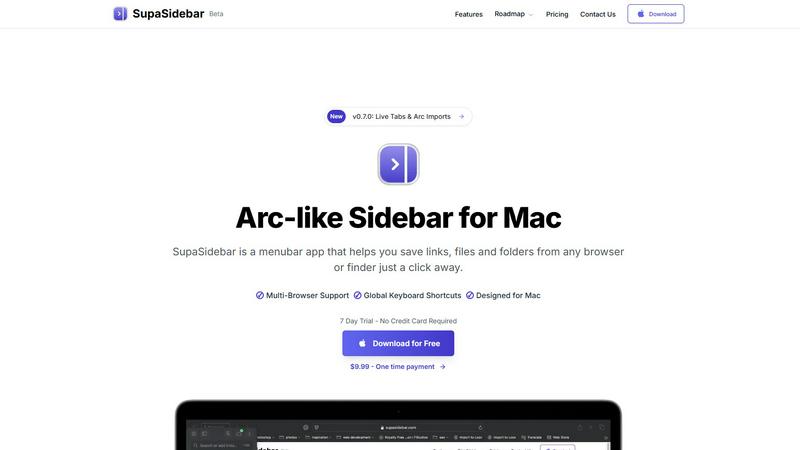
Instantly save and open any link, file, or folder on your Mac with a single click!.
Last updated: February 28, 2026
Visual Comparison
Mailopoly

SupaSidebar
Feature Comparison
Mailopoly
Cleanbox - Only the Emails that Matter
Mailopoly’s Cleanbox feature ensures that you only see the emails that are truly important! It filters out the noise and presents you with a curated view of your inbox, allowing you to focus on your priorities without the stress of unnecessary distractions. With no setup required, it learns your preferences from day one, providing you with notifications for real priorities that matter most!
Instant Information Extraction
Why waste time opening every email when Mailopoly can instantly pull out the key details you need? This feature summarizes invoice amounts, booking details, meeting times, and more, giving you an overview at a glance. You can easily stay updated on deliveries and tasks without the hassle of searching through your messages, making your life smoother and more efficient!
AI-Powered Reply Drafting
Forget about typing out responses! With Mailopoly, your replies are drafted in your voice, style, and tone, ensuring they sound just like you. This feature provides multiple suggestions, allowing you to edit or send responses in seconds. Now you can effortlessly manage personal, work, and side hustle emails without the stress of grammar or spelling mistakes!
Poly - Your AI Life Assistant
Meet Poly, your built-in AI assistant! Poly knows your inbox, schedule, and priorities, helping you manage everything from bills and trips to side hustles. You can ask Poly questions like what bills you need to pay this week or to summarize emails from your accountant. Poly makes life admin simple, so you can focus on what truly matters!
SupaSidebar
Universal Sidebar Access
SupaSidebar creates a beautifully designed, persistent sidebar that lives in your menubar, ready to spring into action! This isn't just for your browser; it's a universal hub for your entire Mac. You can save and access links from any supported browser, files and folders from Finder, and even your favorite applications, all from one centralized, instantly accessible location. It's your digital cockpit, designed to keep you in the flow without constant app switching!
Powerful Global Keyboard Shortcuts
Take control with lightning-fast keyboard shortcuts that work anywhere on your Mac! Save your current website link directly to the sidebar with a simple CMD+CTRL+S, or copy it with CMD+CTRL+C. Need to find anything in your sidebar instantly? Just press CMD+CTRL+K to bring up a blazing-fast search that scans through all your saved items, recent history, and more. These shortcuts are global, meaning they work no matter which app you're currently using, saving you countless clicks and seconds throughout your day!
Recents & Pinned Favorites
Never lose your work again! The "Recents" feature automatically tracks every website you've visited in the last 48 hours, so you can quickly jump back to that important article or research tab you had open yesterday. For your essential tools, you can pin items to the top of your sidebar for permanent, one-click access. This combination ensures both your current workflow and your core resources are always immediately available, eliminating frustrating searches!
Seamless Multi-Browser Integration
SupaSidebar works harmoniously with the browser you love! It offers full support for all major browsers including Safari, Google Chrome, Mozilla Firefox, Brave, and the innovative Arc browser. This means you can save links and access your sidebar content regardless of which browser you're using at any given moment. It unifies your web experience across different tools, making your browsing faster and more organized than ever before!
Use Cases
Mailopoly
Streamlined Work Communication
For professionals juggling multiple projects, Mailopoly ensures that critical work emails are always front and center. By filtering out distractions and highlighting important messages, users can focus on their tasks and maintain productivity without missing deadlines or important updates!
Personal Life Management
Whether it's coordinating family schedules or planning events, Mailopoly makes personal life management a breeze! Users can easily track important dates, appointments, and reminders, ensuring they never miss a beat in their busy lives, all from one organized platform!
Effective Side Hustle Organization
For side hustlers, staying on top of various commitments can be overwhelming. Mailopoly helps manage multiple email accounts and tasks efficiently, ensuring that important communications related to side projects are not lost in the chaos of daily emails. Users can streamline their workflow and focus on growth!
Financial Oversight and Management
Mailopoly’s financial management capabilities allow users to keep track of invoices, payments, and delivery updates effortlessly. By extracting relevant financial information from emails, users can maintain a clear overview of their expenses and commitments, making budgeting and planning a lot easier!
SupaSidebar
The Tab-Hoarding Researcher
Are you a student or professional who ends every research session with 50+ browser tabs open, terrified of closing them? SupaSidebar is your salvation! Quickly save all your reference links, important papers, and data sources directly to organized spaces in the sidebar with a simple shortcut. Clear your browser clutter without fear, knowing every crucial link is safely stored and instantly retrievable from your elegant sidebar, ready for when you need to cite or revisit!
The Creative Content Juggler
For creators, designers, and developers, inspiration and resources come from everywhere! SupaSidebar acts as your creative swiss army knife. Save mood board images, tutorial videos, code repositories, design asset folders, and inspiration websites all in one place. When you're deep in a project, just hit your global shortcut to pull up your sidebar and grab exactly what you need without breaking your creative flow to dig through bookmarks or finder windows!
The Multitasking Project Manager
Juggling multiple clients, projects, and deadlines? SupaSidebar helps you compartmentalize and conquer! Create separate spaces for each project or client. Instantly save relevant emails, briefs, spreadsheets, and dashboard links into their dedicated space. With a quick keystroke, you can switch your entire sidebar context from "Client A Website Redesign" to "Q4 Financial Planning," keeping all your resources perfectly organized and dramatically reducing context-switching overhead!
The Efficiency-Obsessed Professional
If you value speed and hate repetitive actions, SupaSidebar is your ultimate productivity booster! Stop manually copying and pasting URLs into documents or messages. Use the copy shortcut to grab a link and paste it anywhere in a flash. Keep your daily drive folders, frequent Slack channels, or routine reports pinned for one-click access. Turn those small, time-consuming tasks into effortless, keyboard-driven actions and reclaim hours of productive time every week!
Overview
About Mailopoly
Mailopoly is not just another email client; it’s your intelligent email assistant that transforms the way you manage your inbox and life! Designed for busy professionals, multitaskers, and anyone overwhelmed by the chaos of traditional email systems, Mailopoly simplifies your digital life by automatically extracting vital information from your emails. No more sifting through endless messages! With our advanced AI, you can focus on what really matters while your inbox is intelligently organized. Mailopoly efficiently reduces your notification overload and inbox clutter by surfacing important emails and hiding the noise. Beyond just email, it includes a powerful AI chatbot, Poly, that understands your preferences and helps manage personal finances, events, and tasks seamlessly. Mailopoly empowers you to reclaim control over your day, making life easier and more organized, so you can stay ahead of the game!
About SupaSidebar
Tired of digital chaos derailing your focus and slowing you down? Meet SupaSidebar, your beautiful new command center for Mac! This is a revolutionary, Arc-inspired sidebar designed from the ground up to supercharge your productivity by putting everything you need instantly at your fingertips. SupaSidebar is a lightweight, native menubar application that helps you stay organized, browse faster, and maintain your creative flow without ever leaving your desktop. Imagine having immediate, one-click access to all your saved links, important files, favorite folders, and even your open browser tabs from one elegant, distraction-free panel! It's the ultimate solution for anyone who multitasks on a Mac. Whether you're a researcher drowning in a sea of tabs, a creator juggling dozens of resources, or a professional switching between multiple projects, SupaSidebar is built for you. Its core promise is powerful and simple: stop wasting precious time searching and start doing! With powerful global keyboard shortcuts and seamless integration across all major browsers like Safari, Chrome, Arc, Firefox, and Brave, SupaSidebar ensures your most important digital assets are always just a keystroke away. Best of all, your data is private and never leaves your Mac. It's time to transform how you work and unlock a new level of efficiency!
Frequently Asked Questions
Mailopoly FAQ
How does Mailopoly reduce email volume?
Mailopoly intelligently filters your inbox and extracts only the important information, significantly reducing the number of notifications and clutter while keeping you informed about what truly matters!
Is Mailopoly secure?
Absolutely! Mailopoly is designed with security in mind and is SOC 2 certified, ensuring that your privacy is prioritized and your information is kept safe at all times!
What email providers are compatible with Mailopoly?
Mailopoly works seamlessly with all major email providers, including Gmail, Outlook, Yahoo, Hotmail, and any IMAP provider. You can also use a secure, private @mly.life address for added peace of mind!
Do I need to set up complicated configurations?
Not at all! Mailopoly is designed for zero setup and zero friction. Simply connect your email accounts, and it begins to work immediately, adjusting to your preferences and needs effortlessly!
SupaSidebar FAQ
Is SupaSidebar a browser extension?
No, SupaSidebar is not a browser extension! It is a powerful, standalone native application for macOS that lives in your menubar. It integrates with your browsers through secure, native methods to read and save tab information, but it operates independently as its own app. This means it can also manage files and folders from your Finder and work globally across your entire Mac system, not just inside a browser window!
Which browsers does SupaSidebar work with?
SupaSidebar offers fantastic compatibility and works seamlessly with all major browsers on your Mac! This includes Safari, Google Chrome, Mozilla Firefox, the Brave browser, and the popular Arc browser. The app is designed to be your universal companion, so no matter which browser you prefer for different tasks, you can save links and access your sidebar content consistently and without any hassle!
What macOS version do I need?
To run SupaSidebar and enjoy all its powerful features, you will need a Mac running macOS 13 (Ventura) or a newer version. This ensures the app can utilize the latest macOS technologies for performance, security, and seamless system integration, providing you with the smooth, native experience it's designed to deliver!
Where is my data stored?
Your privacy and security are paramount! All the data you save into SupaSidebar--your links, your file paths, your organizational spaces--is stored locally and privately on your own Mac. Nothing is sent to or stored on external servers. This "nothing leaves your Mac" philosophy means you have complete control and ownership over your information at all times!
Alternatives
Mailopoly Alternatives
Mailopoly is an innovative, AI-powered email client that transforms your inbox experience by cutting down on clutter and enhancing productivity! It falls into the Productivity & Management category, offering features like automatic information extraction, task management, and an integrated AI chatbot. Users often seek alternatives to Mailopoly for various reasons, including pricing, specific feature requirements, or compatibility with certain platforms. When choosing an alternative, consider the essential functionalities you need, ease of use, and the ability to integrate seamlessly with your existing tools and workflows to ensure maximum efficiency. --- FAQ_SEPARATOR--- [{"question": "What is Mailopoly?", "answer": "Mailopoly is an AI-powered email client designed to streamline your inbox by extracting important information, reducing notifications, and enhancing task management."},{"question": "Who is Mailopoly for?", "answer": "Mailopoly is ideal for anyone looking to optimize their email management, from busy professionals to individuals wanting a more organized approach to their communications."},{"question": "Is Mailopoly free?", "answer": "The pricing structure for Mailopoly may vary, so it's best to check their official website for the most current information on plans and offerings."}]
SupaSidebar Alternatives
SupaSidebar is a powerful menubar app for Mac that acts as your ultimate digital command center! It belongs to the productivity and management category, designed to eliminate clutter by giving you instant, one-click access to saved links, files, folders, and even your open browser tabs. It’s all about speeding up your workflow and keeping you in a state of flow! Even the best tools aren't a perfect fit for everyone. Users often explore alternatives for various reasons, such as budget constraints, a need for different features, or because they use multiple operating systems beyond macOS. It’s smart to shop around and find the solution that truly matches your unique workflow and tech setup! When searching for an alternative, focus on what matters most for your daily routine. Consider the core functionality: does it offer fast search and quick access to your digital assets? Check for compatibility with your preferred browsers and whether it supports powerful global keyboard shortcuts. Ultimately, you want a tool that feels intuitive and removes friction, not adds to it!